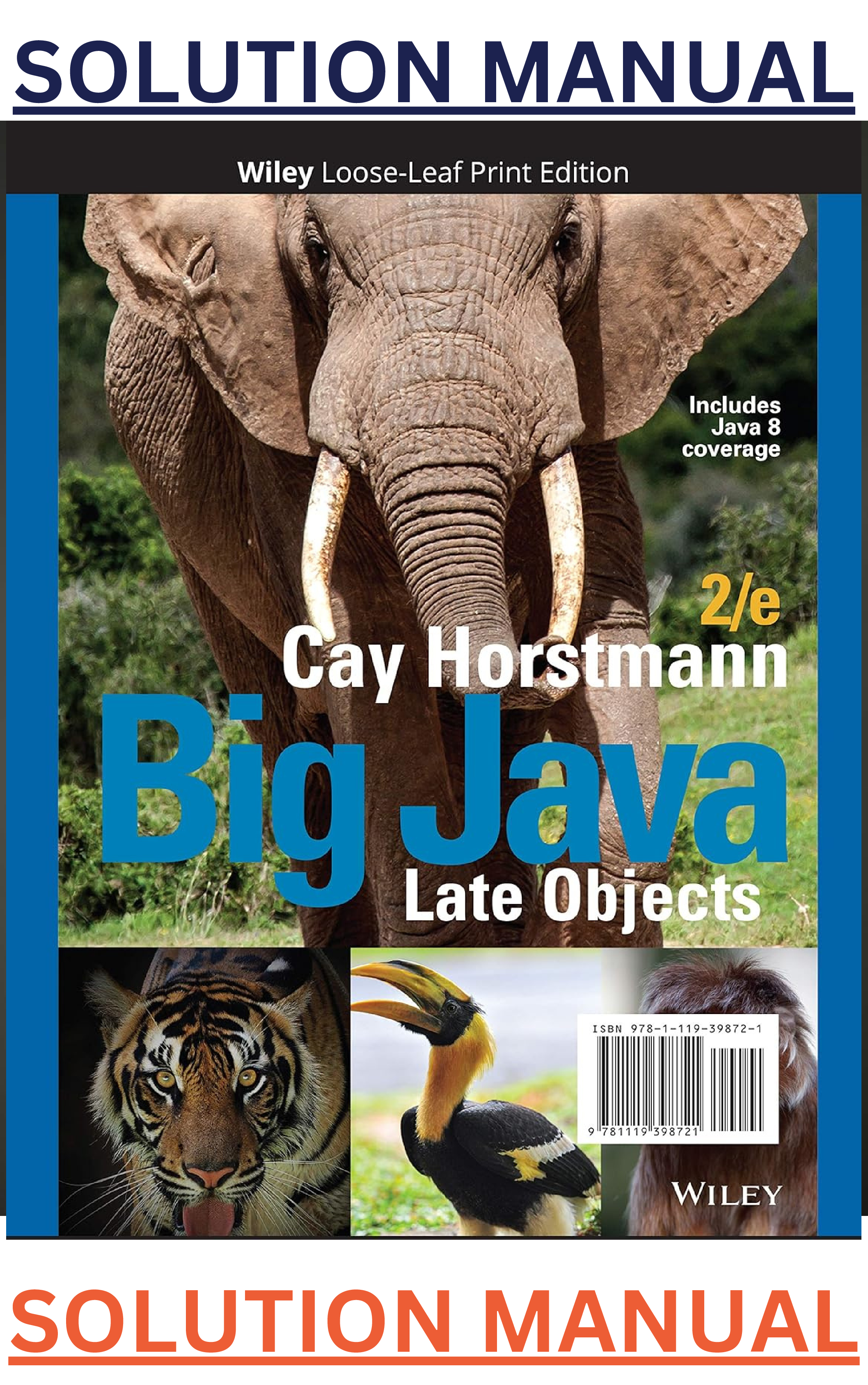
Title Page
Getting the Most from Your eText
Tips for Using the Interactive Exercises
New to this Edition
A Tour of the Book
Walkthrough of the Learning Aids
Acknowledgments
Quick Reference
1. Introduction
1.1 Co
...
Title Page
Getting the Most from Your eText
Tips for Using the Interactive Exercises
New to this Edition
A Tour of the Book
Walkthrough of the Learning Aids
Acknowledgments
Quick Reference
1. Introduction
1.1 Computer Programs
Self Check
1.2 The Anatomy of a Computer
Self Check
Computing & Society 1.1 Computers Are Everywhere
1.3 The Java Programming Language
Self Check
1.4 Becoming Familiar with Your Programming Environment
Self Check
Programming Tip 1.1 Backup Copies
Video Example 1.1 Compiling and Running a Program
1.5 Analyzing Your First Program
Syntax 1.1 Java Program
Self Check
Common Error 1.1 Omitting Semicolons
1.6 Errors
Self Check
Common Error 1.2 Misspelling Words
1.7 Problem Solving: Algorithm Design
1.7.1 The Algorithm Concept
1.7.2 An Algorithm for Solving an Investment Problem
1.7.3 Pseudocode
1.7.4 From Algorithms to Programs
Self Check
How To 1.1 Describing an Algorithm with Pseudocode
Worked Example 1.1 Writing an Algorithm for Tiling a Floor
Video Example 1.2 Dividing Household Expenses
Chapter Summary
Interactive Review and Practice
Practice 1.1
Chapter Review
End-of-Chapter Exercises
Review Exercises
Practice Exercises
Programming Projects
2. Fundamental Data Types
2.1 Variables
2.1.1 Variable Declarations
Syntax 2.1 Variable Declaration
Self Check
2.1.2 Number Types
Self Check
2.1.3 Variable Names
Self Check
2.1.4 The Assignment Statement
Syntax 2.2 Assignment
Self Check
2.1.5 Constants
Syntax 2.3 Constant Declaration
Self Check
2.1.6 Comments
Self Check
Common Error 2.1 Using Undeclared or Uninitialized Variables
Programming Tip 2.1 Choose Descriptive Variable Names
Common Error 2.2 Overflow
Common Error 2.3 Roundoff Errors
Programming Tip 2.2 Do Not Use Magic Numbers
Special Topic 2.1 Numeric Types in Java
Special Topic 2.2 Big Numbers
2.2 Arithmetic
2.2.1 Arithmetic Operators
Self Check
2.2.2 Increment and Decrement
Self Check
2.2.3 Integer Division and Remainder
Self Check
2.2.4 Powers and Roots
Self Check
2.2.5 Converting Floating-Point Numbers to Integers
Syntax 2.4 Cast
Self Check
Common Error 2.4 Unintended Integer Division
Common Error 2.5 Unbalanced Parentheses
Programming Tip 2.3 Spaces in Expressions
Java 8 Note 2.1 Avoiding Negative Remainders
Special Topic 2.3 Combining Assignment and Arithmetic
Video Example 2.1 Using Integer Division
Computing & Society 2.1 The Pentium Floating-Point Bug
2.3 Input and Output
2.3.1 Reading Input
Syntax 2.5 Input Statement
Self Check
2.3.2 Formatted Output
Self Check
Programming Tip 2.4 Use the API Documentation
How To 2.1 Carrying out Computations
Worked Example 2.1 Computing the Cost of Stamps
2.4 Problem Solving: First Do It By Hand
Self Check
Worked Example 2.2 Computing Travel Time
2.5 Strings
2.5.1 The String Type
2.5.2 Concatenation
Self Check
2.5.3 String Input
Self Check
2.5.4 Escape Sequences
2.5.5 Strings and Characters
Self Check
2.5.6 Substrings
Self Check
Special Topic 2.4 Instance Methods and Static Methods
Special Topic 2.5 Using Dialog Boxes for Input and Output
Video Example 2.2 Computing Distances on Earth
Computing & Society 2.2 International Alphabets and Unicode
Chapter Summary
Interactive Review and Practice
Practice 2.1: Variables
Practice 2.2: Arithmetic
Practice 2.3: Strings
Practice 2.4: First Do It By Hand
Practice 2.5: Challenging Programming Problems
Chapter Review
End-of-Chapter Exercises
Review Exercises
Practice Exercises
Programming Projects
3. Decisions
3.1 The if Statement
Syntax 3.1 if Statement
Self Check
Programming Tip 3.1 Brace Layout
Programming Tip 3.2 Always Use Braces
Common Error 3.1 A Semicolon After the if Condition
Programming Tip 3.3 Tabs
Special Topic 3.1 The Conditional Operator
Programming Tip 3.4 Avoid Duplication in Branches
3.2 Comparing Numbers and Strings
Syntax 3.2 Comparisons
Self Check
Common Error 3.2 Exact Comparison of Floating-Point Numbers
Common Error 3.3 Using == to Compare Strings
Special Topic 3.2 Lexicographic Ordering of Strings
How To 3.1 Implementing an if Statement
Worked Example 3.1 Extracting the Middle
Computing & Society 3.1 The Denver Luggage Handling System
3.3 Multiple Alternatives
Self Check
Special Topic 3.3 The switch Statement
3.4 Nested Branches
Self Check
Programming Tip 3.5 Hand-Tracing
Common Error 3.4 The Dangling else Problem
Special Topic 3.4 Enumeration Types
Video Example 3.1 Computing the Plural of an English Word
3.5 Problem Solving: Flowcharts
Self Check
3.6 Problem Solving: Test Cases
Self Check
Programming Tip 3.6 Make a Schedule and Make Time for Unexpected Problems
Special Topic 3.5 Logging
3.7 Boolean Variables and Operators
Self Check
Common Error 3.5 Combining Multiple Relational Operators
Common Error 3.6 Confusing && and || Conditions
Special Topic 3.6 Short-Circuit Evaluation of Boolean Operators
Special Topic 3.7 De Morgan’s Law
3.8 Application: Input Validation
Self Check
Video Example 3.2 The Genetic Code
Computing & Society 3.2 Artificial Intelligence
Chapter Summary
Interactive Review and Practice
Practice 3.1: Simple Conditions
Practice 3.2: Complex Conditions
Practice 3.3: Points on a Line and in a Plane
Chapter Review
End-of-Chapter Exercises
Review Exercises
Practice Exercises
Programming Projects
4. Loops
4.1 The while Loop
Syntax 4.1 while Statement
Self Check
Common Error 4.1 Don’t Think “Are We There Yet?”
Common Error 4.2 Infinite Loops
Common Error 4.3 Off-by-One Errors
Computing & Society 4.1 The First Bug
4.2 Problem Solving: Hand-Tracing
Self Check
4.3 The for Loop
Syntax 4.2 for Statement
Self Check
Programming Tip 4.1 Use for Loops for Their Intended Purpose Only
Programming Tip 4.2 Choose Loop Bounds That Match Your Task
Programming Tip 4.3 Count Iterations
4.4 The do Loop
Self Check
Programming Tip 4.4 Flowcharts for Loops
4.5 Application: Processing Sentinel Values
Self Check
Special Topic 4.1 The Loop-and-a-Half Problem and the break Statement
Special Topic 4.2 Redirection of Input and Output
Video Example 4.1 Evaluating a Cell Phone Plan
4.6 Problem Solving: Storyboards
Self Check
4.7 Common Loop Algorithms
4.7.1 Sum and Average Value
Self Check
4.7.2 Counting Matches
Self Check
4.7.3 Finding the First Match
Self Check
4.7.4 Prompting Until a Match is Found
Self Check
4.7.5 Maximum and Minimum
Self Check
4.7.6 Comparing Adjacent Values
Self Check
How To 4.1 Writing a Loop
Worked Example 4.1 Credit Card Processing
4.8 Nested Loops
Self Check
Worked Example 4.2 Manipulating the Pixels in an Image
4.9 Problem Solving: Solve a Simpler Problem First
Self Check
4.10 Application: Random Numbers and Simulations
4.10.1 Generating Random Numbers
Self Check
4.10.2 Simulating Die Tosses
Self Check
4.10.3 The Monte Carlo Method
Self Check
Special Topic 4.3 Drawing Graphical Shapes
Video Example 4.2 Drawing a Spiral
Computing & Society 4.2 Digital Piracy
Chapter Summary
Interactive Review and Practice
Practice 4.1: Simple while Loops
Practice 4.2: Loop Tracing
Practice 4.3: for Loops
Practice 4.4: do/while Loops
Practice 4.5: More Complex Loops
Practice 4.6: Algorithms
Practice 4.7: Nested Loops
Practice 4.8: Solve a Simpler Problem First
Practice 4.9: Random Numbers
Chapter Review
End-of-Chapter Exercises
Review Exercises
Practice Exercises
Programming Projects
5. Methods
5.1 Methods as Black Boxes
Self Check
5.2 Implementing Methods
Syntax 5.1 Static Method Declaration
Self Check
Programming Tip 5.1 Method Comments
5.3 Parameter Passing
Self Check
Programming Tip 5.2 Do Not Modify Parameter Variables
Common Error 5.1 Trying to Modify Arguments
5.4 Return Values
Self Check
Common Error 5.2 Missing Return Value
How To 5.1 Implementing a Method
Worked Example 5.1 Generating Random Passwords
5.5 Methods Without Return Values
Self Check
5.6 Problem Solving: Reusable Methods
Self Check
Computing & Society 5.1 Personal Computing
5.7 Problem Solving: Stepwise Refinement
Self Check
Programming Tip 5.3 Keep Methods Short
Programming Tip 5.4 Tracing Methods
Programming Tip 5.5 Stubs
Worked Example 5.2 Calculating a Course Grade
5.8 Variable Scope
Self Check
Programming Tip 5.6 Using a Debugger
Video Example 5.1 Debugging
5.9 Recursive Methods (Optional)
Self Check
How To 5.2 Thinking Recursively
Video Example 5.2 Fully Justified Text
Chapter Summary
Interactive Review and Practice
Practice 5.1: Simple Methods
Practice 5.2: Reuse and Refinement
Practice 5.3: Recursion
Chapter Review
End-of-Chapter Exercises
Review Exercises
Practice Exercises
Programming Projects
6. Arrays and Array Lists
6.1 Arrays
6.1.1 Declaring and Using Arrays
Syntax 6.1 Arrays
Self Check
6.1.2 Array References
Self Check
6.1.3 Partially Filled Arrays
Self Check
Common Error 6.1 Bounds Errors
Common Error 6.2 Uninitialized Arrays
Programming Tip 6.1 Use Arrays for Sequences of Related Items
Computing & Society 6.1 Computer Viruses
6.2 The Enhanced for Loop
Syntax 6.2 The Enhanced for Loop
Self Check
6.3 Common Array Algorithms
6.3.1 Filling
Self Check
6.3.2 Sum and Average Value
Self Check
6.3.3 Maximum and Minimum
Self Check
6.3.4 Element Separators
6.3.5 Linear Search
Self Check
6.3.6 Removing an Element
Self Check
6.3.7 Inserting an Element
Self Check
6.3.8 Swapping Elements
Self Check
6.3.9 Copying Arrays
Self Check
6.3.10 Reading Input
Common Error 6.3 Underestimating the Size of a Data Set
Special Topic 6.1 Sorting with the Java Library
Special Topic 6.2 Binary Search
6.4 Using Arrays with Methods
Self Check
Special Topic 6.3 Methods with a Variable Number of Parameters
6.5 Problem Solving: Adapting Algorithms
Self Check
Programming Tip 6.2 Reading Exception Reports
How To 6.1 Working with Arrays
Worked Example 6.1 Rolling the Dice
6.6 Problem Solving: Discovering Algorithms by Manipulating Physical Objects
Self Check
Video Example 6.1 Removing Duplicates from an Array
6.7 Two-Dimensional Arrays
6.7.1 Declaring Two-Dimensional Arrays
Syntax 6.3 Two-Dimensional Array Declaration
Self Check
6.7.2 Accessing Elements
Self Check
6.7.3 Locating Neighboring Elements
Self Check
6.7.4 Computing Row and Column Totals
Self Check
6.7.5 Two-Dimensional Array Parameters
Self Check
Special Topic 6.4 Two-Dimensional Arrays with Variable Row Lengths
Special Topic 6.5 Multidimensional Arrays
Worked Example 6.2 A World Population Table
6.8 Array Lists
Syntax 6.4 Array Lists
6.8.1 Declaring and Using Array Lists
Self Check
6.8.2 Using the Enhanced for Loop with Array Lists
Self Check
6.8.3 Copying Array Lists
Self Check
6.8.4 Array Lists and Methods
Self Check
6.8.5 Wrappers and Auto-boxing
Self Check
6.8.6 Using Array Algorithms with Array Lists
Self Check
6.8.7 Storing Input Values in an Array List
Self Check
6.8.8 Removing Matches
Self Check
6.8.9 Choosing Between Array Lists and Arrays
Self Check
Common Error 6.4 Length and Size
Special Topic 6.6 The Diamond Syntax
Video Example 6.2 Game of Life
Chapter Summary
Interactive Review and Practice
Practice 6.1: Arrays
Practice 6.2: Array Algorithms
Practice 6.3: Adapting and Simulating Algorithms
Practice 6.4: Two-Dimensional Arrays
Practice 6.5: Array Lists
Chapter Review
End-of-Chapter Exercises
Review Exercises
Practice Exercises
Programming Projects
7. Input/Output and Exception Handling
7.1 Reading and Writing Text Files
Self Check
Common Error 7.1 Backslashes in File Names
Common Error 7.2 Constructing a Scanner with a String
Special Topic 7.1 Reading Web Pages
Special Topic 7.2 File Dialog Boxes
Special Topic 7.3 Reading and Writing Binary Data
7.2 Text Input and Output
7.2.1 Reading Words
Self Check
7.2.2 Reading Characters
Self Check
7.2.3 Classifying Characters
Self Check
7.2.4 Reading Lines
Self Check
7.2.5 Scanning a String
Self Check
7.2.6 Converting Strings to Numbers
Self Check
7.2.7 Avoiding Errors When Reading Numbers
Self Check
7.2.8 Mixing Number, Word, and Line Input
Self Check
7.2.9 Formatting Output
Self Check
Special Topic 7.4 Regular Expressions
Special Topic 7.5 Reading an Entire File
Video Example 7.1 Computing a Document’s Readability
7.3 Command Line Arguments
Self Check
How To 7.1 Processing Text Files
Worked Example 7.1 Analyzing Baby Names
Computing & Society 7.1 Encryption Algorithms
7.4 Exception Handling
7.4.1 Throwing Exceptions
Syntax 7.1 Throwing an Exception
Self Check
7.4.2 Catching Exceptions
Syntax 7.2 Catching Exceptions
Self Check
7.4.3 Checked Exceptions
Syntax 7.3 The throws Clause
Self Check
7.4.4 Closing Resources
Syntax 7.4 The try-with-resources Statement
Self Check
Programming Tip 7.1 Throw Early, Catch Late
Programming Tip 7.2 Do Not Squelch Exceptions
Programming Tip 7.3 Do Throw Specific Exceptions
Special Topic 7.6 Assertions
Special Topic 7.7 The try/finally Statement
Computing & Society 7.2 The Ariane Rocket Incident
7.5 Application: Handling Input Errors
Self Check
Video Example 7.2 Detecting Accounting Fraud
Chapter Summary
Interactive Review and Practice
Practice 7.1: Processing Text Files
Practice 7.2: Complex Text Input and Output
Practice 7.3: Exceptions
Chapter Review
End-of-Chapter Exercises
Review Exercises
Practice Exercises
Programming Projects
8. Objects and Classes
8.1 Object-Oriented Programming
Self Check
8.2 Implementing a Simple Class
Syntax 8.1 Instance Variable Declaration
Self Check
8.3 Specifying the Public Interface of a Class
Self Check
Special Topic 8.1 The javadoc Utility
8.4 Designing the Data Representation
Self Check
8.5 Implementing Instance Methods
Syntax 8.2 Instance Methods
Self Check
Programming Tip 8.1 All Instance Variables Should Be Private; Most Methods Should Be Public
8.6 Constructors
Syntax 8.3 Constructors
Self Check
Common Error 8.1 Trying to Call a Constructor
Common Error 8.2 Declaring a Constructor as void
Special Topic 8.2 Overloading
8.7 Testing a Class
Self Check
How To 8.1 Implementing a Class
Worked Example 8.1 Implementing a Menu Class
Video Example 8.1 Paying Off a Loan
8.8 Problem Solving: Tracing Objects
Self Check
Computing & Society 8.1 Open Source and Free Software
8.9 Object References
8.9.1 Shared References
Self Check
8.9.2 The null Reference
Self Check
8.9.3 The this Reference
Self Check
Common Error 8.3 Forgetting to Initialize Object References in a Constructor
Special Topic 8.3 Calling One Constructor from Another
8.10 Static Variables and Methods
Self Check
8.11 Problem Solving: Patterns for Object Data
8.11.1 Keeping a Total
Self Check
8.11.2 Counting Events
Self Check
8.11.3 Collecting Values
Self Check
8.11.4 Managing Properties of an Object
Self Check
8.11.5 Modeling Objects with Distinct States
Self Check
8.11.6 Describing the Position of an Object
Self Check
Computing & Society 8.2 Electronic Voting Machines
Video Example 8.2 Modeling a Robot Escaping from a Maze
8.12 Packages
8.12.1 Organizing Related Classes into Packages
8.12.2 Importing Packages
Syntax 8.4 Package Specification
8.12.3 Package Names
8.12.4 Packages and Source Files
Self Check
Common Error 8.4 Confusing Dots
Special Topic 8.4 Package Access
How To 8.2 Programming with Packages
Chapter Summary
Interactive Review and Practice
Practice 8.1: Class Basics
Practice 8.2: More About Classes
Practice 8.3: Testing and Walkthroughs
Practice 8.4: Patterns for Object Data
Chapter Review
End-of-Chapter Exercises
Review Exercises
Practice Exercises
Programming Projects
9. Inheritance and Interfaces
9.1 Inheritance Hierarchies
Self Check
Programming Tip 9.1 Use a Single Class for Variation in Values, Inheritance for Variation in Behavior
9.2 Implementing Subclasses
Syntax 9.1 Subclass Declaration
Self Check
Common Error 9.1 Replicating Instance Variables from the Superclass
Common Error 9.2 Confusing Super- and Subclasses
9.3 Overriding Methods
Self Check
Common Error 9.3 Accidental Overloading
Common Error 9.4 Forgetting to Use super When Invoking a Superclass Method
Special Topic 9.1 Calling the Superclass Constructor
Syntax 9.2 Constructor with Superclass Initializer
9.4 Polymorphism
Self Check
Special Topic 9.2 Dynamic Method Lookup and the Implicit Parameter
Special Topic 9.3 Abstract Classes
Special Topic 9.4 Final Methods and Classes
Special Topic 9.5 Protected Access
How To 9.1 Developing an Inheritance Hierarchy
Worked Example 9.1 Implementing an Employee Hierarchy for Payroll Processing
Video Example 9.1 Building a Discussion Board
9.5 Object: The Cosmic Superclass
9.5.1 Overriding the toString Method
Self Check
9.5.2 The equals Method
Self Check
9.5.3 The instanceof Operator
Syntax 9.3 The instanceof Operator
Self Check
Common Error 9.5 Don’t Use Type Tests
Special Topic 9.6 Inheritance and the toString Method
Special Topic 9.7 Inheritance and the equals Method
9.6 Interface Types
9.6.1 Defining an Interface
Syntax 9.4 Interface Types
Self Check
9.6.2 Implementing an Interface
Self Check
9.6.3 The Comparable Interface
Self Check
Common Error 9.6 Forgetting to Declare Implementing Methods as Public
Programming Tip 9.2 Comparing Integers and Floating-Point Numbers
Special Topic 9.8 Constants in Interfaces
Special Topic 9.9 Generic Interface Types
Java 8 Note 9.1 Static Methods in Interfaces
Java 8 Note 9.2 Default Methods
Special Topic 9.10 Function Objects
Java 8 Note 9.3 Lambda Expressions
Worked Example 9.2 Investigating Number Sequences
Video Example 9.2 Drawing Geometric Shapes
Computing & Society 9.1 Who Controls the Internet?
Chapter Summary
Interactive Review and Practice
Practice 9.1: Inheritance and Polymorphism
Practice 9.2: The Object Class
Practice 9.3: Interfaces
Chapter Review
End-of-Chapter Exercises
Review Exercises
Practice Exercises
Programming Projects
10. Graphical User Interfaces
10.1 Frame Windows
10.1.1 Displaying a Frame
Self Check
10.1.2 Adding User-Interface Components to a Frame
Self Check
10.1.3 Using Inheritance to Customize Frames
Self Check
Special Topic 10.1 Adding the main Method to the Frame Class
10.2 Events and Event Handling
10.2.1 Listening to Events
Self Check
10.2.2 Using Inner Classes for Listeners
Self Check
10.2.3 Application: Showing Growth of an Investment
Self Check
Common Error 10.1 Modifying Parameter Types in the Implementing Method
Common Error 10.2 Forgetting to Attach a Listener
Programming Tip 10.1 Don’t Use a Frame as a Listener
Special Topic 10.2 Local Inner Classes
Special Topic 10.3 Anonymous Inner Classes
Java 8 Note 10.1 Lambda Expressions for Event Handling
10.3 Processing Text Input
10.3.1 Text Fields
Self Check
10.3.2 Text Areas
Self Check
10.4 Creating Drawings
10.4.1 Drawing on a Component
Self Check
10.4.2 Ovals, Lines, Text, and Color
Self Check
10.4.3 Application: Visualizing the Growth of an Investment
Self Check
Common Error 10.3 Forgetting to Repaint
Common Error 10.4 By Default, Components Have Zero Width and Height
How To 10.1 Drawing Graphical Shapes
Worked Example 10.1 Coding a Bar Chart Creator
Video Example 10.1 Solving Crossword Puzzles
Chapter Summary
End-of-Chapter Exercises
Review Exercises
Practice Exercises
Programming Projects
11. Advanced User Interfaces
11.1 Layout Management
Self Check
11.2 Choices
11.2.1 Radio Buttons
11.2.2 Check Boxes
11.2.3 Combo Boxes
Self Check
How To 11.1 Laying Out a User Interface
Programming Tip 11.1 Use a GUI Builder
Worked Example 11.1 Programming a Working Calculator
11.3 Menus
Self Check
11.4 Exploring the Swing Documentation
Self Check
11.5 Using Timer Events for Animations
Self Check
11.6 Mouse Events
Self Check
Special Topic 11.1 Keyboard Events
Special Topic 11.2 Event Adapters
Worked Example 11.2 Adding Mouse and Keyboard Support to the Bar Chart Creator
Video Example 11.1 Designing a Baby Naming Program
Chapter Summary
End-of-Chapter Exercises
Review Exercises
Practice Exercises
Programming Projects
12. Object-Oriented Design
12.1 Classes and Their Responsibilities
12.1.1 Discovering Classes
12.1.2 The CRC Card Method
12.1.3 Cohesion
Self Check
12.2 Relationships Between Classes
12.2.1 Dependency
12.2.2 Aggregation
12.2.3 Inheritance
Self Check
How To 12.1 Using CRC Cards and UML Diagrams in Program Design
Special Topic 12.1 Attributes and Methods in UML Diagrams
Special Topic 12.2 Multiplicities
Special Topic 12.3 Aggregation, Association, and Composition
Programming Tip 12.1 Make Parallel Arrays into Arrays of Objects
12.3 Application: Printing an Invoice
12.3.1 Requirements
12.3.2 CRC Cards
12.3.3 UML Diagrams
12.3.4 Method Documentation
12.3.5 Implementation
Self Check
Computing & Society 12.1 Databases and Privacy
Worked Example 12.1 Simulating an Automatic Teller Machine
Chapter Summary
End-of-Chapter Exercises
Review Exercises
Practice Exercises
Programming Projects
13. Recursion
13.1 Triangle Numbers
Self Check
Common Error 13.1 Infinite Recursion
Common Error 13.2 Tracing Through Recursive Methods
How To 13.1 Thinking Recursively
Worked Example 13.1 Finding Files
13.2 Recursive Helper Methods
Self Check
13.3 The Efficiency of Recursion
Self Check
13.4 Permutations
Self Check
Computing & Society 13.1 The Limits of Computation
13.5 Mutual Recursion
Self Check
13.6 Backtracking
Self Check
Worked Example 13.2 Towers of Hanoi
Chapter Summary
Interactive Review and Practice
Practice 13.1: Simple Recursion Problems
Practice 13.2: Complex Recursion Problems
Chapter Review
End-of-Chapter Exercises
Review Exercises
Practice Exercises
Programming Projects
14. Sorting and Searching
14.1 Selection Sort
Self Check
14.2 Profiling the Selection Sort Algorithm
Self Check
14.3 Analyzing the Performance of the Selection Sort Algorithm
Self Check
Special Topic 14.1 Oh, Omega, and Theta
Special Topic 14.2 Insertion Sort
14.4 Merge Sort
Self Check
14.5 Analyzing the Merge Sort Algorithm
Self Check
Special Topic 14.3 The Quicksort Algorithm
14.6 Searching
14.6.1 Linear Search
14.6.2 Binary Search
Self Check
Computing & Society 14.1 The First Programmer
14.7 Problem Solving: Estimating the Running Time of an Algorithm
14.7.1 Linear Time
14.7.2 Quadratic Time
14.7.3 The Triangle Pattern
14.7.4 Logarithmic Time
Self Check
14.8 Sorting and Searching in the Java Library
14.8.1 Sorting
14.8.2 Binary Search
14.8.3 Comparing Objects
Self Check
Common Error 14.1 The compareTo Method Can Return Any Integer, Not Just –1, 0, and 1
Special Topic 14.4 The Comparator Interface
Java 8 Note 14.1 Comparators with Lambda Expressions
Worked Example 14.1 Enhancing the Insertion Sort Algorithm
Chapter Summary
Interactive Review and Practice
Practice 14.1: Additional Practice
Chapter Review
End-of-Chapter Exercises
Review Exercises
Practice Exercises
Programming Projects
15. The Java Collections Framework
15.1 An Overview of the Collections Framework
Self Check
15.2 Linked Lists
15.2.1 The Structure of Linked Lists
15.2.2 The LinkedList Class of the Java Collections Framework
15.2.3 List Iterators
Self Check
Computing & Society 15.1 Standardization
15.3 Sets
15.3.1 Choosing a Set Implementation
15.3.2 Working with Sets
Self Check
Programming Tip 15.1 Use Interface References to Manipulate Data Structures
15.4 Maps
Self Check
Java 8 Note 15.1 Updating Map Entries
How To 15.1 Choosing a Collection
Worked Example 15.1 Word Frequency
Special Topic 15.1 Hash Functions
15.5 Stacks, Queues, and Priority Queues
15.5.1 Stacks
15.5.2 Queues
15.5.3 Priority Queues
Self Check
15.6 Stack and Queue Applications
15.6.1 Balancing Parentheses
15.6.2 Evaluating Reverse Polish Expressions
15.6.3 Evaluating Algebraic Expressions
15.6.4 Backtracking
Self Check
Worked Example 15.2 Simulating a Queue of Waiting Customers
Video Example 15.1 Building a Table of Contents
Special Topic 15.2 Reverse Polish Notation
Chapter Summary
Interactive Review and Practice
Practice 15.1: Lists and Sets
Practice 15.2: Maps
Practice 15.3: Stacks and Queues
Chapter Review
End-of-Chapter Exercises
Review Exercises
Practice Exercises
Programming Projects
16. Basic Data Structures
16.1 Implementing Linked Lists
16.1.1 The Node Class
16.1.2 Adding and Removing the First Element
16.1.3 The Iterator Class
16.1.4 Advancing an Iterator
16.1.5 Removing an Element
16.1.6 Adding an Element
16.1.7 Setting an Element to a Different Value
16.1.8 Efficiency of Linked List Operations
Self Check
Special Topic 16.1 Static Classes
Worked Example 16.1 Implementing a Doubly-Linked List
16.2 Implementing Array Lists
16.2.1 Getting and Setting Elements
16.2.2 Removing or Adding Elements
16.2.3 Growing the Internal Array
Self Check
16.3 Implementing Stacks and Queues
16.3.1 Stacks as Linked Lists
16.3.2 Stacks as Arrays
16.3.3 Queues as Linked Lists
16.3.4 Queues as Circular Arrays
Self Check
16.4 Implementing a Hash Table
16.4.1 Hash Codes
16.4.2 Hash Tables
16.4.3 Finding an Element
16.4.4 Adding and Removing Elements
16.4.5 Iterating over a Hash Table
Self Check
Special Topic 16.2 Open Addressing
Chapter Summary
Interactive Review and Practice
End-of-Chapter Exercises
Review Exercises
Practice Exercises
Programming Projects
17. Tree Structures
17.1 Basic Tree Concepts
Self Check
17.2 Binary Trees
17.2.1 Binary Tree Examples
17.2.2 Balanced Trees
17.2.3 A Binary Tree Implementation
Self Check
Worked Example 17.1 Building a Huffman Tree
17.3 Binary Search Trees
17.3.1 The Binary Search Property
17.3.2 Insertion
17.3.3 Removal
17.3.4 Efficiency of the Operations
Self Check
17.4 Tree Traversal
17.4.1 Inorder Traversal
17.4.2 Preorder and Postorder Traversals
17.4.3 The Visitor Pattern
17.4.4 Depth-First and Breadth-First Search
17.4.5 Tree Iterators
Self Check
17.5 Red-Black Trees
17.5.1 Basic Properties of Red-Black Trees
17.5.2 Insertion
17.5.3 Removal
Self Check
Worked Example 17.2 Implementing a Red-Black Tree
17.6 Heaps
Self Check
17.7 The Heapsort Algorithm
Self Check
Chapter Summary
Interactive Review and Practice
End-of-Chapter Exercises
Review Exercises
Practice Exercises
Programming Projects
18. Generic Classes
18.1 Generic Classes and Type Parameters
Self Check
18.2 Implementing Generic Types
Syntax 18.1 Declaring a Generic Class
Self Check
18.3 Generic Methods
Syntax 18.2 Declaring a Generic Method
Self Check
18.4 Constraining Type Parameters
Self Check
Common Error 18.1 Genericity and Inheritance
Common Error 18.2 The Array Store Exception
Special Topic 18.1 Wildcard Types
18.5 Type Erasure
Self Check
Common Error 18.3 Using Generic Types in a Static Context
Special Topic 18.2 Reflection
Worked Example 18.1 Making a Generic Binary Search Tree Class
Chapter Summary
Interactive Review and Practice
End-of-Chapter Exercises
Review Exercises
Practice Exercises
Programming Projects
19. Stream Processing
19.1 The Stream Concept
Self Check
19.2 Producing Streams
Self Check
19.3 Collecting Results
Self Check
Programming Tip 19.1 One Stream Operation Per Line
Special Topic 19.1 Infinite Streams
19.4 Transforming Streams
Self Check
Common Error 19.1 Don’t Use a Terminated Stream
19.5 Lambda Expressions
Syntax 19.1 Lambda Expressions
Self Check
Programming Tip 19.2 Keep Lambda Expressions Short
Special Topic 19.2 Method and Constructor References
Special Topic 19.3 Higher-Order Functions
Special Topic 19.4 Higher-Order Functions and Comparators
19.6 The Optional Type
Self Check
Common Error 19.2 Optional Results Without Values
19.7 Other Terminal Operations
Self Check
Common Error 19.3 Don’t Apply Mutations in Parallel Stream Operations
19.8 Primitive-Type Streams
19.8.1 Creating Primitive-Type Streams
19.8.2 Mapping a Primitive-Type Stream
19.8.3 Processing Primitive-Type Streams
Self Check
19.9 Grouping Results
Self Check
19.10 Common Algorithms Revisited
19.10.1 Filling
19.10.2 Sum, Average, Maximum, and Minimum
19.10.3 Counting Matches
19.10.4 Element Separators
19.10.5 Linear Search
19.10.6 Comparing Adjacent Values
Self Check
How To 19.1 Working with Streams
Worked Example 19.1 Word Properties
Worked Example 19.2 A Movie Database
Chapter Summary
Interactive Review and Practice
Practice 19.1: Simple Stream Processing
Practice 19.2: More Simple Stream Processing
Practice 19.3: Lambdas and Optionals
Practice 19.4: Complex Stream Operations
Chapter Review
End-of-Chapter Exercises
Review Exercises
Practice Exercises
Programming Projects
20. Advanced Input/Output
20.1 Readers, Writers, and Input/Output Streams
20.2 Binary Input and Output
Common Error 20.1 Negative byte Values
20.3 Random Access
20.4 Object Input and Output Streams
How To 20.1 Choosing a File Format
20.5 File and Directory Operations
20.5.1 Paths
20.5.2 Creating and Deleting Files and Directories
20.5.3 Useful File Operations
20.5.4 Visiting Directories
Chapter Summary
End-of-Chapter Exercises
Review Exercises
Practice Exercises
Programming Projects
21. Multithreading
21.1 Running Threads
Programming Tip 21.1 Use the Runnable Interface
Special Topic 21.1 Thread Pools
21.2 Terminating Threads
Programming Tip 21.2 Check for Thread Interruptions in the run Method of a Thread
21.3 Race Conditions
21.4 Synchronizing Object Access
21.5 Avoiding Deadlocks
Common Error 21.1 Calling await Without Calling signalAll
Common Error 21.2 Calling signalAll Without Locking the Object
Special Topic 21.2 Object Locks and Synchronized Methods
Special Topic 21.3 The Java Memory Model
21.6 Application: Algorithm Animation
Chapter Summary
End-of-Chapter Exercises
Review Exercises
Practice Exercises
Programming Projects
22. Internet Networking
22.1 The Internet Protocol
22.2 Application Level Protocols
22.3 A Client Program
22.4 A Server Program
How To 22.1 Designing Client/Server Programs
22.5 URL Connections
Programming Tip 22.1 Use High-Level Libraries
Chapter Summary
End-of-Chapter Exercises
Review Exercises
Practice Exercises
Programming Projects
23. Relational Databases
23.1 Organizing Database Information
23.1.1 Database Tables
23.1.2 Linking Tables
23.1.3 Implementing Multi-Valued Relationships
Programming Tip 23.1 Stick with the Standard
Programming Tip 23.2 Avoid Unnecessary Data Replication
Programming Tip 23.3 Don’t Replicate Columns in a Table
Special Topic 23.1 Primary Keys and Indexes
23.2 Queries
23.2.1 Simple Queries
23.2.2 Selecting Columns
23.2.3 Selecting Subsets
23.2.4 Calculations
23.2.5 Joins
23.2.6 Updating and Deleting Data
Common Error 23.1 Joining Tables Without Specifying a Link Condition
23.3 Installing a Database
23.4 Database Programming in Java
23.4.1 Connecting to the Database
23.4.2 Executing SQL Statements
23.4.3 Analyzing Query Results
23.4.4 Result Set Metadata
Common Error 23.2 Constructing Queries from Arbitrary Strings
Programming Tip 23.4 Don’t Hardwire Database Connection Parameters into Your Program
Programming Tip 23.5 Let the Database Do the Work
23.5 Application: Entering an Invoice
Special Topic 23.2 Transactions
Special Topic 23.3 Object-Relational Mapping
Worked Example 23.1 Programming a Bank Database
Chapter Summary
End-of-Chapter Exercises
Review Exercises
Practice Exercises
Programming Projects
24. XML
24.1 XML Tags and Documents
24.1.1 Advantages of XML
24.1.2 Differences Between XML and HTML
24.1.3 The Structure of an XML Document
How To 24.1 Designing an XML Document Format
Programming Tip 24.1 Prefer XML Elements over Attributes
Programming Tip 24.2 Avoid Children with Mixed Elements and Text
24.2 Parsing XML Documents
Common Error 24.1 XML Elements Describe Objects, Not Classes
24.3 Creating XML Documents
How To 24.2 Writing an XML Document
Special Topic 24.1 Grammars, Parsers, and Compilers
24.4 Validating XML Documents
24.4.1 Document Type Definitions
24.4.2 Specifying a DTD in an XML Document
24.4.3 Parsing and Validation
How To 24.3 Writing a DTD
Special Topic 24.2 Schema Languages
Special Topic 24.3 Other XML Technologies
Chapter Summary
End-of-Chapter Exercises
Review Exercises
Practice Exercises
Programming Projects
25. Web Applications
25.1 The Architecture of a Web Application
25.2 The Architecture of a JSF Application
25.2.1 JSF Pages
25.2.2 Managed Beans
25.2.3 Separation of Presentation and Business Logic
25.2.4 Deploying a JSF Application
Special Topic 25.1 Session State and Cookies
25.3 JavaBeans Components
25.4 Navigation Between Pages
How To 25.1 Designing a Managed Bean
25.5 JSF Components
25.6 A Three-Tier Application
Special Topic 25.2 AJAX
Chapter Summary
End-of-Chapter Exercises
Review Exercises
Practice Exercises
Programming Projects
Appendices
Appendix A: The Basic Latin and Latin-1 Subsets of Unicode
Appendix B: Java Operator Summary
Appendix C: Java Reserved Word Summary
Appendix D: The Java Library
Package java.awt
Package java.awt.event
Package java.io
Package java.lang
Package java.math
Package java.net
Package java.nio.file
Package java.sql
Package java.text
Package java.util
Package java.util.concurrent.locks
Package java.util.function
Package java.util.logging
Package java.util.stream
Package javax.sql
Package javax.swing
Package javax.swing.border
Package javax.swing.event
Package javax.swing.text
Package javax.xml.parsers
Package javax.xml.xpath
Package org.w3c.dom
Package org.w3c.dom.ls
Appendix E: Java Language Coding Guidelines
Introduction
Source Files
Classes
Methods
Variables and Constants
Control Flow
Lexical Issues
Appendix F: Tool Summary
The Java Compiler
The Java Virtual Machine Launcher
The JAR Tool
The javadoc Tool
Documentation Comments
Appendix G: Number Systems
Binary Numbers
Overflow and Roundoff Errors
Two’s Complement Integers
IEEE Floating-Point Numbers
Hexadecimal Numbers
Bit and Shift Operations
Appendix H: UML Summary
CRC Cards
UML Diagrams
Appendix I: Java Syntax Summary
Types
Variables
Expressions
Classes
Interfaces
Enumeration Types
Methods
Constructors
Statements
Exceptions
Packages
Generic Types and Methods
Comments
Appendix J: HTML Summary
Glossary
Illustration Credits
Wiley End User License Agreement
[Show More]



![Preview of eBook [PDF] Advanced Technologies for Rechargeable Batteries Metal Ion, Hybrid, and Metal-](https://browseimages.nyc3.digitaloceanspaces.com/paper-images/2024/Aug/31/4CeOA98s2024-08-31-08-3766d2ac249f11f.png)
![Preview of eBook [PDF] Digital Personality A Man Forever Volume 2 Technical Aspects 1st Edition By Ku](https://browseimages.nyc3.digitaloceanspaces.com/paper-images/2024/Aug/30/t3vEGYrg2024-08-30-02-3166d1adaa38427.png)








 General Perspectives, 1st Edition By Kirill Postoutenko, Alexey Tikhomirov, Dmitri Zakharine.png)