Digital Forensics in Cyber security -
C840 Questions and Answers Latest
Update
Forensics ✔✔The process of using scientific knowledge for collecting, analyzing, and presenting
evidence to the courts. Deals primarily w
...
Digital Forensics in Cyber security -
C840 Questions and Answers Latest
Update
Forensics ✔✔The process of using scientific knowledge for collecting, analyzing, and presenting
evidence to the courts. Deals primarily with the recovery and analysis of latent evidence.
Expert Report ✔✔A formal document that lists the tests you conducted, what you found, and your
conclusions. It also includes your curriculum vita (CV), is very thorough, and tends to be very
long. In most cases an expert cannot directly testify about anything not in his or her expert report.
Curriculum Vitae (CV) ✔✔Like a resume, only much more thorough and specific to your work
experience as a forensic investigator.
Deposition ✔✔Testimony taken from a witness or party to a case before a trial; less formal and is
typically held in an attorney's office.
Digital Evidence ✔✔Information that has been processed and assembled so that it is relevant to
an investigation and supports a specific finding or determination.
Chain of Custody ✔✔The continuity of control of evidence that makes it possible to account for
all that has happened to evidence between its original collection and its appearance in court,
preferably unaltered.
Objectives of Computer Forensics ✔✔Recover computer-based material
Analyze computer-based material
Present computer-based material
Goals of Opposing Counsel in a Deposition ✔✔To find out as much as possible about your
position, methods, conclusions, and even your side's legal strategy
To get you to commit to a position you may not be able to defend later
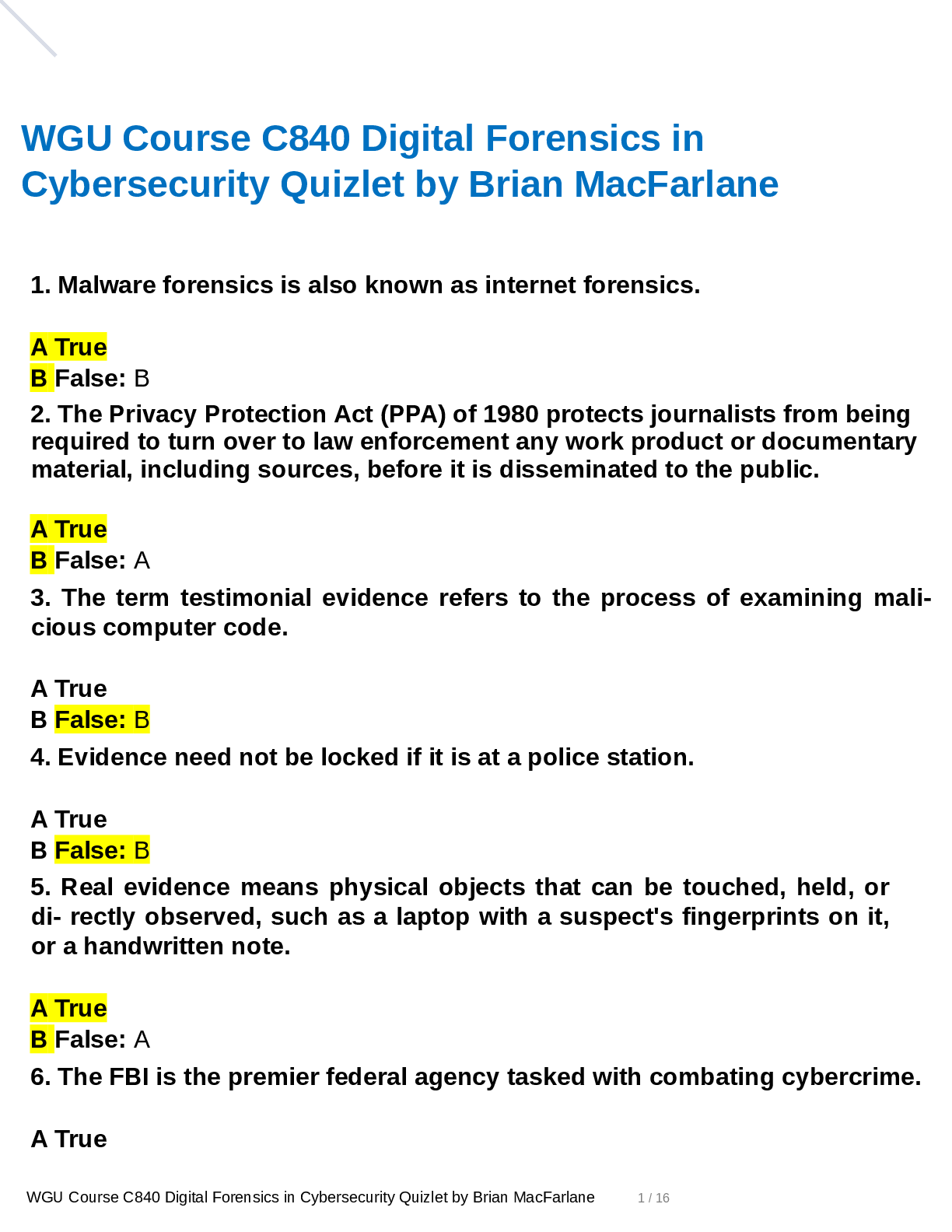
Real Evidence ✔✔A physical object that someone can touch, hold, or directly observe. Examples:
include a laptop with a suspect's fingerprints on the keyboard, a hard drive, a universal serial bus
(USB) drive, or a handwritten note.
Documentary Evidence ✔✔Data stored as written matter, on paper or in electronic files; includes
memory-resident data and computer files. Examples: e-mail messages, logs, databases,
photographs, and telephone call-detail records
Testimonial Evidence ✔✔Information that forensic specialists use to support or interpret real or
documentary evidence
Demonstrative Evidence ✔✔Information that helps explain other evidence. An example is a chart
that explains a technical concept to the judge and jury
Disk Forensics ✔✔The process of acquiring and analyzing information stored on physical storage
media, such as computer hard drives, smartphones, GPS systems, and removable media. includes
both the recovery of hidden and deleted information and the process of identifying who created a
file or message
E-mail Forensics ✔✔The study of the source and content of e-mail as evidence. Includes the
process of identifying the sender, recipient, date, time, and origination location of an e-mail
message. Used to identify harassment, discrimination, or unauthorized activities.
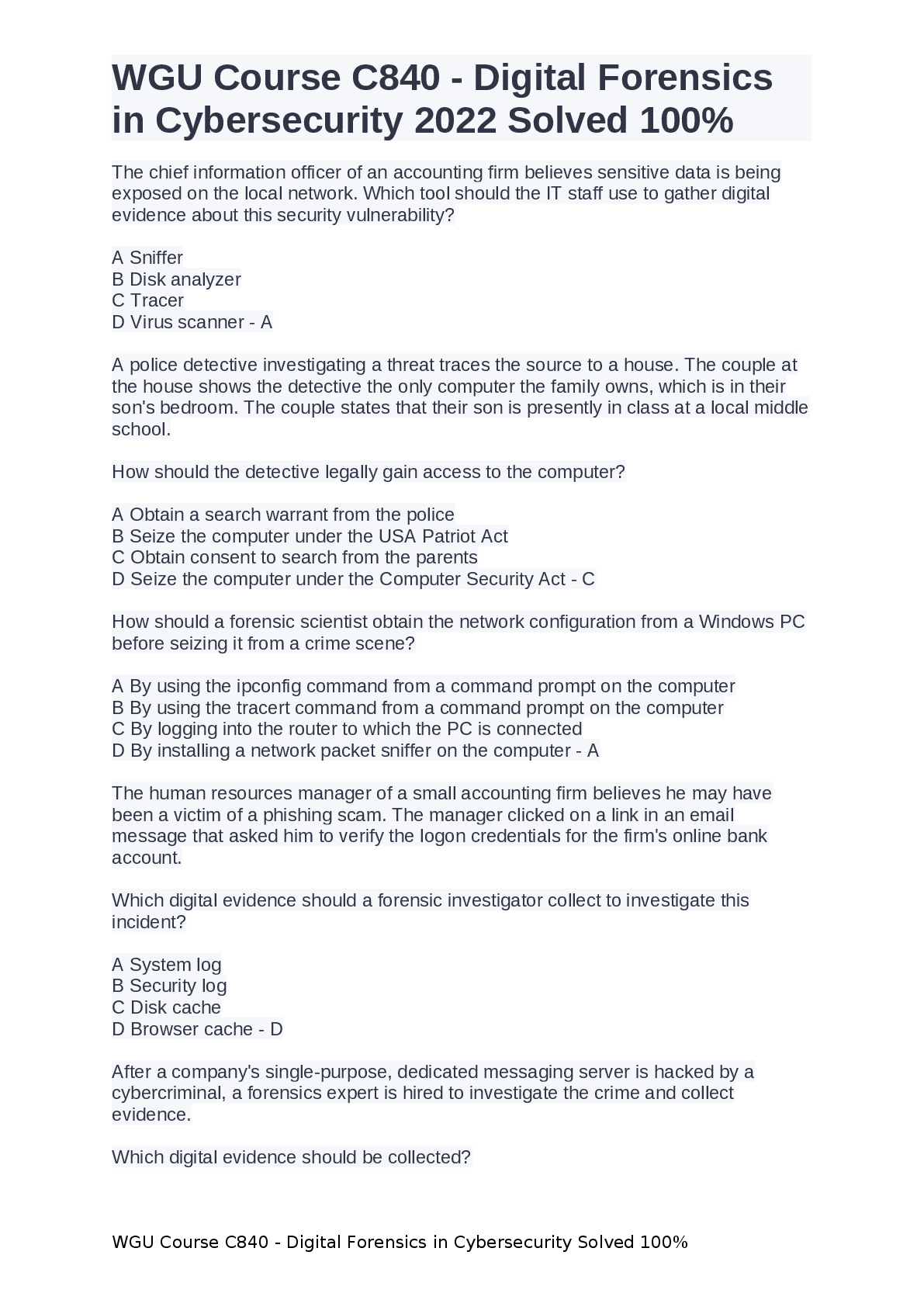
Network Forensics ✔✔The process of examining network traffic, including transaction logs and
real-time monitoring using sniffers and tracing
Internet Forensics ✔✔The process of piecing together where and when a user has been on the
Internet.
Software Forensics ✔✔The process of examining malicious computer code; also called malware
forensics
Live System Forensics ✔✔The process of searching memory in real time, typically for working
with compromised hosts or to identify system abuse.
Extended data out dynamic random access memory (EDO DRAM) ✔✔Single-cycle EDO has the
ability to carry out a complete memory transaction in one clock cycle. Otherwise, each sequential
RAM access within the same page takes two clock cycles instead of three, once the page has been
selected.
Asynchronous dynamic random access memory (ADRAM) ✔✔Not synchronized to the CPU
clock
Synchronous dynamic random access memory (SDRAM) ✔✔A replacement for EDO
Double data rate (DDR) SDRAM ✔✔Later development of SDRAM
Read-only memory (ROM) ✔✔This is usually used for instructions embedded in chips and
controls how the computer, option cards, peripherals, and other devices operate.
Cannot be changed
Programmable read-only memory (PROM) ✔✔Can be programmed only once; data is not lost
when power is removed.
Erasable programmable read-only memory (EPROM) ✔✔Data is not lost when power is removed.
Again, this is a technique for storing instructions on chips.
Electronically erasable programmable read-only memory (EEPROM) ✔✔This is how the
instructions in your computer's BIOS are stored.
Small Computer System Interface (SCSI) ✔✔This has been around for many years, and is
particularly popular in high-end servers. Must have a terminator at the end of the chain of devices
to work and are limited to 16 chained devices
Integrated Drive Electronics (IDE) ✔✔This is an older standard but one that was commonly used
on PCs for many years. It is obvious you are dealing with this type of drive if you encounter a 40-
pin connector on the drive.
Parallel Advanced Technology Attachment (PATA) ✔✔An enhancement of IDE. It uses either a
40-pin (like IDE) or 80-pin connector.
Serial Advanced Technology Attachment (SATA) ✔✔This is what you are most likely to find
today. These devices are commonly found in workstations and many servers.
Does not have jumpers like IDE and EIDE
Serial SCSI ✔✔An enhancement of SCSI that supports up to 65,537 devices and does not require
termination.
Solid-state drives ✔✔Use microchips that retain data in non-volatile memory chips and contain
no moving parts. Use NAND-based flash memory, which retains memory even without power.
Generally, require one-half to one-third the power of hard disk drives
Sector ✔✔The basic unit of data storage on a hard disk, which is usually 512 bytes.
Cluster ✔✔A logical grouping of sectors; can be 1 to 128 sectors in size; organized by tracks
Drive Geometry ✔✔This term refers to the functional dimensions of a drive-in terms of the number
of heads, cylinders, and sectors per track.
Slack Space ✔✔This is the space between the end of a file and the end of the cluster, assuming
the file does not occupy the entire cluster. This is space that can be used to hide data
Low-level format ✔✔This creates a structure of sectors, tracks, and clusters.
High-level format ✔✔This is the process of setting up an empty file system on the disk and
installing a boot sector. This is sometimes referred to as a quick format.
File Header ✔✔Gives you an accurate understanding of the file, regardless of whether the
extension has been changed
Journaling ✔✔The process whereby the file system keeps a record of what file transactions take
place so that in the event of a hard drive crash, the files c
[Show More]
.png)
.png)

.png)
.png)
.png)



.png)