(Microsoft Access) Review Sheet
A database is a collection of the data that companies spend a lot of time and money on
gathering.
A ________ helps create objects using a step-by-step process.
wizard
When you creat
...
(Microsoft Access) Review Sheet
A database is a collection of the data that companies spend a lot of time and money on
gathering.
A ________ helps create objects using a step-by-step process.
wizard
When you create relationships in a relational database, you give it power.
The ________ view of a table displays the data stored in the table.
Datasheet
Which of the following is NOT about compacting and repairing a database?
There are four options for compacting a database.
The ________ operator in a query selects the records in which the field values listed are within
the two values.
Between
Backing up a database will help protect you against any mishaps with the original database
such as accidental loss of data.
Reports have ________ views.
four
The ________ operator in a query selects the records in which the field value is not equal to the
value provided.
< >
A table organizes data in columns and rows.
Which of the following is NOT about the advantages that automated databases have over
paper databases?
Paper databases make it easier for businesses to be competitive.
A record is all of the data pertaining to one person, place, thing, or event.
Each column in an Access table is called a(n) ________.
field
A template can be used as a starting point when creating a new database.
The process of copying data from another file into a database is known as ________.
importing
A report allows you to enter, edit, and delete data.
Operational databases are used for extracting data for decision making.
The Navigation ________ on the left side of the application allows you to view all the objects in
a database.
Pane
If you have redundant data in your database, then you have duplicate data that should be
corrected or deleted.
The file extension for an Access database template is ________.
.accdt (I think)
Databases are used for operational processing and for analytical purposes.
A query is another word for a question.
Data is always stored in a form.
________ are raw facts.
Data
The power of a(n) ________ is the ability to link tables to one another.
DBMS (I think)
Every time Joe's customers purchase an item, he stores the sale in a database. The best option
for him is to use an analytical database.
A ________ is used to ask a question of the data.
query
A DBMS and database are synonymous.
Because there are many Access functions that use a table and will not work if the table is open,
it is best practice to close a table when you are finished working with it.
Access has six main objects.
The Navigation ________ makes it easy for you to move through records in a table.
bar (I think)
All templates provided by Microsoft are safe and users can enable content if any warning
message is displayed
A user can quickly create a new form for data within a table by making the table active and
selecting Form from the create tab
Users should not store redundant data within a database and should create a new table to
contain that data
There are two views for tables in Access: Datasheet view and ________ view
design
User can export an Access Table to a Word Document
One of the major advantages of using a database template is that it will populate the tables with
data
Access automatically saves each record when you move to the next row; you do not need to
click Save
A ________ is a database object that retrieves specific data from one or more database objects
Query
When designing a new database, the first question users should ask themselves is ________
What questions should this database be able to answer
The ________ view of a form allows a user to view the data while making changes to the
elements of the form
layout
Users can add additional tables to databases created from templates
Within an Access table, each row is a field and each column is called a record
Increasing the column width will also increase the number of characters a user can enter in
each field
Pressing Enter three times at the end of a multiple-items form will open ________
a single-record form
A user can use ________ to view how a table will print before committing
print preview
When appending or creating a new table from an Import, the file that is being imported is called
the ________ file
source
To improve accuracy during user input, a designer can limit the number of characters a user can
enter by adjusting the ________ from the properties screen
field size
Database designers typically do not add spaces in field names (LName), but can add details in
the ________ field of the field properties to provide additional context to the field that is not
displayed (Last Name)
Caption
When linking two tables in a relational database, a user will use a ________ to create the link
commone field
Which of the following is NOT an option for print range of a table
Records From: ________ To: ________
To publish a new database that you want to share with others, you should select a template that
has an image of a ________
globe
The ________ key refers to the unique field that identifies each record
primary
By default, when a user opens a table and selects Report from the Create tab, all fields and all
records are included in the report
Once users select a data type for a field and enter data, they cannot change the data type
Each table should have a field that contains a unique value for each record in the table
When creating a new table, Access creates the first field and names it ________ which Access
assigns a unique sequential number
ID
When considering to use the Currency data type, a user should understand that they can store
data with one to ________ decimal places
four
When a designer shortens the field length of an existing field, all data for existing records will be
truncated to match the new field length
After users enter critical information and click Create, they will be directed immediately to Table
1 after creating a new database from Blank desktop database
A user can only select one table or query to perform a simple select query on
The Short Text data type will allow a user to store up to 512 characters in that field
The Primary key must be the first field in each record
Fields that contain numbers that are not used in calculations should be set to ________
short text
Databases that not related or linked to other data are called ________ databases
flat
All data entered in a table must be visible within the column. Anything that is not visible in the
column will be cutoff
A user can populate a table with records by typing the data directly into the table
Which of the following is NOT a way method to create a new database
database wizard
A user can change the column widths of multiple fields at the same time
When importing a new table from an existing Excel worksheet, the user can use the existing
headings from the Excel spreadsheet so that they do not have to re-type them
In the Datasheet view, a user will see the underlying structure of the table
A user can close the existing database and leave Access open to continue working on anther
database by clicking close from the ________ tab
file
A user must have Internet Access to search online templates
To use the Append option to add records to an existing table, the column headings in the Excel
worksheet must be identical to the field names in the table
Entering data on a single-record form will automatically update the data in the record without
having to click save
If users delete a Field from the Design view by accident, they can click Undo to correct the error
When importing a new table from an existing Excel worksheet, the user must import all columns
from Excel into the new Access table
When saving a new database in Access 2007-2016 databases, the file extension should be
________
.accdb
Primary keys must be numbers
A user can delete multiple columns from Layout view of a Form by holding down the ________
key and clicking on the range of columns to delete
shift
To improve accuracy during user input, a designer can add context to the ________ from the
properties screen which will be displayed in the status bar to provide additional information to
users who are entering data
Description
What does opening a database in exclusive mode assure?
Correct That you are the only person with that database open
What is the most important thing you need if you are going to create a Web app?
Correct A host server
Filters do not delete data or records.
How can you toggle viewing the Navigation Pane?
Correct Shutter Bar Open/Close button
What produces a subset of your data?
Query
If you sorted a table which had 53 records by two fields, one ascending and the other
descending, how many records would display?
53
When you close a table after using a selection filter and then reopen it, what happens to the
filter?
Correct The filter is removed, but Toggle Filter will bring it back.
When you type Smith in a person's last name field you are entering information.
As long as your data is accurate there is no real need to print preview your reports.
Which of the following is not a property of a number data type?
Correct Allow zero length
To assign a field size of 12 to a field you would ________.
Correct enter 12 in the Field Size property of that field
Deleting a record might have unforeseen consequences, so should be done cautiously.
When does Access save a record?
Correct When you move to a different record
What are the two ways you can view a table?
Correct Design and Datasheet views
Only the most complex databases have more than one table.
What interface element shows you the various objects in your database?
Correct The Navigation pane
A person's age is often a field used in table design.
What field property forces data to follow certain rules of data entry?
Correct Validation Rule
To limit the number of records displayed when a query is run you add ________.
criteria
What field property would you use to insure that all the phone numbers looked consistent?
Correct Input Mask
The first step in creating a query is selecting the fields you need.
Although you can link to external data, it is not recommended.
Which logical operator would return the fewest records?
AND
What objects will not use the caption instead of the field names?
Macros
What field property would you use to automatically enter "PA" in a state field?
Correct Default Value
What is not about the hyperlink data type?
Correct It lists the hyperlink, but you must press the Ctrl key while you click the hyperlink for it to
work
Enforcing referential integrity assures that ________.
Correct you cannot enter a value in the foreign key if there is no corresponding value in the
primary key
The primary key can only be a single field.
What view offers the most flexibility in setting the properties of a field?
Correct Design View
What table property always necessitates an entry?
AutoNumber
and
Which field property helps a user know why an entry error was generated?
Correct Validation Text
How many characters can be stored in a field with a Short Text data type?
255
It is best when designing a query to add all the fields from a table in case you need them later.
What can you not import from one Access database into another Access database?
sheets
Which of the following would make a good primary key?
Correct AutoNumber data type
The Cascade Update Related Fields checkbox is irrelevant if the primary key has an
AutoNumber field type.
If you add a table with 10 records to a query and add an unrelated table with 4 records to the
same query, how many records will display when you run the query?
40
Access requires that common fields be named exactly the same.
Data entered in a query is actually stored in the underlying table(s).
In a query, the sort order, when sorting on multiple fields, is determined by the field order from
left to right.
To limit the number of records displayed when a query is run you add ________.
criteria
Microsoft SSL Server is an example of an advanced DBMS.
To move a field you ________.
Correct left-click the column heading, then drag the field to where you want it
You can only sort records by one field.
In Datasheet view, what does a pencil symbol to the left of a record indicate?
Correct Data in that record has not been saved yet.
If you want fewer records to display, you should use which operator in your filter?
AND
Which of the following is not a valid criteria in a filter?
=>14
To create a database from a template you would use which view?
Backstage
The ACCDE format allows users to ________.
Correct enter data, but not add, modify, or delete objects
Searching a website to help you find just the right product involves database technology.
A customer's cell phone would be an example of a ________.
field
Which of the following is not one of the three methods for creating a database?
Correct Create a blank cloud database
What two tabs are unique to Access?
Correct External Data and Database Tools
What type of filter displays records based on a criterion you choose?
Correct Selection filter
A primary key can be a combination of several fields.
Backstage view gives you access to which command?
Correct Save As
When first designing a database it is not important what data type you assign each field
because you can easily change it later.
What is SharePoint?
Correct A host server
Most users enter information into a database through the use of a ________.
form
Which method of creating a database demands the least amount of expertise in Access?
Correct Using a template
One reason to begin with a template is that you do not have to ________.
Correct create as many objects
When you run a query, it displays in what view?
Datasheet
A database designer needs to be concerned about what fields might be needed rather than file
size.
It is best when designing a query to add all the fields from a table in case you need them later.
What is not about field names?
Correct They can begin with a space.
When you purchase from a store several times this would be an example of what kind of table
relationship?
Correct One-to-many (one customer - many purchases)
What view offers the most flexibility in setting the properties of a field?
Correct Design View
The first step to resizing a column in datasheet view is to move the pointer until it looks like a
________.
Correct two-headed arrow and then click
The Enforce Referential Integrity box should normally be checked.
Which wildcard character matches a single character in the same position as the wildcard?
?
What is the most common relationship type?
Correct One-to-many
Which of the following is not a way to create a multitable query?
Correct Adding a table in the Relationships window
What is not one of the six guidelines for creating fields?
Correct Store data in as large of number of parts as possible
Naming a table carefully is very important because it is the only way to describe what data that
table contains.
When you click the Enable Content warning, the database is now ________.
Correct trusted on this computer
What view normally appears when you double-click a table?
Correct Datasheet view
Using the Compact and Repair Database utility on a regular basis is good practice.
How many records do most forms display?
1
What field property makes up for the limitation of the field naming rules or common practices?
Caption
One advantage of establishing relationships between tables is so you can combine fields from
more than one table in a query or report.
You can only have one primary key in a table, but you can have several foreign keys.
It is best to copy a query if you need a similar query, but with different criteria, rather than to
start from scratch.
What is the suggested data type for a street address?
Correct Short Text
Checking the Cascade Delete Related Records checkbox assures that ________.
Correct all records will be deleted in related tables if you delete the primary key in the primary
table
For security purposes you want to have data redundancy in your tables.
How many characters can be stored in a field with a Long Text data type?
Correct 64,000
What field property increases the speed at which searches can be performed?
Indexed
Which option would this wildcard, "H[!oe]" not display?
House
What field property helps to make sure that correct data is entered?
Correct Validation rule
What database object organizes your data by rows and columns?
Table
If you see plus signs (+) next to records in Datasheet view then you know that two or more
tables are related.
To view or modify a table's structure you would go to what view?
Design
Every time you open a database you will receive a security warning.
In datasheet view, what do the rows indicate?
Records
Be careful before you delete a record from a table.
Which of the following is not a valid comparison operator?
=>
Using the Back Up Database utility only saves the structure of the database, not the content.
There might be times when you want to add the same field to a query several times.
What is not critical when you are first designing a database?
Correct What the field names will be
Access provides a wizard for easily importing Excel data into Access.
It is safe to change data in a query since you are only changing a temporary copy of the data,
not the underlying data in the table.
Which of the following comparison operators is not valid?
=>
What you split a database what object type is put in the back end?
Tables
Access does not require that every table has a primary key.
"lastName" is an example of ________.
Correct camel case
Multitable queries inherit their relationships and you cannot change those in the query. You need
to open the Relationships window to make any changes.
Text you add to the criteria row in a query is case sensitive, so be careful or you may get
unexpected results.
When does the validation rule check the entered data?
Correct When the user exits the field
Using a template to create a database is not an effective use of time because of all the
modifications you need to make so the database will fit your needs.
Logical operators only work with text and numbers, not dates.
What field property would allow the user to enter "" into a field with a Short Text data type?
Correct Allow Zero Length
Although you can create calculated fields in a query, most prefer to add them the table instead.
A good way to know what fields you will need is to think of what reports you might need later.
Correct
When creating a multitable query from scratch only include related tables in your query.
Using Filter by Form enables you to filter on multiple criteria.
Correct
How would you sort or filter records in a field that begins with both numbers and letters so that
the records which begin with numbers appear before the records that begin with letters?
Correct Sort ascending
Your birthday would be a good candidate for a primary key.
Correct
You always know when you are using a database.
Correct
Creating a database from a template can help you get started more quickly.
You only need to save an object when ________.
Correct you make changes to its structure
The query wizard is best used to create what kind of query?
Correct Basic queries
A module uses what programming language?
Correct VBA
A good practice is to make backups of your databases on different storage devices.
If you wanted to add January 16, 1957 as text criteria, how would you enter it?
Correct "January 16, 1957"
The Enforce Referential Integrity box should normally be checked.
1.
What is the small green square in the bottom right of a cell called?
Fill Handle
2.
What feature in Excel allows you to begin with a 1 in A1 and a 2 in A2 and complete the
sequence through the number 30 in A30 without having to type in the entire sequence?
Auto Fill
3.
What do you adjust if you see ###### displayed in a cell?
Column Width
4.
Which of the following would not be considered text?
=2*2
5.
What does pressing the Enter key while in a cell, do?
The value is set, and the cell below becomes the active cell
6.
How is text aligned by default?
Left
7.
Which of the following is not a valid formula?
=#12/31/2018#-#12/31/2019#
8.
A range is specified by its ________.
top left and bottom right cells
9.
Which Paste option would you choose if you wanted only the computed values to be pasted, but
with all formatting intact?
Values & Source Formatting
10.
What is the best practice for centering a title over multiple columns?
Use the Merge and Center alignment
11.
What is the best way to make sure your worksheet prints on only one page?
Use the Fit to option
12.
When you insert rows or columns all relative references are updated but not any absolute
references.
13.
Right-clicking a column heading, then selecting Insert, will add a new column to the left of the
current column.
14.
If the cell reference $A5 in a formula is copied and pasted over two columns and down two rows
from its original cell, what the cell reference become in the new cell?
$A7
15.
What is the default method of referencing cells in formulas?
Relative
16.
Which keyboard shortcut toggles through the types of reference options?
F4
17.
If a cell containing the formula =$B$14 is not copy and pasted, but moved four columns over
and four rows down, what would the resultant cell reference become?
=$B$14
18.
What punctuation is used to separate the two cell references in a range?
Colon (:)
19.
Which function would you use if you wanted to count the number of values, but ignore cells that
have text or are empty?
COUNT
20.
What is the term for the inputs required in a function?
Arguments
21.
What function computes the value in which one-half of the data is above and one-half is below.
Median
22.
If A7=21, which of the following =IF statements would produce the result of "Much Greater"?
=IF(A7<14,"greater",if(a7>20,"Much Greater","Not Greater than 20"))
23.
Which of the following is not an argument associated with the IF function?
Value if neither nor
24.
Which of the following is not a valid =IF statement?
=IF(A5>19,Greater,Not Greater)
25.
Which of the following would not produce the correct monthly payment on a loan of $13,000
which will be paid off in 5 years with an annual interest rate of 6%?
=PMT(6%,60,-13000)
26.
If you will never copy and paste a formula you do not have to be concerned about absolute,
relative, or mixed references.
27.
What should you not select when selecting data for a chart?
Worksheet Titles
28.
Which chart type displays the data vertically?
Column
29.
Which of the following is not a freeze option?
Freeze Section
30.
Which of the following is not a characteristic of a table?
Can contain multiple ranges
31.
Which one of the following filter options is not found on the text filter submenu?
Includes
32.
Which of the following is not a conditional formatting option?
Table format
33.
Which conditional formatting option would you choose if you wanted to apply formatting to cells
whose value falls between two numbers?
Highlight Cells Rules
34.
________ is the process of keeping rows and/or columns visible onscreen at all times even
when you scroll through a large dataset.
Freezing
35.
What is not about using the AND function in a custom conditional formatting rule?
All the tests must be of the same data type, for example: all numbers or all text.
36.
A customer's cell phone would be an example of a ________.
Field
37.
Which of the following produces a subset of your data?
Query
38.
Most users enter information into a database through the use of a ________.
Form
39.
What is not about field properties?
The categories are the same for all field types.
40.
Which of the following views would you use to view or modify a table's structure?
Design
41.
What are the two ways you can view a table?
Design and Datasheet views
42.
In datasheet view, what do the rows indicate?
Records
43.
What view normally appears when you double-click a table?
Datasheet View
44.
What is not about database relationships?
They tend to increase the overall file size of a database.
45.
Which of the following is not a valid comparison operator?
<>
46.
How would you sort records in a field so that the oldest birthday is listed first?
Sort ascending
47.
If you sorted a table which had 53 records by two fields, one ascending and the other
descending, how many records would display?
53
48.
What is not about records?
They represent categories of information that is stored in a database.
49.
What database object is an electronic version of the paperwork you fill out at the doctor's office?
Form
50.
What data type assigns the next consecutive number to new records?
AutoNumber
51.
What is not one of the six guidelines for designing tables?
Store data in as large of number of parts as possible
52.
What field property insures that all phone numbers have a consistent look?
Input Mask
53.
What is not about data types?
It is best to choose Short Text for all fields at first, because they can easily be changed later.
54.
What field property would you use to automatically enter "PA" in a state field?
Start Value
55.
When does the validation rule check the entered data?
When the table of form is closed
56.
Enforcing referential integrity assures that ________.
you cannot enter a value in the foreign key if there is no corresponding value in the primary key
57.
What is the most common relationship type?
One-To-Many
58.
When you purchase from a store several times this would be an example of what kind of table
relationship?
One-to-Many
59.
Which of the following would make a good primary key?
AutoNumber data type
60.
When you run a query, it displays in what view?
Datasheet
61.
One advantage of establishing relationships between tables is so you can combine fields from
more than one table in a query or report.
62.
Which of the following applications is not included with Microsoft Office?
Photoshop
63.
Which of the following Microsoft Office applications is a relational database software application
that is used to record and link data, query databases, and create forms and reports?
Access
64.
When using Microsoft Office, the default location for saving files is ________.
OneDrive
65.
The ________ identifies the current file name and the application in which you are working.
Title Bar
66.
The default calculation using the PMT function will produce a negative number.
67.
Selecting a range automatically makes it a data table.
68.
What database object organizes your data by rows and columns?
Table
69.
A primary key can be a combination of several fields.
70.
Your birthday would be a good candidate for a primary key.
71.
Reports can draw data from tables or queries.
72.
Be careful before you delete a record from a table.
73.
A good practice is to make backups of your databases on different storage devices.
74.
Filters do not delete data or records.
75.
In Excel, columns are identified by numbers and rows by letters.
76.
The cell at row 4 and column B, would be identified as 4B.
77.
The fill handle allows you to copy and paste formulas to adjacent cells.
78.
Displaying cell formulas can help find errors in formulas more easily.
79.
You can select a range by using the Name Box.
80.
If you wanted to reference a cell in a formula and you did not want that cell to change when
copying and pasting you would use what kind of reference?
Relative
81.
All IF functions have three arguments.
82.
You could use both A3❭b9 or B9❬A3 as the test in an IF function and get the same
results. You would just switch the second and third arguments.
83.
The test in an IF function must evaluate to either a or a .
84.
The HLOOKUP function can only be used to find exact matches.
85.
You can only sort records by one field.
86.
If you want the results of a query to display only those records that meet all criteria, you would
use the ________ operator.
AND
87.
A good way to know what fields you will need is to think of what reports you might need later.
88.
For security purposes you want to have data redundancy in your tables.
89.
The first step in creating a query is selecting the fields you need.
90.
Data entered in a query is actually stored in the underlying table(s).
91.
It is best when designing a query to add all the fields from a table in case you need them later.
92.
Logical operators only work with text and numbers, not dates.
93.
A ________ contains groups of commands related to the selected object.
contextual tab
94.
A(n) ________ is a predesigned file that incorporates formatting elements and may include
content that can be modified.
Template
95.
Which of the following keyboard shortcuts is used to paste the contents of the Clipboard?
Ctrl+V
96.
A potential misspelled word is underlined with a ________ wavy line.
Red
97.
A ________ consists of one or more lines at the bottom of each page.
Footer
98.
The Clipboard is an area of memory that is used to temporarily hold selections that you have cut
or copied, and it allows you to paste the selections.
99.
A subtotal row must contain at least one ________ function.
Aggregate
100.
A PivotTable can only display one summary statistic at a time.
Backstage view gives you access to what command?
Save As
The ACCDE format allows users to __.
enter data, but not add, modify, or delete objects
What interface element shows you the various objects in your database?
The navigation pane
How can you toggle viewing the Navigation Pane?
shutter bar open/close button
What database object organizes your data by rows and columns?
table
A customer's cell phone would be an example of a __.
field
What producers a subset of your data?
Query
Most users enter information into a database through the use of a __.
Form
A module uses what programming language?
VBA
In Datasheet view, what does a pencil symbol to the left of a record indicate.
Data in that record has not been saved yet
To assign a field size of 12 to a field you would __.
enter 12 in the Field Size property of that field
When does Access save a record?
When you close the form or table
How many records do most forms display?
1
When you split a database what object type is put in the back end?
Tables
What does opening a database in exclusive mode assure?
That you are the only person with that database open
What is not a valid criteria in a filter?
=>14
When you close a table after using a selection filter and then reopen it, what happens to the
filter?
The filter is removed, but Toggle Filter will bring it back
You only need to save an object when __.
you make changes to its structure
If you want fewer records to display, you should use which operator in your filter?
AND
How would you sort or filter records in a field that begins with both numbers and letters so that
the records which begin with numbers appear before the records that begin with letters?
sort ascending
What is not one of the 3 methods for creating a database?
create a blank cloud database
What type of filter displays records based on a criterion you choose?
selection filter
Which method of creating a database demands the least amount of expertise in Access?
using a template
What is the most important thing you need if you are going to create a Web app?
a host server
What two tabs are unique to Access?
External Data and Database Tools
What is SharePoint?
a host server
To create a database from a template you would use which view?
Backstage
To view or modify a table's structure you would go to what view?
Design
To move a field you __.
left-click the column heading, then drag the field to where you want it
If you sorted a table which had 53 records by two fields, one ascending and the other
descending, how many records would display?
53
What are 2 ways you can view a table?
Design and Datasheet views
What is not a property of a number data type?
Allow zero length
In data sheet view, what do the rows indicate?
Records
What view normally appears when you double-click a table?
datasheet view
One reason to begin with a template is that you do not have to __.
create as many objects
DBMS stands for
database management system
Only the __ versions of Microsoft Office include Access.
professional
When you enter items into a database, you are entering __.
data
ACCDE is an acronym for __.
Access Database Executable
Tables, queries, forms, and reports are all considered to be __.
objects
A __ is a stored series of steps or commands.
macro
Normally Access uses a(n) __ Documents interface.
Tabbed
The __ command helps you local specific records.
Find
Unlike other Office applications, Access works mostly from __.
storage
Before you can password protect a database you must open it in __ mode.
Exclusive
A __ allows you to select only the records you want.
filter
Using Filter by Form allows you to filter on __ criteria.
multiple
An __ enables you to add a set of common Access components to an existing database.
Application Part
A web app is a __-based database.
browser
You can create a __ from your own database so that you can reuse its structure whenever you
need.
template
The AND operator includes records only if __ the criteria are met.
all and every one of
The __ comparison operates indicates "not equal."
<>
If you want fewer records in your filter you should use the __ operator.
AND
Pressing the __ key when you are in the last field in the last record will enter a new record.
Tab
Reports cannot change __, they only display it.
data
The __ data type is generated by Access whenever a new record is created.
AutoNumber
The __ icon indicates that a field is the primary key.
key
In data sheet view, __ represent fields.
columns
T/F:You always know when you are using a database.
T/F: Searching a website to help you find just the right product involves database technology.
T/F: Microsoft SSL Server is an example of an advanced DBMS.
T/F: When you type Smith in a person's last name field you are entering information.
T/F: Overtime you open database you will receive a security warning.
T/F: Only the most complex databases have more than one table.
T/F: A primary key can be a combination of several fields.
T/F: Your birthday would be a good candidate for a primary key.
T/F: Reports can draw data form tables or queries.
T/F: When first designing a database it is not important what data type you assign each field
because you can easily change it later.
T/F: Be careful before you delete a record from a table.
T/F: Using the Compact and Repair Database utility on a regular basis is a good practice.
T/F: Using Filter by Form enables you to filter on multiple criteria.
T/F: If you see plus signs (+) next to record in Datasheet view then you know that two or more
tables are related.
T/F: You can only sort records by one field.
T/F: As long as your data is accurate there is no real need to print preview your reports.
T/F: A good practice is to make backups of your databases on different storage devices
T/F: Creating a database from a template can help you get started more quickly.
T/F: Filters do not delete data or records.
T/F: Using a template to create a database is not an effective use of time because of all the
modifications you need to make so the database will fit your needs.
T/F: Using the Back Up Database utility only saves the structure of the database, not the
content.
T/F: Deleting a record might have unforeseen consequences, so should be done cautiously.
View that enables you to add, edit, and delete the records of a table.
Datasheet view
An Access object that enables you to enter, modify, or delete table data
Form
An Access utility that reduces the size of the database and can repair a corrupt database
Compact and Repair
A main component that is created and used to make a database function.
Object
A filtering method that displays records based on multiple criteria
Filter by Form
A system that uses the relational model to manage groups of data (tables) and rules
(relationships) between tables.
Relational database management system (RDBMS)
A database that can be built, used, and shared with others through the use of a host server.
Custom Web app
An object that contains professional-looking formatted information from underlying tables or
queries.
Report
An object used to store data, and the foundation of every database.
Table
An Access utility that creates a duplicate copy of the database.
Back Up Database
A predefined database that includes professionally designed tables, forms, reports, and other
objects.
Template
A filtering method that displays only records that match selected criteria.
Filter by Selection
A connection between two tables using a common field.
Relationship
A method of listing records in a specific sequence.
Sort
View that enables you to create tables, add and delete fields, and modify field properties.
Design view
An Access interface element that organizes and lists the database objects in a database.
Navigation Pane
A question you ask that can help you find and retrieve table data meeting conditions you specify.
Query
The smallest data element in a table, such as first name, last name, address, or phone number.
Field
Complete set of all the fields (data elements) about one person, place, event, or concept.
Record
The field (or combination of fields) that uniquely identifies each record in a table.
Primary key
Which sequence represents the hierarchy of terms, from smallest to largest?
Field, record, table, database
You edit several records in an Access table. When should you execute the Save command?
Records are saved automatically; the save command is not required.
Which of the following is not of an Access database?
Every table in a database contains the same number of records as every other table.
Which of the following is regarding the record selector box?
An orange border surrounds the record selector box and the active record.
Which of the following will be accepted as valid during data entry?
Entering numbers into a text field
You have finished an Access assignment and wish to turn it in to your instructor for evaluation.
As you prepare to transfer the file, you discover that it has more than doubled in size. You
should:
Compact and repair the database before sending it to your instructor.
Which of the following conditions is available through Filter by Selection?
Equals condition
An Employees table is open in Datasheet view. You want to sort the names alphabetically by
last name and then by first name (e.g., Smith, Andrew). To do this, you must:
First sort ascending on first name and then on last name.
Which of the following is not when creating relationships between tables?
The common fields used to create a relationship must both be primary keys.
All of the following statements are about creating a database except:
The objects provided in a template cannot be modified.
The objects provided in a template cannot be modified.
Wildcard
A characteristic of a field that determines how a field looks and behaves.
Field property
Returns only records that meet all criteria.
AND logical operator
A row in the Query Design view that determines which records will be selected.
Criteria Row
Determined the type of data that can be entered and the operations that can be performed on
that data.
Data Type
Used to create a more readable label that displays in the top row in the data sheet view and in
forms and reports
Caption Property
Enables you to ask questions about the data stored in a database
Query
The term access uses to describe a blank field
null
a data type that is a number that automatically increments each time a record is added
Autonumber
The unnecessary storing of duplicate data in two or more tables
Data Redundancy
A data typer that can store only numerical data
number data type
A relationship established when the primary key value in the primary table can match many of
the foreign key values in the related table
One to many relationships
A field in one table that is also the primary key of another table
foreign key
An option that directs access to automatically update all foreign key values in a related table
when the primary key value is modified in a primary table
referential integrity
uses no space in multiword field names, but used uppercase letters to distinguish the first letter
of each new word
camelcase notation
A row in the query design view that enables you to reorder data in ascending or descending
order
sort row
contains two or more tables, enabling you to take advantage or the relationships that have been
set in your database
multitable query
returns records meeting any of the specified criteria
or logical operator
provides dialog boxes to guide you through the query design process
Simple Query Wizard
All of the following are suggested guidelines for table design except:
Avoid date arithmetic.
Which of the following determines the type of data that can be entered and the operations that
can be performed on that data?
data type
When entering, deleting, or editing table data:
The table must be in Datasheet view.
When importing data into Access, which of the following statements is ?
You can assign a primary key while you are importing Excel data.
The main reason to enforce referential integrity in Access is to:
Keep invalid data from being entered into a table.
An illustration of a one-to-many relationship would be a:
Customer may have multiple orders.
A query's specifications providing instructions about which records to include must be entered
on the:
Criteria row of the query design grid.
When adding Value criteria to the Query Design view, the value you enter must be delimited by:
Nothing ().
It is more efficient to make a copy of an existing query rather than create a new query when
which of the following is ?
The existing query and the new query use the same tables and fields.
Which of the following is for the Query Wizard?
No criteria can be added.
A value that does not change.
Constant
A formula used to calculate new fields from the values in existing fields.
Expression
Determines the sequence by which operations are calculated in an expression.
Order of Operations
Dictates the structure and components required to perform the necessary calculations in an
equation or evaluate expressions.
Syntax
Enables you to change settings such as number format, number of decimal places, and caption.
Property Sheet
An Access tool that helps you create more complicated expressions.
Expression Builder
A predefined computation that performs a complex calculation. Almost 150 are built into Access.
Function
Any data needed to produce output for a function.
Argument
Calculates the periodic loan payment given the interest rate per period, term of the loan in
months, and the original value of the loan.
Pmt Function
Performs calculations on an entire column of data and returns a single value. Includes functions
such as Sum, Avg, and Count.
Aggregate Function
Displays aggregate function results as the last row in the Datasheet view of a table or query.
Total Row
Makes an additional row available in the query design grid. Used to display aggregate data
when the query is run.
Totals Query
Allows you to summarize your data by the values of a field.
Grouping
Which of the following correctly identifies the rules for the order of operations?
Parentheses, exponentiation, multiplication, division, addition, subtraction
What is the result of the following expression? (3 * 5) + 7 - 2 - 6 / 2
17
Which of the following cannot be adjusted in the Property Sheet?
Mathematical expression
Which of the following is not an aggregate function?
Pmt
Which of the following can be added to a totals query?
All of the above can be added to a totals query
Which statement about a totals query is ?
A totals query may contain several grouping fields and several aggregate fields.
Which of the following statements is ?
A last name would be a common field to group by.
After creating a calculated field, you run the query and a Parameter dialog box appears on your
screen. How do you respond to the Parameter dialog box?
Look for a possible typing error in the calculated expression.
A query contains student names. You run the query and while in Datasheet view, you notice a
spelling error on one of the student's names. You correct the error in Datasheet view. Which
statement is ?
The name is correctly spelled in the table and in all queries based on the table.
Which of the following about the Total row in the query design grid is ?
The Total row cannot be applied to numeric fields.
A database object that is used to add data into or edit data in a table.
Form
Used to create data entry forms for customers, employees, products, and other primary tables.
Form tool
The table or query that supplies the records for a form or report.
Record source
Displays fields in a vertical column.
Stacked layout
Displays data horizontally.
Tabular layout
The text boxes, buttons, boxes, and other tools you use to add, edit, and display the data in a
form or report.
Controls
Provides guides to help keep controls aligned horizontally and vertically and give your form a
uniform appearance.
Layout Control
A simplified interface primarily used for data entry; does not allow you to make changes to the
layout.
Form view
Enables users to make changes to a layout while viewing the data on the form or report.
Layout view
Enables you to change advanced design settings you cannot see in the Layout view, such as a
background image.
Design view
Combines two views of the same record source—one section is displayed in a stacked layout
and the other section is displayed in a tabular layout.
Split form
Displays multiple records in a tabular layout similar to a table's Datasheet view, with more
customization options.
Multiple Items form
A defined set of colors, fonts, and graphics that can be applied to a form or report.
Theme
A document that displays information from a database in a format that outputs meaningful
information to its readers.
Report
Used to instantly create a tabular report based on the table or query currently selected.
Report tool
Asks you questions and then uses your answers to generate a customized report.
Report Wizard
Enables you to easily create mailing labels, name tags, and other specialized tags.
Label Wizard
Enables you to see what a printed report will look like in a continuous page layout.
Report view
Enables you to see exactly what the report will look like when it is printed.
Print Preview
A file type that was created for exchanging documents independent of software applications and
operating system environment.
Portable Document Format (PDF)
The table or query that supplies the records for a form or report is also known as the:
Record Source
Which of the following statements is ?
Stacked layouts are more common for reports because they will use less paper when printed.
Which of the following is not an example of a control?
A report
The simplest interface you can use to modify control widths in a form is in:
Layout view.
Which of the following views is the most powerful, but also the most complicated?
Design view.
Which of the following statements about reports are ?
Reports are primarily used to modify data.
Use the ____________ to see exactly what the printed report will look like before printing.
Print Preview
If you have a client working on a Mac system, which of the following file formats would be the
best choice to use to ensure the client can open it?
Portable Document Format (PDF)
Which of the following statements is ?
Layout controls for forms and reports are the defined sets of colors, fonts, and graphics.
Which of the following statements is ?
You can either group or sort (but n
When does Access save a record?
When you move to a different record
What produces a subset of your data?
query
To view or modify a table's structure you would go to what view?
Design
When you close a table after using a selection filter and then reopen it, what happens to the
filter?
The filter is removed, but Toggle Filter will bring it back.
In Datasheet view, what does a pencil symbol to the left of a record indicate?
Data in that record has not been saved yet.
What field property helps to make sure that correct data is entered?
Validation Rule
To limit the number of records displayed when a query is run you add
criteria
How many characters can be stored in a field with a Short Text data type?
255
Which of the following comparison operators is not valid?
=>
"lastName" is an example of ________.
camel case?
When you are prompted to enter a value when you run a query which includes a calculated
field, you probably ________.
typed a field name incorrectly
What symbols does Access use to indicate a field name?
[ ]
Where does the Total row of an aggregate function display its results?
Last row in Datasheet view
When you run a query, what is the default view?
datasheet
All aggregate functions can be used with any field type.
Which of the following is not of a form?
It can only display one record at a time
What does PDF stand for?
Portable Document Format
What can you not do with an Access report?
edit data
Which form view enables you to make changes to how the form looks at the same time that you
are looking at actual data?
Layout view
Which view is normally used for data entry?
Form View ????
NOT layout view
Dentimes, a software package installed in hospitals, is used to schedule appointments and bill
patients. Dentimes is an example of _______
A. Horizontal market application software
B. Adware
C. firmware
D. vertical market application software
E. horizontal market application
D
Marcus is a video editor who works for the film industry. his job involves editing large pictures,
sounds, and video files. given the nature of his job, marcus will require a computer with a
minimum speed of 3.5 gigahertz and an _________
A. Dual
B. 8bit
C> 32-bit
D. quad
A
Bits are grouped into 8-bit chunks called ________
A. bytes
B. Strings
C. Kilobytes
D. switches
A
the cpu stores the results of computations in ________
A. Secondary memory
B. main memory
C. network cards
D. floppy disks
B
A ________ is a small, lightweight, power conserving, computing device that is capable of
wireless access
A. PC
B. mainframe computer
C. mobile device
D. server
C
Which element will you never find in a calculated field?
A. arithmetic operator
B. macro
C. function
D. constant
B
when you run a query, what is the default view?
A. Form
B. design
C. datasheet
D. layout
C
Which of the following is not a primary consideration when designing a report?
A. how many pages long the report will be
B. the purpose of the report
C. who will use the report
D. what information will be needed in the report
A
Which form tools create a box asking for user input?
A. Navigation
B. Modal dialog
C. form wizard
D. datasheet
B
one of the procedures of a collaboration project is documenting and reporting progress. this is
performed in the _______ phase of the project
A. planning
B. starting
C.doing
D. scheduling
C
managerial decision are decisions about _______
A. strategic decision making
B. the utilization of resources
C. broad organizational issues
D. the day to day activities
B
Project data is data that is _______
A. part of documents such as schedules and budgets
B. used to schedule the tasks of the project
C. used to manage a project
D. part of the collaboration's work product
D
Version management systems
A. provide features and functions to accommodate concurrent work
B. provide version control to limit and direct user activity
C.lack the features needed to track changes to shared documents
D. prevent more than one user from checking out the same document simultaneously
A
according to J. Richard Hackman, which of the following is a primary criterion for judging team
success?
A. successful outcome
B. availability of external help
C. experience in collaborating
D. ability to be dynamic
A
most users enter information into a database through the use of a _______
A. form
B. table in datasheet view
C. macro
D. query
A
in datasheet view, what does a pencil symbol to the left of a record indicate?
A. data in that record is about to be deleted
B. data in that record has a data integrity violation
C. data in the record has recently been modified and saved
D. data in that record has not been saved
D
when does access save a record
A> when you move to a different field
B. when you move to a different record
C. when you press the save icon
D. when you close the form or table
B
in 1972, computer scientist _________ recognized the digital devices would change the world
as they evolved and became widely used
A. robert metcalfe
B. jakob nielsen
C. gordon bell
D. gordon moore
C
information is considered inefficient if ______
A. is out of context
B. it is highly accurate
C.it is sufficient
D. it is made available ahead of time
A
which of the following ratios has fallen as a result of moore's law?
A. debt/equity
B. demand/supply
C.price/performance
D. profit/loss
C
which of the following would be most disruptive to an organization when implementing an
information system?
A. creating new databases
B. developing new programs
C. changing reporting relationships
D. installing new hardware components
C
the harware components of a in information system will act as an _______
A. actor on the computer side
B. bridge between the computer side and the human side
C. instruction on the computer side
D. actor on the human side
A
which of the following statements is about a VPN
A. a VPN connection utilizes private networks instead of the public network
B. a VPN network does not provide users with remote access
C. a VPN client software encrypts messages to ensure transmissions
D. a VPN connection appears as a secure connection, though it is not
C
which of the following is an example of SaaS?
A. Icloud
B. microsoft windows azure
C. Amazon s3
D. oracle on demand
A
which of the following is a function of an internet provider?
A.it transmits data over short distances, replacing cables
B. it connects computers with a LAN
C. it describes how messages must be processed for wired transmisson
D. it serves as a users gateway to the internet
D
the connection between a VPN client and a VPN server is ?
A. data highway
B. tunnel
C. hyperlink
D. access point
B
which of the following characteristics is a disadvantage of in-house hosting?
A. cost uncertainties
B. loss of control over data location
C.lack of visibility into security details
D. dependency on vendor
A
which of the following factors makes cloud based hosting advantageous today?
A. expensive data storage
B. advent of virtualization
C. advent of private IP addressing
D.expensive processors
B
browser based applications______
A. are more vulnerable to security threats than are traditional applications
B. run within a corporate network that is protected from internet
C. need to be preinstalled on the users' computers
D. eliminate the need to check for data consistency
A
a primary key in a database is a _____
A. Group of tablets or files formed to identify a unique field or row
B.column or group of columns that identifies a unique row in a table
C. group of fields or columns that represent metadata
D. group or rows that identifies a unique table or file
B
which of the following data elements is placed higher than records in the database?
A. character
B. field
C. byte
D. file
D
which of the following is of in-memory DBMs products?
A.they support or extend the relationship model
B. mongodb is an in-memory DBms product
C. they do not provide acid transaction support
D. they are a hotbed of development
A
which of the following is of N:M relationships?
A. they are the same as N:N relationships
B. they can have more than one entity on each side of the relationship
C. they represent minimum cardinalities in a relationship
D. they are also called one to many relationships
B
which of the following is a developmental task of database administration?
A. conducting training for users
B. monitoring backup procedures
C. evaluating an application design
D.managing configuration changes in systems
C
browser applications are thin client applications that _____
A. need to be preinstalled on users computers
B. are processed using virtualbasic and c++
C. depend on interal networks an not the internet to transmit data
D. used COBOL as the standard language for user-side processing
A
the cost of the business process is the sum of the cost of the inputs and the ______
A. cost of the activities
B. cost of the outputs
C. value of the outputs
D. value of the products
A
which of the following statements best decribes the role of operations in a value chain
A. recieving, storing, and disseminating inputs to products
B. inducing buyers to purchase products and providing a means for them to do so
C. transforming inputs into final products
D. collecting, storing, and distributing products to buyers
C
the difference between the total value added and the total costs incurred is called the _______
of the value chain
A. gross turnover
B. total revenue
C.actual valve
D. total margin
D
the query wizard is best used what kind of query?
A. basic queries
B. multitable queries
C. single queries table
D. advanced queries
A
What is not critical when you are first designing a database?
A. what tables you will need
B. what the field names will be
C. what type of data will be stored in each field
D. what fields you will need
B
what field property forces data to follow certain rules of data entry?
A.validation text
B. required
C.validation rule
D.format
C
what can you not import from one access database to another?
A. sheets
B. reports
C.tables
D.forms
A
which of the following statemnets is about self-driving cars?
A. expensive and complex
B.cause fewer accidents
C. reduced car insurance
D>increased fuel consumption
C
which of the following is a characteristic of volatile memory?
A.processor heats up during the operation
B. files are stored permanently
C. contents are lost when power is off
D. processing data is very slow
C
a thin client application is designed to run within a program such as ______
A. microsoft word
B. edge
C. adobe photoshop
D.microsoft excel
B
which of the following statemnets is of managing tasks?
A. no benefit will come from the task list unless every task has a date by which it is to be
completed
a
__________ decisions are the most structured and have very little need for collaboration
A. operational
B. strategic
C.managerial
D.tactical
A
the use of a conference call is an example of __________ communication
A. indirect
B. asynchronous
C. synchronous
D. sequential
C
in the five component model of information systems, which of the following components is
considered an actor?
A.hardware
B. procedure
C.software
D.data
A
_________ skills determine the ability to concieve information from data
A. cognitive
B. abstract reasoning
C.experimentation
D. symbolic thinking
A
googles project loon is a major effort to _______
A. decrease the size of storage devices while increasing their capacity
B.promote the use of virtual machines that operate on voive command
C.bring internet access to everyone using a network of inflated balooms
D. failitate the use of internet on submarines, while they are submerged
C
a module uses what programming language?
A. VBL
B.HTML
C. SQL
D. VBA
D
you only need to save an object when _____
A. you make changes to the structure
B.you make changes to its data
C. you want to rename the object
D. you add or delete fields
A
which of the following is about the database development process?
A. user review of the data model is avoided as it is nt helpful in data modeling
B.The databaase is easy to change uring the data modeling
C.databases are easier to develop than spreadsheets
D.shanging a relationship from 1:n to N:M in an existing database is a complex and lengthy
process
B
Backstage view gives you access to what command?
Save As
The ACCDE format allows users to __.
enter data, but not add, modify, or delete objects
What interface element shows you the various objects in your database?
The navigation pane
How can you toggle viewing the Navigation Pane?
shutter bar open/close button
What database object organizes your data by rows and columns?
table
A customer's cell phone would be an example of a __.
field
What producers a subset of your data?
Query
Most users enter information into a database through the use of a __.
Form
A module uses what programming language?
VBA
In Datasheet view, what does a pencil symbol to the left of a record indicate.
Data in that record has not been saved yet
To assign a field size of 12 to a field you would __.
enter 12 in the Field Size property of that field
When does Access save a record?
When you close the form or table
How many records do most forms display?
1
When you split a database what object type is put in the back end?
Tables
What does opening a database in exclusive mode assure?
That you are the only person with that database open
What is not a valid criteria in a filter?
=>14
When you close a table after using a selection filter and then reopen it, what happens to the
filter?
The filter is removed, but Toggle Filter will bring it back
You only need to save an object when __.
you make changes to its structure
If you want fewer records to display, you should use which operator in your filter?
AND
How would you sort or filter records in a field that begins with both numbers and letters so that
the records which begin with numbers appear before the records that begin with letters?
sort ascending
What is not one of the 3 methods for creating a database?
create a blank cloud database
What type of filter displays records based on a criterion you choose?
selection filter
Which method of creating a database demands the least amount of expertise in Access?
using a template
What is the most important thing you need if you are going to create a Web app?
a host server
What two tabs are unique to Access?
External Data and Database Tools
What is SharePoint?
a host server
To create a database from a template you would use which view?
Backstage
To view or modify a table's structure you would go to what view?
Design
To move a field you __.
left-click the column heading, then drag the field to where you want it
If you sorted a table which had 53 records by two fields, one ascending and the other
descending, how many records would display?
53
What are 2 ways you can view a table?
Design and Datasheet views
What is not a property of a number data type?
Allow zero length
In data sheet view, what do the rows indicate?
Records
What view normally appears when you double-click a table?
datasheet view
One reason to begin with a template is that you do not have to __.
create as many objects
DBMS stands for
database management system
Only the __ versions of Microsoft Office include Access.
professional
When you enter items into a database, you are entering __.
data
ACCDE is an acronym for __.
Access Database Executable
Tables, queries, forms, and reports are all considered to be __.
objects
A __ is a stored series of steps or commands.
macro
Normally Access uses a(n) __ Documents interface.
Tabbed
The __ command helps you local specific records.
Find
Unlike other Office applications, Access works mostly from __.
storage
Before you can password protect a database you must open it in __ mode.
Exclusive
A __ allows you to select only the records you want.
filter
Using Filter by Form allows you to filter on __ criteria.
multiple
An __ enables you to add a set of common Access components to an existing database.
Application Part
A web app is a __-based database.
browser
You can create a __ from your own database so that you can reuse its structure whenever you
need.
template
The AND operator includes records only if __ the criteria are met.
all and every one of
The __ comparison operates indicates "not equal."
<>
If you want fewer records in your filter you should use the __ operator.
AND
Pressing the __ key when you are in the last field in the last record will enter a new record.
Tab
Reports cannot change __, they only display it.
data
The __ data type is generated by Access whenever a new record is created.
AutoNumber
The __ icon indicates that a field is the primary key.
key
In data sheet view, __ represent fields.
columns
T/F:You always know when you are using a database.
T/F: Searching a website to help you find just the right product involves database technology.
T/F: Microsoft SSL Server is an example of an advanced DBMS.
T/F: When you type Smith in a person's last name field you are entering information.
T/F: Overtime you open database you will receive a security warning.
T/F: Only the most complex databases have more than one table.
T/F: A primary key can be a combination of several fields.
T/F: Your birthday would be a good candidate for a primary key.
T/F: Reports can draw data form tables or queries.
T/F: When first designing a database it is not important what data type you assign each field
because you can easily change it later.
T/F: Be careful before you delete a record from a table.
T/F: Using the Compact and Repair Database utility on a regular basis is a good practice.
T/F: Using Filter by Form enables you to filter on multiple criteria.
T/F: If you see plus signs (+) next to record in Datasheet view then you know that two or more
tables are related.
T/F: You can only sort records by one field.
T/F: As long as your data is accurate there is no real need to print preview your reports.
T/F: A good practice is to make backups of your databases on different storage devices
T/F: Creating a database from a template can help you get started more quickly.
T/F: Filters do not delete data or records.
T/F: Using a template to create a database is not an effective use of time because of all the
modifications you need to make so the database will fit your needs.
T/F: Using the Back Up Database utility only saves the structure of the database, not the
content.
T/F: Deleting a record might have unforeseen consequences, so should be done cautiously.
Which method of creating a database demands the least amount of expertise in Access?
Using a template
Which of the following is NOT a valid criteria in a filter?
=>14
To view or modify a table's structure you would go to what view?
Design view
What are the two ways you can view a table?
Design and Datasheet views
If you want a less selective filter (more records display), you should use which operator in your
filter?
OR
If you want a more selective filter (fewer records display), you should use which operator in your
filter?
AND
You have a table with 20 records, they are;
5 green M&M's
5 yellow M&M's
5 red Nerds
3 green Nerds
2 red Bubble Yum
How many records will be returned when you filter for "green" AND "Bubble Yum" ?
0
You have a table with 20 records, they are;
5 green M&M's
5 yellow M&M's
5 red Nerds
3 green Nerds
2 red Bubble Yum
How many records will be returned when you filter for "yellow" OR "Nerds" ?
13
Which field property helps a user know why an entry error was generated?
Validation Text
What field property would you use to insure that all the phone numbers looked consistent?
Input Mask
How many characters can be stored in a field with a Long Text data type?
64,000
What is NOT critical when you are first designing a database?
What the field names will be
When does the validation rule check the entered data?
When the user exits the field
What is the suggested data type for a street address?
Short Text
Which options would the wildcard [gr]ate return?
gate and rate
Which option would this wildcard, "st[!o]ck" NOT display in a query?
Stock
Based upon the contents of the ORDERS table in the accompanying figure, which of the
following SELECT statements will retrieve all orders contained in the ORDERS table that have
not yet been shipped to the customer?
None of the above (IS NULL)
The ____________________ comparison operator is used to search for NULL values.
IS NULL
Which of the following is not a valid comparison operator?
=>
When you use the ____ logical operator to create a complex search condition, only one of the
conditions must be for the complex search condition to be .
OR
The first column listed in an ORDER BY clause is considered the primary sort.
When two conditions are joined by the OR keyword, both conditions must be for a record
to be included in the results.
The ____________________ keywords can be included in an ORDER BY clause to indicate
that NULL values should be listed last in the results.
NULLS LAST
Based upon the contents of the BOOKS table in the accompanying figure, which of the following
queries will retrieve all books published in 2001?
All of the above
When the WHERE clause contains multiple types of operators, which of the following is
resolved first?
arithmetic operations
A(n) ____________________ value is considered the same as the absence of data.
NULL
Which of the following is a valid logical operator?
all of the above
The ____________________ logical operator is used to reverse the meaning of a search
condition.
NOT
The default sort order for the ORDER BY clause is ascending.
By default, query results are sorted in ascending order based upon the column specified in the
ORDER BY clause.
A(n) percent sign is used in a search pattern to indicate zero, one, or more characters in a
position.
Based upon the contents of the ORDERS table in the accompanying figure, which of the
following queries will display all orders that were not shipped for at least three days after the
order was received?
SELECT * FROM orders WHERE shipdate-orderdate >= 3;
Which of the following operators is used when the criteria is based upon a search pattern?
LIKE
The IN comparison operator is used when searching for a pattern of characters.
Search conditions for data contained in numeric columns must be enclosed in single quotation
marks.
Which of the following search conditions can be used to identify records that have data stored in
a column named ColB?
[Show More]
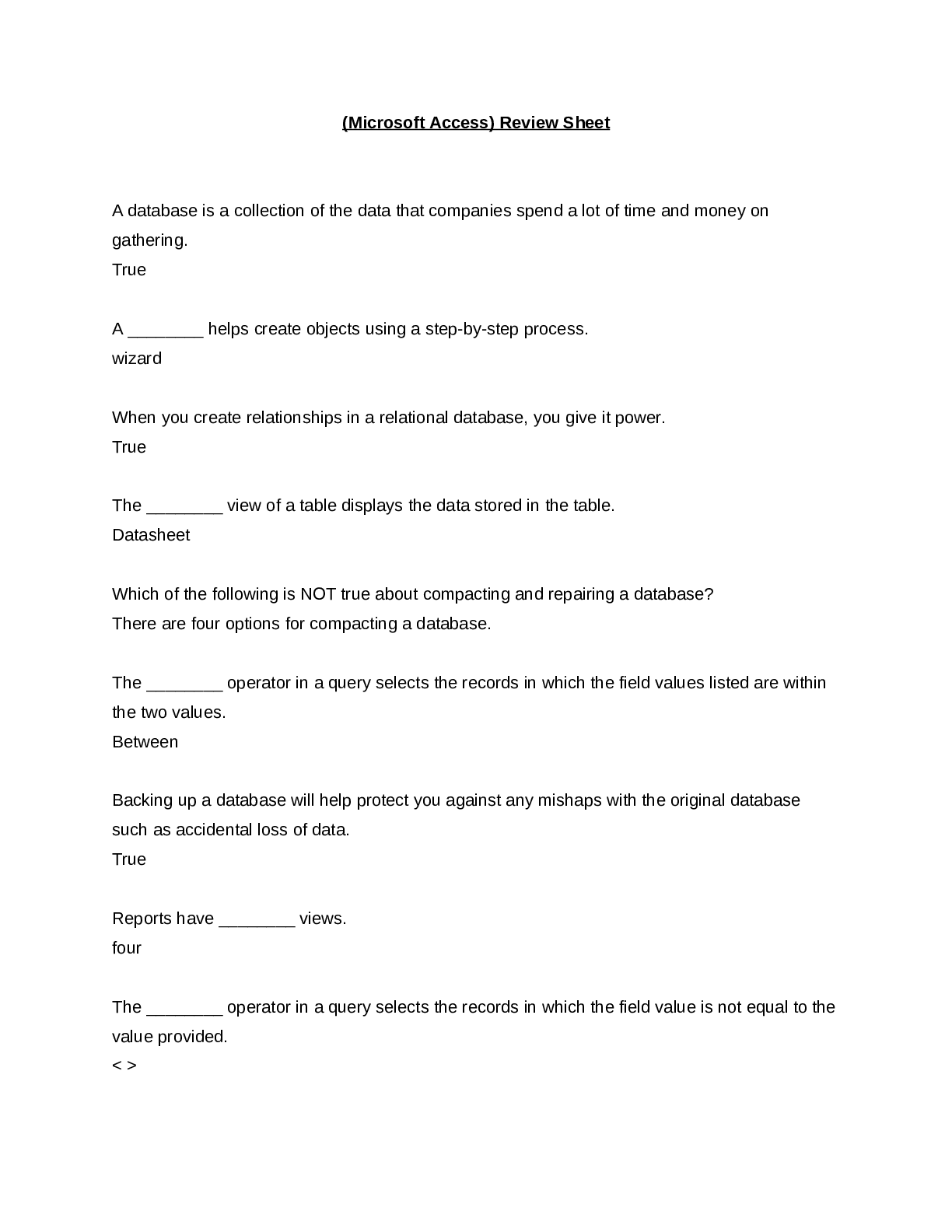


 (2500+ Q & A).png)





.png)
.png)