LAB 8: Combining Results
INSTRUCTIONS:
• Prior to starting this lab, be sure you have done the following:
a. Read Skill 1.1 in the textbook
b. Watched Video 8 in CBT Nuggets
c. Familiarize yourself with the SQL comm
...
LAB 8: Combining Results
INSTRUCTIONS:
• Prior to starting this lab, be sure you have done the following:
a. Read Skill 1.1 in the textbook
b. Watched Video 8 in CBT Nuggets
c. Familiarize yourself with the SQL commands in the textbook and videos
• There are multiple parts to this lab, be sure to clear all the SQL before completing the
next part.
• Sign each lab part. The first line in the SQL Window must be a comment with your
Name, Student ID, and Lab number. The following is an example:
• For each part of the lab, you will be required to take a screenshot of the SQL window
and result pane. If there are more results than fill the screen only captures the initial
results. The following is an example of what is expected:
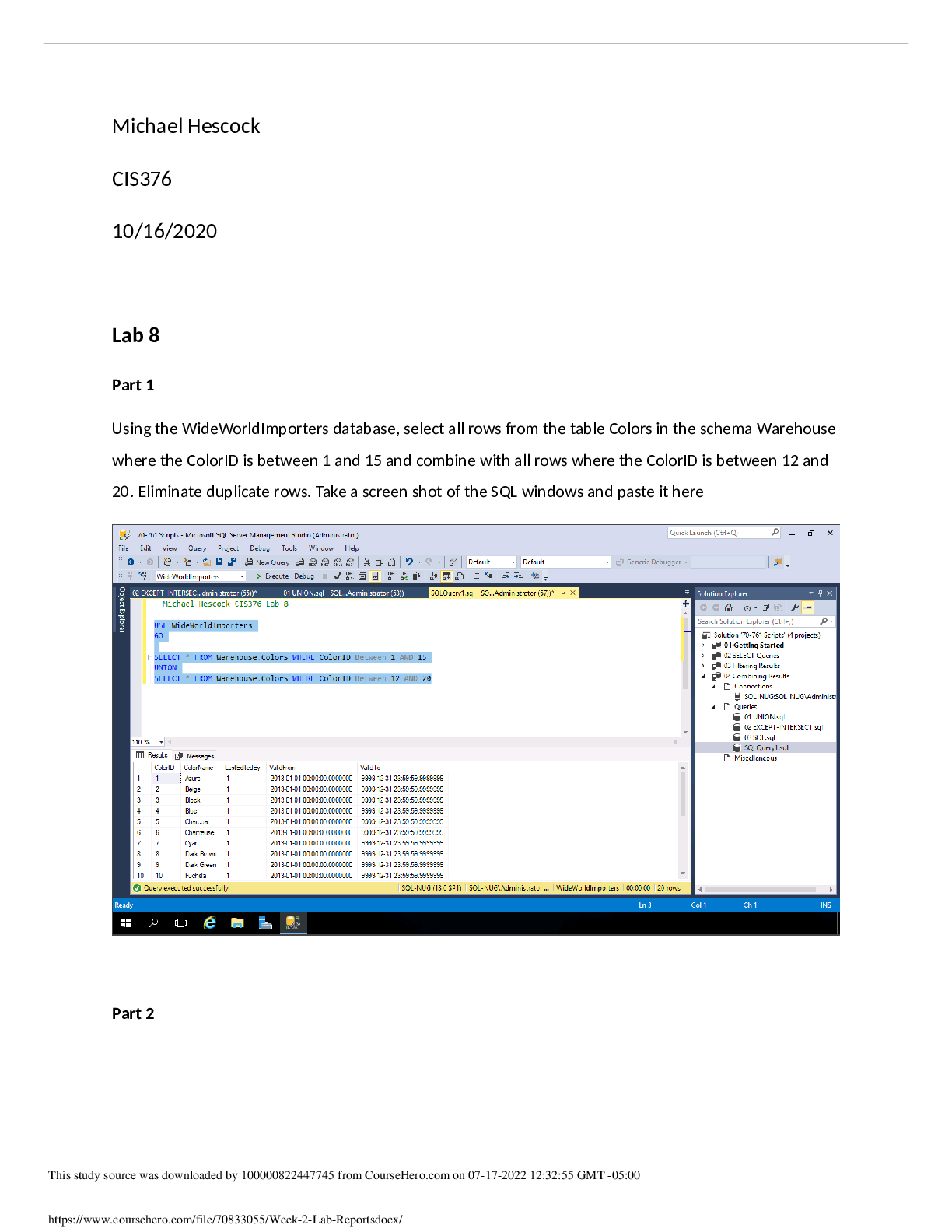
Using the WideWorldImporters database, select all rows from the table Colors in the schema
A warehouse where the ColorID is between 1 and 15 and combine with all rows where the
ColorID is between 12 and 20. Eliminate duplicate rows. Take a screenshot of the SQL
windows and paste it here.
Part 2
Using the WideWorldImporters database, select all rows from the table Colors in the schema
The warehouse where the ColorID is between 10 and 30 and combine with all rows where the
ColorID is between 12 and 20. Include duplicate rows. Take a screenshot of the SQL windows
and paste it here.
Part 3
Using WideWorldImporters select ColorID from the table Colors in the Warehouse schema that
does not match the ColorID from the table StockItems in the Warehouse schema . Take a screen
shot of the SQL windows and paste it here.
Part 4
Using WideWorldImporters select ColorID from the table Colors in the Warehouse schema that
matches the ColorID from the table StockItems in the Warehouse schema . Take a screenshot of
the SQL windows and paste it here.
[Show More]












.png)



.png)