GT CS 6035: Introduction to Information Security
Project
Capture The Flag!
Learning Goals of this Project:
Students will learn introductory level concepts about binary exploitation. This lab develops
understanding o
...
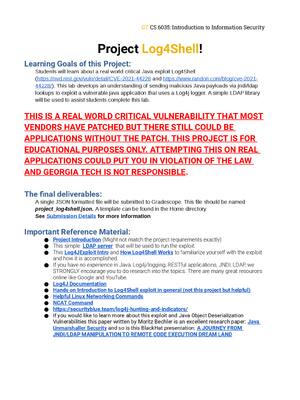
GT CS 6035: Introduction to Information Security
Project
Capture The Flag!
Learning Goals of this Project:
Students will learn introductory level concepts about binary exploitation. This lab develops
understanding of control flow hijacking through different tasks/challenges designed to show
certain vulnerabilities or weaknesses in a C program. A python library pwntools will be used to
show some exploitation techniques and automation to successfully hack a program
The final deliverables:
A single json formatted file will be submitted to Gradescope. This file should be named
project_ctf.json. A template can be found in the Home directory.
See Submission Details for more information
Important Reference Material :
● This Intro to pwntools/pwndbg video showing how to automate some exploits and use
our exploit framework on the VM
● If you’re an absolute beginner with no Linux experience, This Website may be able to help
● pwntools Documentation
● GDB command cheat sheet
Submission:
Gradescope (autograded) - see Submission Details
Virtual Machine:
(Note: downloads can be very slow when project first releases due to very high traffic in first few
hours/day)
- Parallels vm for apple m1 based systems
- You can install Parallels for mac here
- VM Download Link
- Username: parallels, Password: password
- Intel/AMD x64 version (suggest using 6.1.16 but can try any version if already installed)
- VM Download
- Windows Virtualbox 6.1.16 Download
- Mac VirtualBox 6.1.16 Download
- Username: cs6035, Password: cs6035
- Note, there is no root permissions on the VM
GT CS 6035: Introduction to Information Security
00_intro
Step 1: Open a terminal and cd into the project directory project_ctf/00_intro.
$ cd ~/project_ctf/00_intro
Inspect the contents of the readme file
$ cat readme
Follow the instructions in the readme to modify e.py with your GTID (9 digit numeric school ID
number that looks like 901234567 and afterwards execute the script to get your first flag! Your
output will look like this. Copy this submission hash and place in the json file in your home
directory ~/project_ctf.json
SUBMIT YOUR FIRST FLAG TO MAKE SURE IT WORKS BEFORE
CONTINUING
Also, it is a very good idea to submit each flag you get to make
sure it works before moving on, in case of any issues
(Applicable for all flags): If for whatever reason you don’t get a
flag and you’re positive you should, try running the exploit once
or twice. The flag generator can have some unexpected
behaviors. When in doubt, make a post in Ed Discussion to ‘All
Instructors’ and we will assist you if possible
GT CS 6035: Introduction to Information Security
01_buffer_overflow_1
(watch the intro video first please, or if you want to try the experimental instruction
program BoxxY, see Appendix for details, for Intel/AMD chips)
This task is a very simple buffer overflow that, upon inspection, will check if a variable is nonzero. Using the information you have gathered from reading and the videos, it is your task to get
this program to get to the call_me() function, and get the flag printed.
Note: you are free to use GDB if you need to for this project but you need to run the program on
the command line (i.e. ./e.py) in order to get the real flag for submission and submit it!
[Show More]