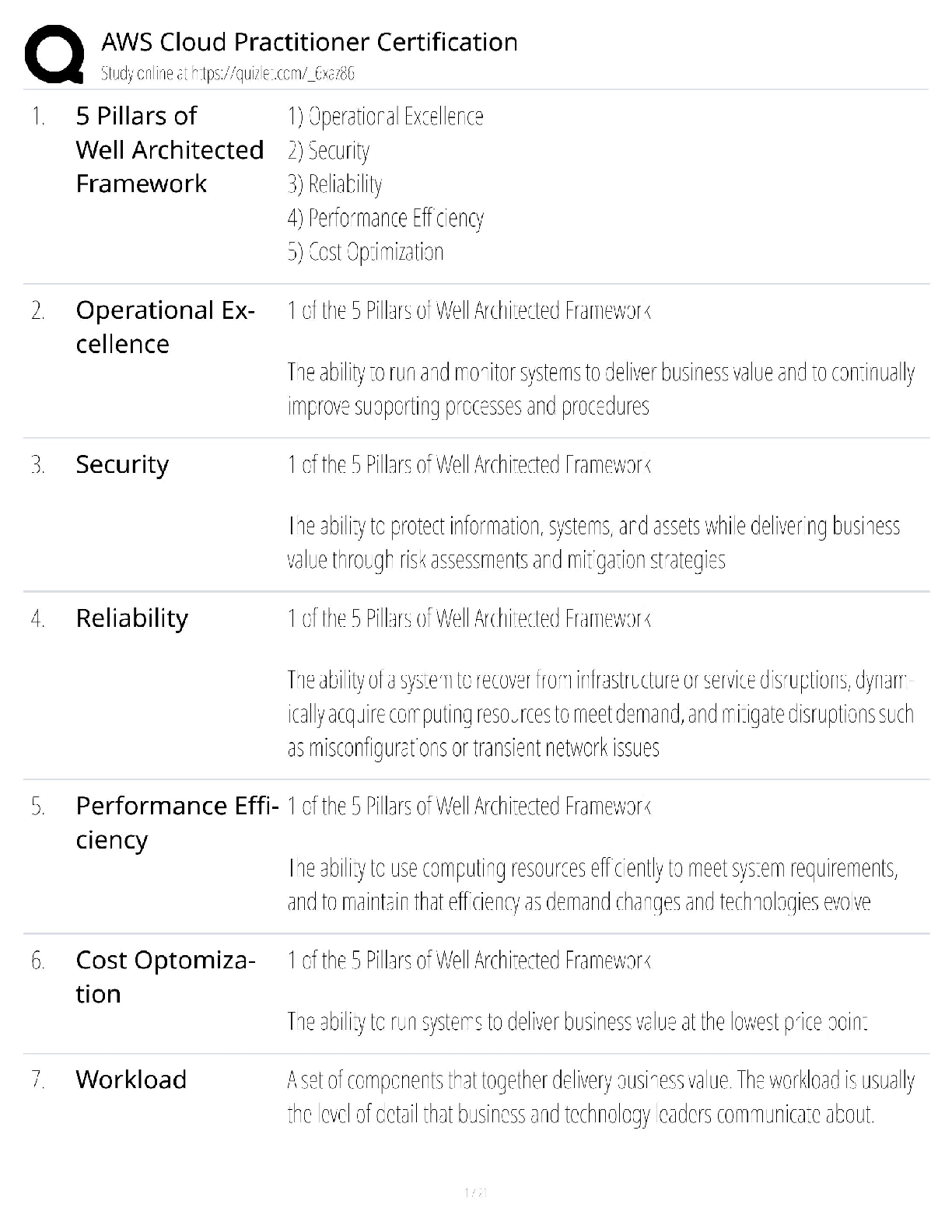
AWS Cloud Practitioner, Questions with accurate answers. 100% verified. rated A
Cloud Computing - ✔✔Cloud computing is the on-demand delivery of compute power, database storage, applications,
and other IT resources t
...
AWS Cloud Practitioner, Questions with accurate answers. 100% verified. rated A
Cloud Computing - ✔✔Cloud computing is the on-demand delivery of compute power, database storage, applications,
and other IT resources through a cloud services platform via the Internet with pay-as-you-go
pricing
6 advantages to cloud computing - ✔✔1. trade capital expense for variable expense
2. Economies of scale
3. Stop guessing about capacity
4. increase speed and agility
5. stop spending money running data centers
6. go global in minutes
IAAS - ✔✔Infrastructure as a Service (IaaS) contains the basic building blocks for cloud IT and typically
provide access to networking features, computers (virtual or on dedicated hardware), and data
storage space. Highest level of flexibility and control
PaaS - ✔✔Platform as a Service (PaaS) removes the need for your organization to manage the underlying
infrastructure (usually hardware and operating systems) and allows you to focus on the
deployment and management of your applications.
SaaS - ✔✔Software as a Service (SaaS) provides you with a completed product that is run and managed
by the service provider. In most cases, people referring to Software as a Service are referring
to end-user applications.
region - ✔✔A Region is a
physical location in the world where we have multiple AZs. Not connected to each other
AZs - ✔✔AZs consist of one or more discrete
data centers, each with redundant power, networking, and connectivity, housed in separate
facilities. These AZs offer you the ability to operate production applications and databases that
are more highly available, fault tolerant, and scalable than would be possible from a single
data center.
Benefits of AWS security - ✔✔1. keep data safe
2. meet compliance requirements
3. save money
4. scale quickly
AWS Cloud Compliance - ✔✔AWS Cloud Compliance enables you to understand the robust controls in place at AWS to
maintain security and data protection in the cloud.
Complies with:
SOC 1/ISAE 3402, SOC 2, SOC 3
FISMA, DIACAP, and FedRAMP
PCI DSS Level 1
ISO 9001, ISO 27001, ISO 27018
AWS Management Console - ✔✔Access and manage Amazon Web Services through the AWS Management Console,
9 a simple
and intuitive user interface. You can also use the AWS Console Mobile App to quickly view
resources on the go.10
AWS COmmand Line Interface - ✔✔The AWS Command Line Interface (CLI) is a unified tool to manage your AWS services.11 With
just one tool to download and configure, you can control multiple AWS services from the
command line and automate them through scripts.
Software Development Kits - ✔✔Our Software Development Kits (SDKs) simplify using AWS services in your applications with an
Application Program Interface (API) tailored to your programming language or platform.
Amazon EC2 - ✔✔Amazon Elastic Compute Cloud (Amazon EC2) is a web service that provides secure, resizable
compute capacity in the cloud. It is designed to make web-scale computing easier for
developers.
e allows you to obtain and configure capacity with
minimal friction. It provides you with complete control of your computing resources and lets
you run on Amazon's proven computing environment. Amazon EC2 reduces the time required
to obtain and boot new server instances (called Amazon EC2 instances) to minutes, allowing
you to quickly scale capacity, both up and down, as your computing requirements change.
Amazon EC2 changes the economics of computing by allowing you to pay only for capacity that
you actually use. Amazon EC2 provides developers and system administrators the tools to
build failure resilient applications and isolate themselves from common failure scenarios
Benefits to EC2 - ✔✔1. Elastic Web Scale Computing
2. Completely Controlled
3. Flexible Cloud Hosting Services
4. Integrated (w/ S3, RDS, VPC)
5. Reliable
6. Secure ( works with VPC to provide security and networking functionality)
7. Inexpensive
Dedicated Instances - ✔✔You can provision your Amazon EC2 resources as Dedicated Instances.
15 Dedicated
Instances are Amazon EC2 instances that run on hardware dedicated to a single
customer for additional isolation.
Dedicated hosts - ✔✔You can provision your Amazon EC2 resources on Dedicated Hosts, which are physical
servers with EC2 instance capacity fully dedicated to your use. Dedicated Hosts can
help you address compliance requirements and reduce costs by allowing you to use
your existing server-bound software licenses.
EC2 Purchasing Options - ✔✔1. On-demand Instances: With On-Demand instances, you pay for compute
capacity by the hour with no long-term commitments. You can increase or decrease
your compute capacity depending on the demands of your application and only pay
the specified hourly rate for the instances you use. The use of On-Demand instances
frees you from the costs and complexities of planning, purchasing, and maintaining
hardware and transforms what are commonly large fixed costs into much smaller
variable costs. On-Demand instances also remove the need to buy "safety net"
capacity to handle periodic traffic spikes.
2. Reserved Instances: Reserved Instances provide you with a significant discount
(up to 75%) compared to On-Demand instance pricing.17 You have the flexibility to
change families, operating system types, and tenancies while benefitting from
Reserved Instance pricing when you use Convertible Reserved Instances.
3. Spot Instance:—Spot Instances allow you to bid on spare Amazon EC2 computing
capacity.18 Since Spot instances are often available at a discount compared to OnDemand
pricing, you can significantly reduce the cost of running your applications,
grow your application's compute capacity and throughput for the same budget, and
enable new types of cloud computing applications.
Amazon EC2 Container Service - ✔✔Amazon EC2 Container Service (ECS) is a highly scalable, high-performance container
management service that supports Docker containers.19 It allows you to easily run applications
on a managed cluster of Amazon EC2 instances. Amazon ECS eliminates the need for you to
install, operate, and scale your own cluster management infrastructure. With simple API calls,
you can launch and stop Docker-enabled applications, query the complete state of your
cluster, and access many familiar features like security groups, Elastic Load Balancing, Amazon
Elastic Block Store (Amazon EBS) volumes, and AWS Identity and Access Management (IAM)
roles.
EC2 Container Registry - ✔✔Amazon EC2 Container Registry (ECR) is a fully-managed Docker container registry that makes
it easy for developers to store, manage, and deploy Docker container images.20 Amazon ECR is
integrated with Amazon EC2 Container Service (ECS), simplifying your development to
production workflow. Amazon ECR eliminates the need to operate your own container
repositories or worry about scaling the underlying infrastructure. Amazon ECR hosts your
images in a highly available and scalable architecture, allowing you to reliably deploy
containers for your applications. Integration with AWS Identity and Access Management (IAM)
provides resource-level control of each repository. With Amazon ECR, there are no upfront
fees or commitments. You pay only for the amount of data you store in your repositories and
data transferred to the Internet
Amazon Lightsail - ✔✔easiest way to launch and manage a virtual private server with AWS. Include: virtual machine, SSD based storage, data transfer, DNS management, and static IP address
AWS batch - ✔✔allows for thousands of batch computing jobs on aws. Provisions optimal quantity and type of compute resources based on volume and resource requirements of batch jobs submitted. Plans, schedules, and executes batch computing across full range of AWWS compute services
aws elastic beanstalk - ✔✔used for deploying and scaling web apps and services developed with Java, .NET, PHP, Node.js, Python, Ruby, GO and Dock on Apache, Nginx, Passenger, and IIS servers.
Upload code and beanstalk handles deployment (capacity provisioning, load balancing, and auth scaling, and health monitoring)
aws lambda - ✔✔AWS Lambda lets you run code without provisioning or managing servers. You pay only for
the compute time you consume—there is no charge when your code is not running.
Auto Scaling - ✔✔Auto Scaling helps you maintain application availability and allows you to scale your Amazon
EC2 capacity up or down automatically according to conditions that you define.
Compute - ✔✔EC2, Lightsail, Beanstalk, Lambda, Auto Scaling
S3` - ✔✔Amazon Simple Storage Service (Amazon S3) is object storage with a simple web service
interface to store and retrieve any amount of data from anywhere on the web.26 It is designed
to deliver 99.999999999% durability, and scales past trillions of objects worldwide.
easy to move large volumes of data
Features of S3 - ✔✔1. Simple (easy to integrate with third party tech)
2. Durable: data redundantly stored
3. Scalable
4. Secure
5. Available
6. Low Cost
7. Simple Data Transfer
8. Integrated (with: Amazon
CloudFront, Amazon CloudWatch, Amazon Kinesis, Amazon RDS, Amazon
Glacier, Amazon EBS, Amazon DynamoDB, Amazon Redshift, Amazon Route
53, Amazon EMR, Amazon VPC, Amazon Key Management Service (KMS), and AWS
Lambda.)
9. Easy to manage
Elastic Block Store - ✔✔Amazon Elastic Block Store (Amazon EBS) provides persistent block storage volumes for use
with Amazon EC2 instances in the AWS Cloud.29 Each Amazon EBS volume is automatically
replicated within its Availability Zone to protect you from component failure, offering high
availability and durability. Amazon EBS volumes offer the consistent and low-latency
performance needed to run your workloads. With Amazon EBS, you can scale your usage up or
down within minutes—all while paying a low price for only what you provision.
EBS Features - ✔✔High Performance Volumes: Choose between solid-state disk (SSD)-backed or hard
disk drive (HDD)-backed volumes that can deliver the performance you need for your
most demanding applications.
Availability: Each Amazon EBS volume is designed for 99.999% availability and
automatically replicates within its Availability Zone to protect your applications from
component failure.
Encryption: Amazon EBS encryption provides seamless support for data-at-rest and
data-in-transit between EC2 instances and EBS volumes.
Access Management: Amazon's flexible access control policies allow you to specify
who can access which EBS volumes ensuring secure access to your data.
Snapshots: Protect your data by creating point-in-time snapshots of EBS volumes,
which are backed up to Amazon S3 for long-term durability
Elastic File System - ✔✔Amazon Elastic File System (Amazon EFS) provides simple, scalable file storage for use with
Amazon EC2 instances in the AWS Cloud.30 Amazon EFS is easy to use and offers a simple
interface that allows you to create and configure file systems quickly and easily. With Amazon
EFS, storage capacity is elastic, growing and shrinking automatically as you add and remove
files, so your applications have the storage they need, when they need it.
multiple EC2 instances can access file and same time
Amazon Glacier - ✔✔Amazon Glacier is a secure, durable, and extremely low-cost storage service for data archiving
and long-term backup.31 You can reliably store large or small amounts of data for as little as
$0.004 per gigabyte per month, a significant savings
[Show More]


.png)
.png)
.png)



.png)