Lab 5: Simulations 
Welcome to Lab 5!
We will go over iteration (https://www.inferentialthinking.com/chapters/09/2/Iteration.html) and simulations
(https://www.inferentialthinking.com/chapters/09/3/Simulation.html),
...
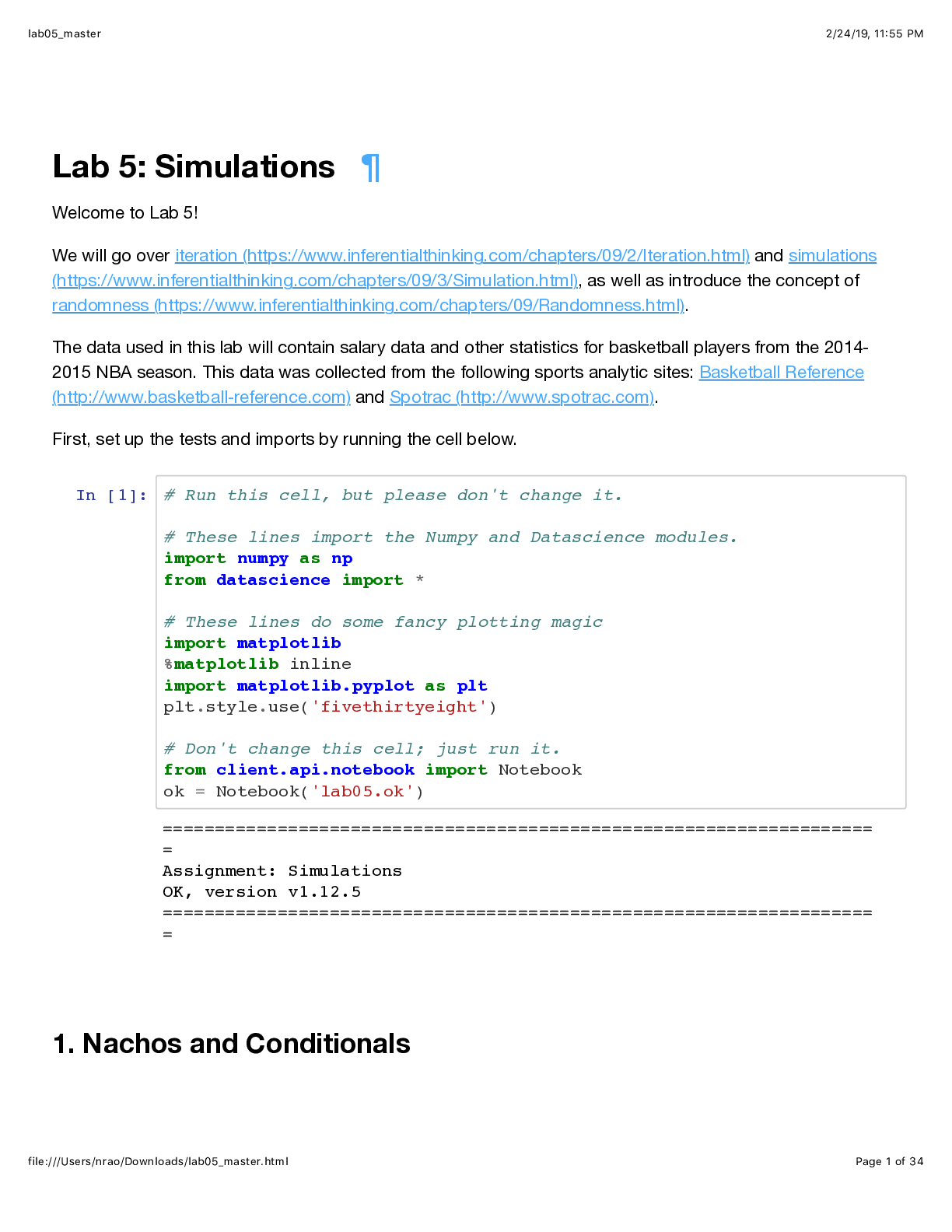
Lab 5: Simulations 
Welcome to Lab 5!
We will go over iteration (https://www.inferentialthinking.com/chapters/09/2/Iteration.html) and simulations
(https://www.inferentialthinking.com/chapters/09/3/Simulation.html), as well as introduce the concept of
randomness (https://www.inferentialthinking.com/chapters/09/Randomness.html).
The data used in this lab will contain salary data and other statistics for basketball players from the 2014-
2015 NBA season. This data was collected from the following sports analytic sites: Basketball Reference
(http://www.basketball-reference.com) and Spotrac (http://www.spotrac.com).
First, set up the tests and imports by running the cell below.
In [1]: # Run this cell, but please don't change it.
# These lines import the Numpy and Datascience modules.
import numpy as np
from datascience import *
# These lines do some fancy plotting magic
import matplotlib
%matplotlib inline
import matplotlib.pyplot as plt
plt.style.use('fivethirtyeight')
# Don't change this cell; just run it.
from client.api.notebook import Notebook
ok = Notebook('lab05.ok')
1. Nachos and Conditionals
====================================================================
=
Assignment: Simulations
OK, version v1.12.5
====================================================================
=
lab05_master 2/24/19, 11(55 PM
file:///Users/nrao/Downloads/lab05_master.html Page 2 of 34
In Python, the boolean data type contains only two unique values: True and False . Expressions
containing comparison operators such as < (less than), > (greater than), and == (equal to) evaluate to
Boolean values. A list of common comparison operators can be found below!
Run the cell below to see an example of a comparison operator in action.
In [2]: 3 > 1 + 1
We can even assign the result of a comparison operation to a variable.
In [3]: result = 10 / 2 == 5
result
Arrays are compatible with comparison operators. The output is an array of boolean values.
In [4]: make_array(1, 5, 7, 8, 3, -1) > 3
One day, when you come home after a long week, you see a hot bowl of nachos waiting on the dining table!
Let's say that whenever you take a nacho from the bowl, it will either have only cheese, only salsa, both
cheese and salsa, or neither cheese nor salsa (a sad tortilla chip indeed).
Let's try and simulate taking nachos from the bowl at random using the function,
np.random.choice(...) .
np.random.choice
np.random.choice picks one item at random from the given array. It is equally likely to pick any of the
items. Run the cell below several times, and observe how the results change.
Out[2]: True
Out[3]: True
Out[4]: array([False, True, True, True, False, False])
lab05_master 2/24/19, 11(55 PM
file:///Users/nrao/Downloads/lab05_master.html Page 3 of 34
In [5]: nachos = make_array('cheese', 'salsa', 'both', 'neither')
np.random.choice(nachos)
To repeat this process multiple times, pass in an int n as the second argument. By default,
np.random.choice samples with replacement and returns an array of items.
Run the next cell to see an example of sampling with replacement 10 times from the nachos array.
In [6]: np.random.choice(nachos, 10)
Question 1. Assume we took ten nachos at random, and stored the results in an array called ten_nachos
as done below. Find the number of nachos with only cheese using code (do not hardcode the answer).
Hint: Our solution involves a comparison operator (e.g. = , < , ...) and the np.count_nonzero method.
In [7]: ten_nachos = make_array('neither', 'cheese', 'both', 'both', 'cheese',
'salsa', 'both', 'neither', 'cheese', 'both')
number_cheese = np.count_nonzero(ten_nachos == 'cheese') #SOLUTION
number_cheese
In [8]: _ = ok.grade('q1_1')
Out[5]: 'both'
Out[6]: array(['cheese', 'both', 'both', 'both', 'neither', 'cheese', 'both'
,
'both', 'nei
[Show More]