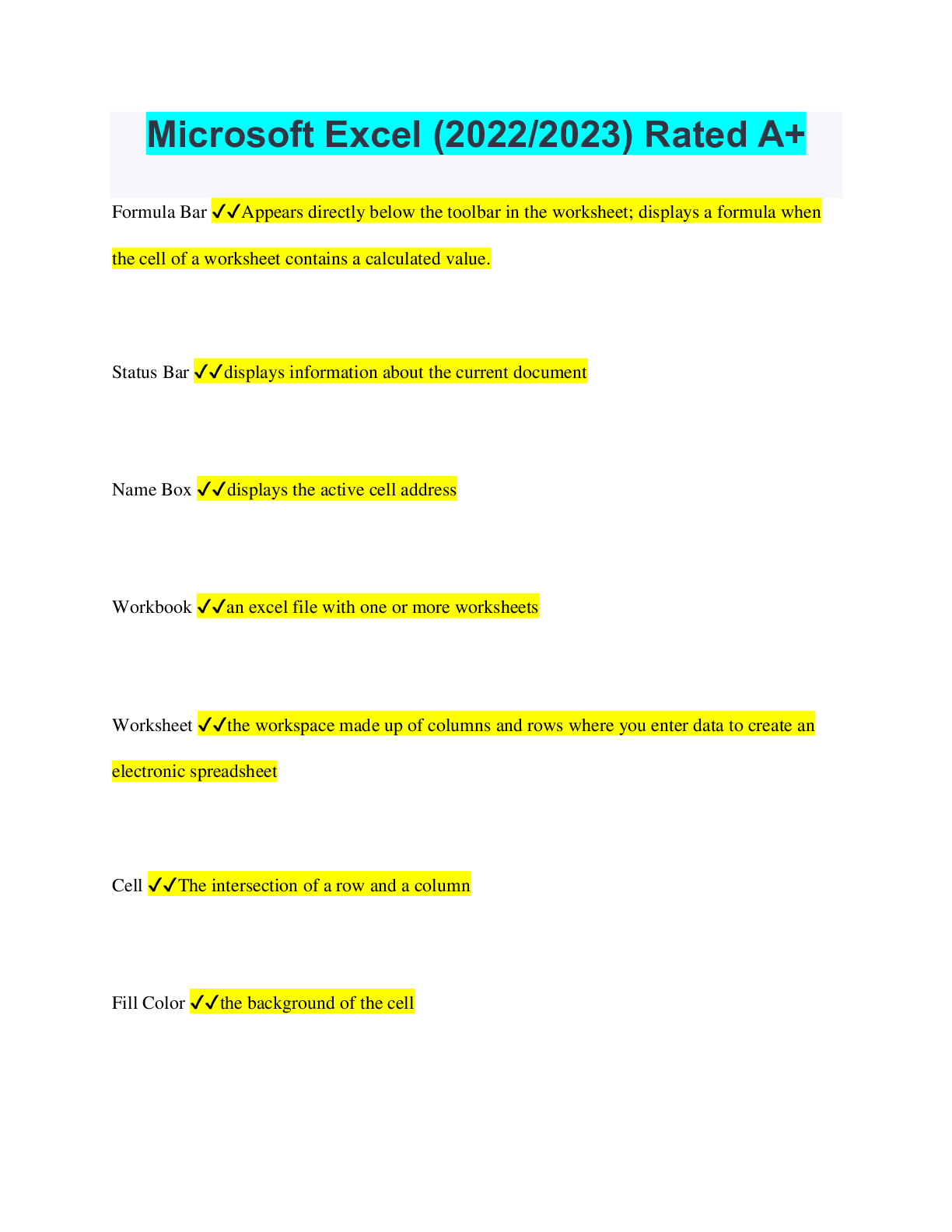
Microsoft Excel (2022/2023) Rated A+
Formula Bar ✔✔Appears directly below the toolbar in the worksheet; displays a formula when
the cell of a worksheet contains a calculated value.
Status Bar ✔✔displays information ab
...
Microsoft Excel (2022/2023) Rated A+
Formula Bar ✔✔Appears directly below the toolbar in the worksheet; displays a formula when
the cell of a worksheet contains a calculated value.
Status Bar ✔✔displays information about the current document
Name Box ✔✔displays the active cell address
Workbook ✔✔an excel file with one or more worksheets
Worksheet ✔✔the workspace made up of columns and rows where you enter data to create an
electronic spreadsheet
Cell ✔✔The intersection of a row and a column
Fill Color ✔✔the background of the cell
Text Color ✔✔color that the text appears in in a cell
Border ✔✔a line that indicates a boundary of a cell or range
Column ✔✔appears vertically in a worksheet and is identified by letters at the top of the
worksheet window
Column Heading ✔✔a column letter above the grid that identifies each column
Row ✔✔appears horizontally in a worksheet and is identified by numbers on the left side of the
worksheet window
Row Heading ✔✔a number at the far-left side of a row that can be clicked to select the entire
row of cells
Cell Label ✔✔ability to use name box to name a range of cells/cell
Cell Value ✔✔what is typed into a cell-contained with in
Cell Format ✔✔Allows someone to change a cell's appearance; alignment, font, border, patterns,
etc. as well as its numerical type; number, text, currency, percentage, etc.
Merge Cells ✔✔Takes two or more cells and combines them into one.
Insert Row/Column ✔✔Placing a new, blank row or column in the spreadsheet.
Cell Alignment ✔✔the position in which text is placed within a cell
Series ✔✔a predictable list of sequential numbers, dates, times, or text
Fill Handle ✔✔this is the name of the small black square that displays in the bottom right corner
of the active cell
Selection Tool ✔✔thick white cross
Move Tool ✔✔used to place a selection in a new location
AutoSum ✔✔a function that automatically adds selected cells
Filter ✔✔a condition that data must meet to be included in a selection - a way of limiting data in
a list
Sort ✔✔To arrange data in alphabetical or numerical order.
Cell Reference ✔✔The column letter and the row number. Example: B12
Relative Reference ✔✔An adjustable/changeable cell reference
Absolute Reference ✔✔cell refernence that points to a specific cell and does not change when
copied ($B$4)
Insert Function ✔✔A toolbar button that displays functions by category that will assist you in
writing the formula.
Chart ✔✔a graphic representation of values used to identify trends and contrasts in data
Diagram ✔✔A visual representation of data to help readers better understand relationships
among data
Freeze Panes ✔✔allows the user to select specific rows or columns that remain visible when
scrolling in the worksheet
Page Break Preview ✔✔displays the location of the different page breaks within the worksheet
Orientation ✔✔describes the direction of the page or the paper you will print on (landscape or
portrait)
Drilling Technique ✔✔Taking the content from one sheet and pasting it to multiple sheets at one
time.
Conditions ✔✔Statements in a formula that can be evaluated as true or false, and then return an
appropriate value if true, and another value if false.
Arguments ✔✔Parameters added to a function that help in evaluating data, or performing
calculations
Active Cell ✔✔Highlighted worksheet cell that is ready for data entry
Resize ✔✔change the size of
Select ✔✔to choose or highlight a row, column, cell or range
Unhide Row Tool ✔✔
Select Row ✔✔Highlight an entire row
Select Column ✔✔Highlight an entire column
Collapse Arguments ✔✔Allows you to shrink the function dialogue box in order to choose cells
for your function.
Expand Arguments ✔✔Allows you to expand the function dialogue box in order to adjust the
arguments in your function.
[Show More]







![Preview of [SOLVED] EDCO 740 / EDCO740 Quiz 1 (LATES 2021/2022 Graded A)](https://scholarfriends.com/storage/EDCO_740_Quiz_1.png)