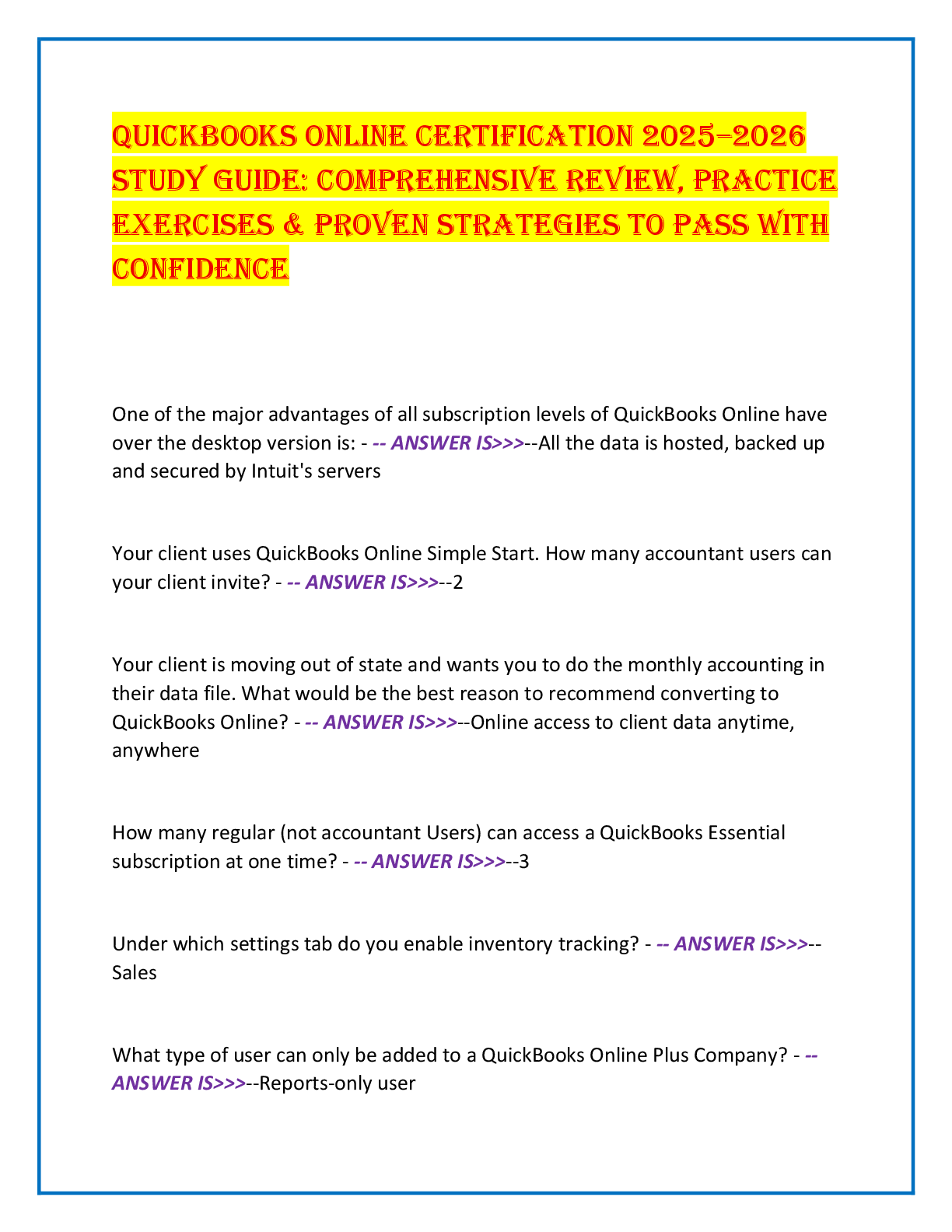
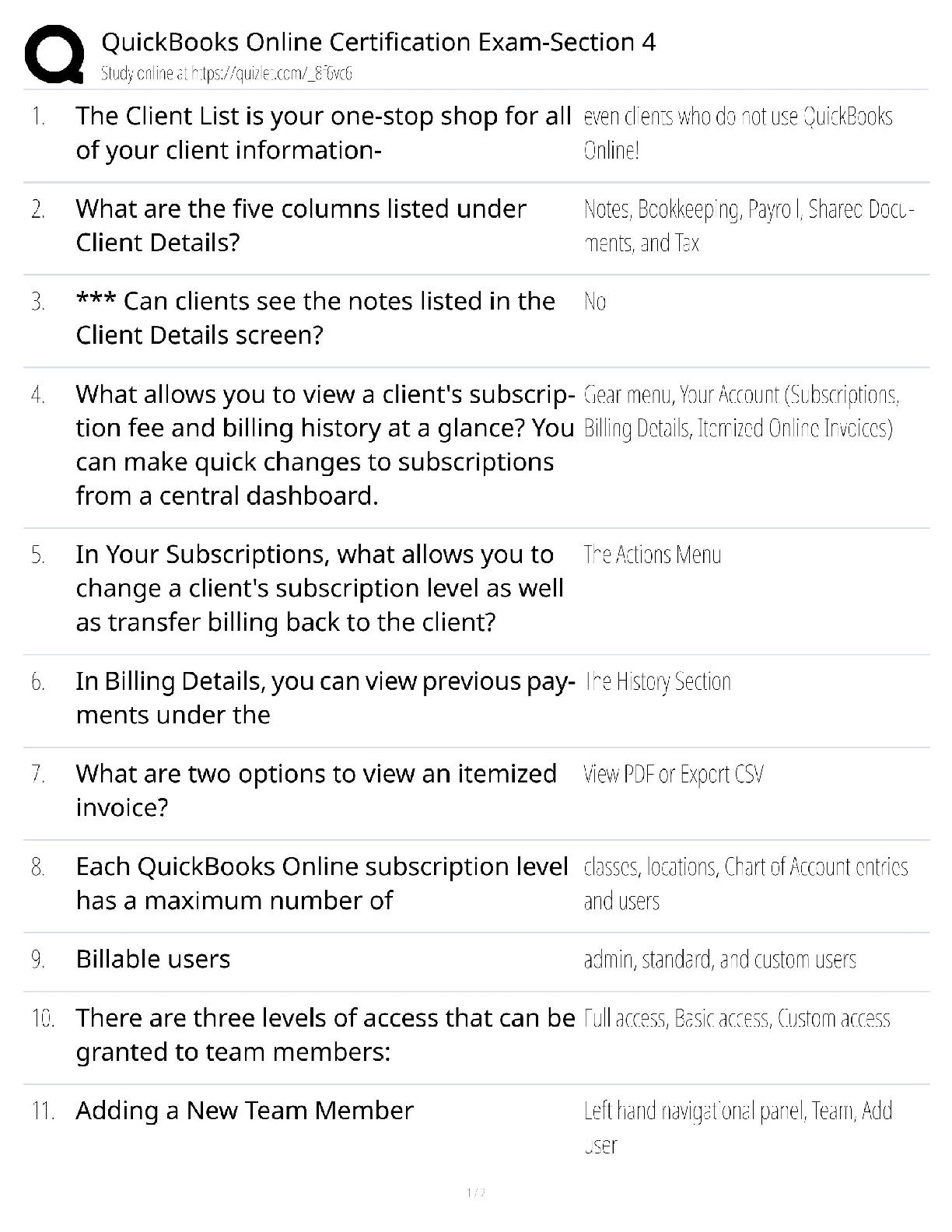
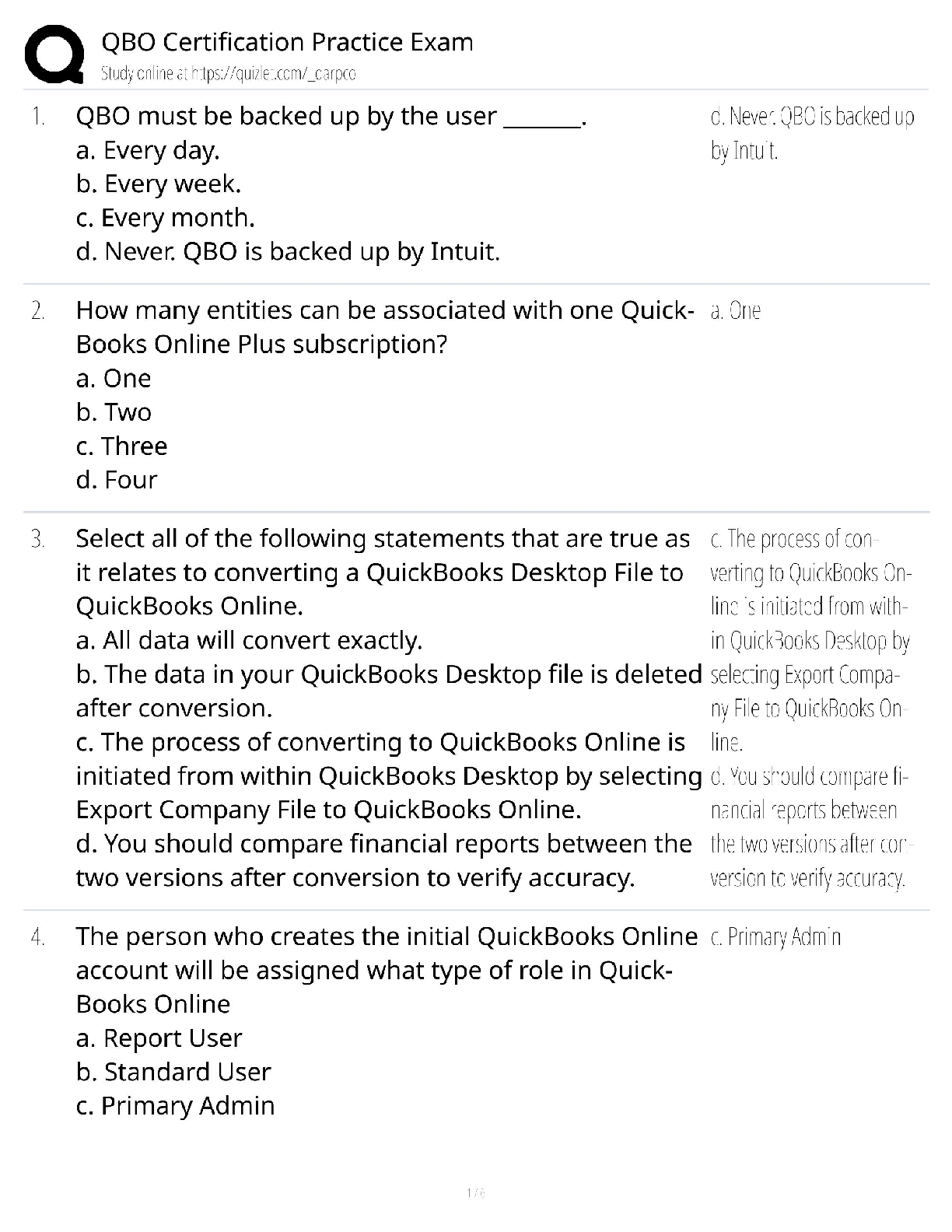
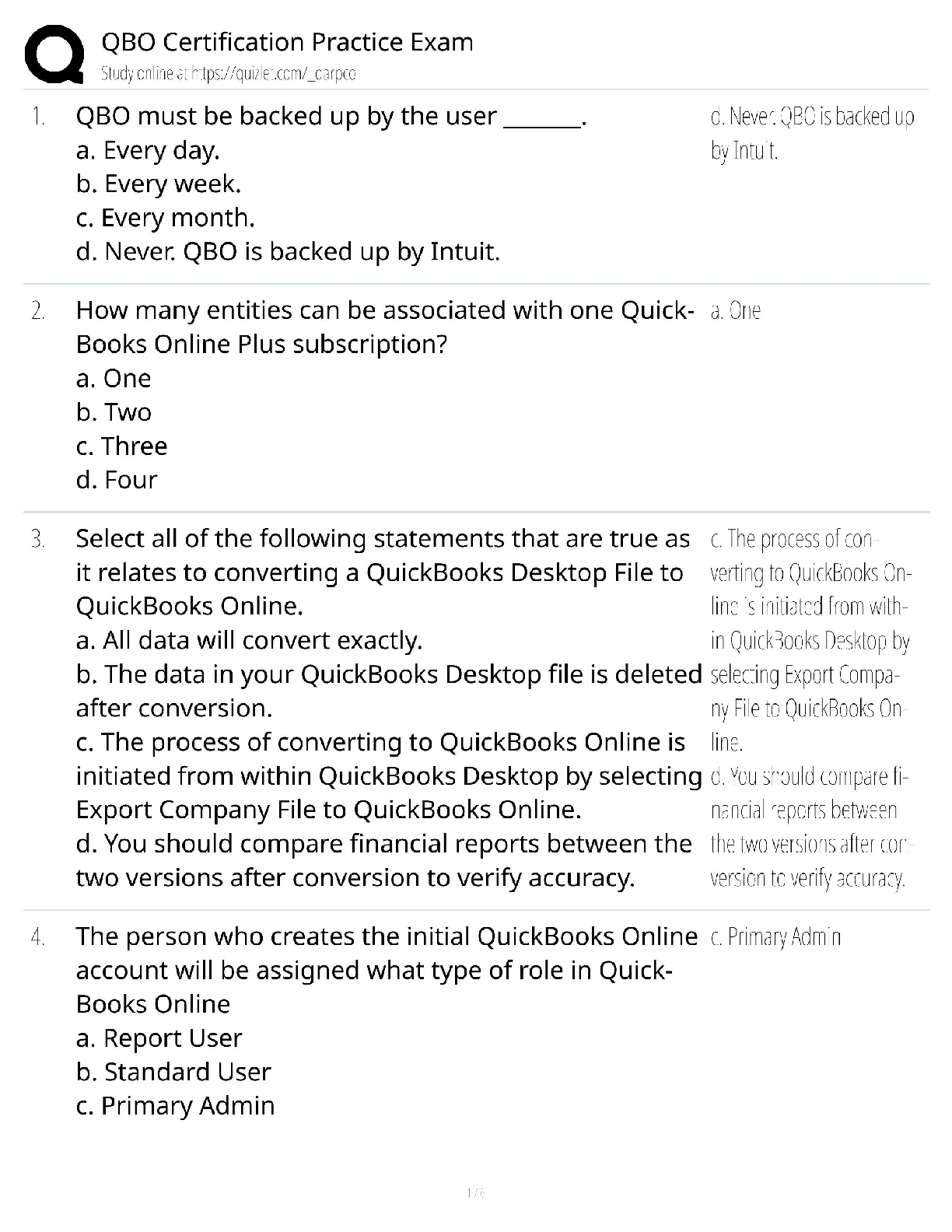
QuickBooks Online Certification Test
Questions and Answers Rated A+
Can you delete or make inactive something on a list if it has a balance (e.g. Customer, Vendor, or
Stock Product, or Account)? ✔✔Yes, QuickBooks will
...
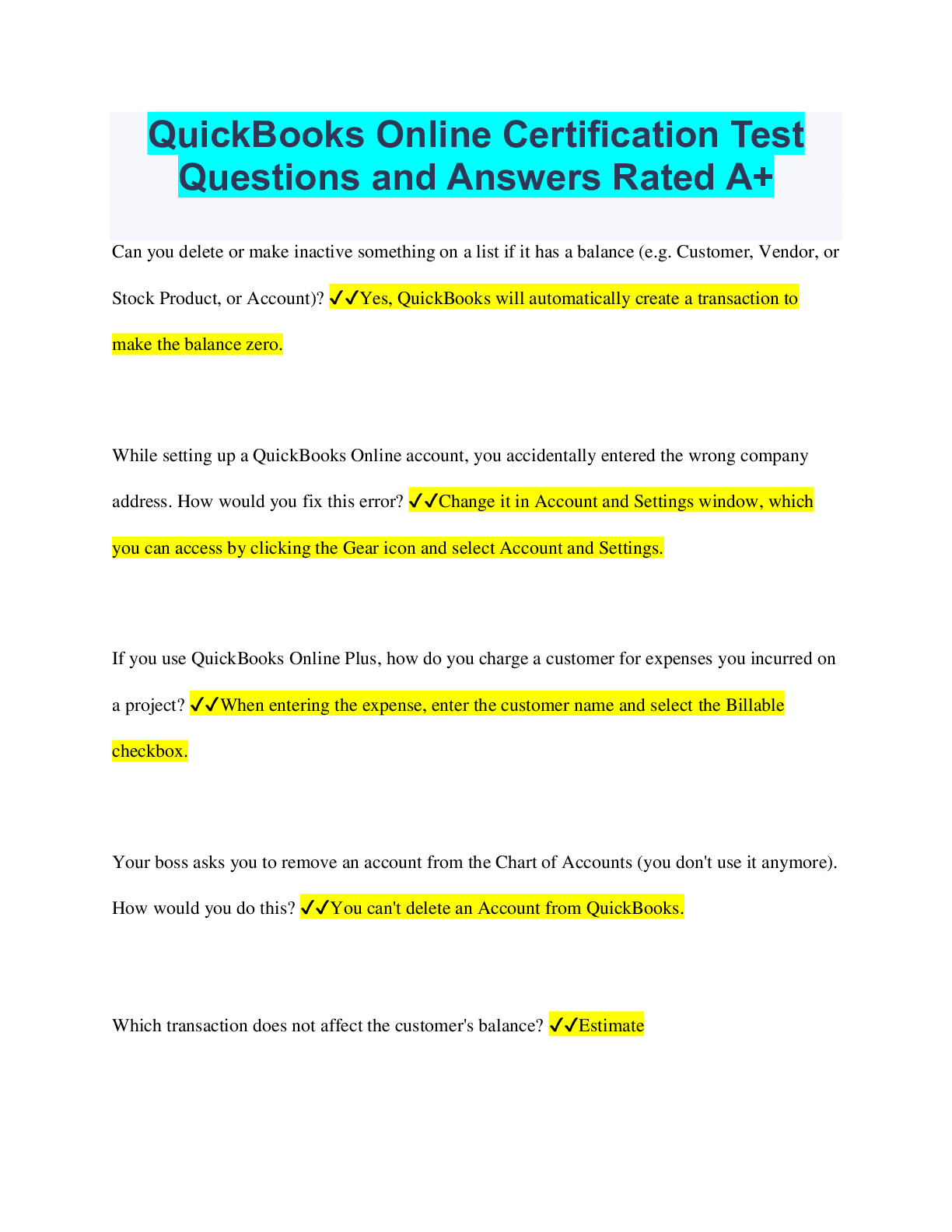
QuickBooks Online Certification Test
Questions and Answers Rated A+
Can you delete or make inactive something on a list if it has a balance (e.g. Customer, Vendor, or
Stock Product, or Account)? ✔✔Yes, QuickBooks will automatically create a transaction to
make the balance zero.
While setting up a QuickBooks Online account, you accidentally entered the wrong company
address. How would you fix this error? ✔✔Change it in Account and Settings window, which
you can access by clicking the Gear icon and select Account and Settings.
If you use QuickBooks Online Plus, how do you charge a customer for expenses you incurred on
a project? ✔✔When entering the expense, enter the customer name and select the Billable
checkbox.
Your boss asks you to remove an account from the Chart of Accounts (you don't use it anymore).
How would you do this? ✔✔You can't delete an Account from QuickBooks.
Which transaction does not affect the customer's balance? ✔✔Estimate
Which transaction CANNOT be made recurring? ✔✔Deposit
What do you use Terms for in QuickBooks? ✔✔To determine when a customer's invoice is due.
Select the statement that's NOT true about using the QuickBooks app on a mobile device.
✔✔You can do everything (all QuickBooks functionality) on the app that can do in your regular
QuickBooks (using a browser).
Your Accountant is upset that changes are being made to last year's numbers. How can you stop
this from happening? ✔✔In the Advanced section of the company settings, set a Closing Date.
Which of the following statements is TRUE regarding products and services? ✔✔When you
purchase or sell a product, the value of the purchase or sale flows to the account (and therefore
the financial statement) you selected when you set up the product or service.
Which is NOT a good reason to enter a General Journal Entry? ✔✔To avoid using the built-in
forms (e.g. checks and invoices)
When should you use the Items Details area (bottom of the screenshot below) on a bill, check or
expense? ✔✔To track sales tax
When you want to send someone a bill for items
When you purchase stock
The Accounts Payable Aging report can help you stay on top of your business because it lists
which of the following? ✔✔You can view what you owe and when it's due.
What information does QuickBooks NOT ask/need when you create a new QuickBooks Online
account for a company? ✔✔The owner's name
Which section of the Balance Sheet shows your Accounts Receivable balance? ✔✔Assets
Your company would like to sell their products online. They ask you to look for an app that
makes it easy for customers to buy online. However, they also want you to be efficient. They do
NOT want you to have to manually enter these sales into QuinckBooks. They want the sales to
automatically update QuickBooks. What's a good place to start looking for an app that can do
this? ✔✔The Apps tab in QuickBooks.
Your Employer wants to see profit in department A separate from department B. What is the best
way to set this up? ✔✔Turn on Classes and set up each department as its own class.
You have a customer who hires you to work on several projects. How do you keep the sales and
expenses for each project separate so you run reports to see how profitable each project is?
✔✔Select the "Track separately" checkbox on the invoices for each job.
Which of the following statements about Users is TRUE? ✔✔You can have as many Reports
Only and Time Tracking Only users as you want.
Which of the following could explain why a Profit and Loss shows a profit, but the business
owner does not have any money in the bank? ✔✔The profit and loss was run on the Accrual
Basis instead of the Cash Basis
To speed up the set up process you can import certain lists into QuickBooks. Which of the
following CAN be imported? ✔✔Chart of Accounts, Products and Services, Customers and
Vendors
How do you hide all subaccounts on a report? ✔✔Click the Collapse button.
You entered a check in QuickBooks to record a purchase of office supplies. Later, you realize
this was a credit card purchase. How do you handle this? ✔✔Change the Check number to
CREDIT
You paid an insurance premium online with an electronic fund transfer (EFT). How would you
record this transaction in QuickBooks? ✔✔Click the Global Create button, plus sign, and select
Expense. Fill out the expense and create/select EFT as the payment method. Save the transaction.
You were hired to set up QuickBooks for a consulting company. The owner asks you to set up
the chart of accounts for that industry. This is easy because... ✔✔QuickBooks automatically
creates a chart of accounts for you based on the industry. And you can edit this list later to
remove accounts you do not need or add ones that you do.
Which of the following IS a list in QuickBooks Online? ✔✔Other Names
What limitations does QuickBooks have when it comes to browser access? ✔✔None of the
above.
You just BOUGHT something from a CUSTOMER. How do you set this customer up as a
VENDOR in QuickBooks? ✔✔Navigate to the Vendors lists and create a new vendor. In the
"Display Name As" field, enter customer's name, but add something unique, like "(vendor)' at the
end of the name
You are setting up a product or service. What happens if you select the box next to "I purchase
this product/service from a vendor"? ✔✔QuickBooks provides fields so you can track purchases
of that product/service (in addition to sales)
Where should you begin the process of importing lists from Excel to QuickBooks ✔✔Click the
Gear icon
Why would you recommend recording sales with invoices or Sales Receipts instead of recording
the sale with Journal Entry or on the Record Deposit screen? ✔✔- The sales will appear on sales
reports (they don't if you use the "Record Deposit" or Journal entry screen)- -- You can e-mail or
print the sale for customers.
- You can run reports that show your sales by product or service
You're tired of using your mouse to record transactions. You decide to start using shortcuts. How
can you see a list of keyboard shortcuts in QuickBooks? ✔✔Hold down the "CTRL", "ALT",
and "?" keys at the same time
What account do you use to record an expense purchased made with your Visa DEBIT CARD
✔✔Checking/Current
Which transaction can be made recurring? ✔✔- General Journal Entry
- Check
- Expense
Available in the company settings, what are two options for categorizing sales and expenses into
different locations and departments of a business? ✔✔Classes and Locations
Select the statement that's true about using the QuickBooks app on a mobile device ✔✔-There is
a QuickBooks app for Android and Apple (IOS) devices
-You can NOT perform all the functions of QuickBooks on the mobile app.
-The mobile app uses built in functionality of your device (e.g. the camera to take pictures of
receipts or other documents to attach transactions)
You created an estimate for a customer, When does the customer's balance go up? ✔✔When you
invoice based on the estimate
If you make a customer with an unpaid balance inactive, what happens to the open balance?
✔✔QuickBooks creates a Journal Entry to write off the balance as Bad Debt
Your employer hates that if anyone looks at her computer while she's on the home page, they can
see her bank balances and other sensitive financial information. How can you solve this? ✔✔On
the home page, select "Privacy Mode" to turn it on
You set up a company and QuickBooks sets up a chart of accounts for you. Which of the
following is TRUE about what you can do? You.... ✔✔CAN add more accounts later
When you sell a product/service on an Invoice or Sales Receipt, how does QuickBooks know
where to show those sales (income account) on the Profit and Loss? ✔✔You select an income
account during the setup of the product/service. Sales of that product/service increase the income
account you selected
When creating a new QuickBooks Online account, what company information does QuickBooks
ask for? ✔✔The industry of the business
You set a closing date to make sure no one changes anything date on or before December 31st of
last year. However, people are still making changes! Why is this happening? ✔✔You didn't set a
password for your closing date
How did you find the company settings in QuickBooks? ✔✔Click the Gear icon on the home
page and select Account and Settings.
You need to find an expense, but all you know is the amount (you can't remember the date or
vendor). What's the best way to do this? ✔✔Press the Magnifying Glass icon, and search for the
exact amount.
Which report is also known as a statement of performance, and summarizes income and
expenses for a period of time? ✔✔Profit & Loss
Name the major sections of the Balance Sheet that correspond to the accounting Equation
✔✔Assets, Liabilities, and Equity
Which of the following statements about Users is TRUE? ✔✔In addition to Regular or Custom
users, you can also set up Reports only and Time Tracking only users
Which of the following is TRUE regarding Journal Entries? ✔✔Journal entries require a good
understanding of debts and credits and a great deal of care should be taken by non-accountants
when entering them
Why would you hide (or collapse) subaccounts on a report? ✔✔To temporarily hide unnecessary
detail and only show parent accounts
You created a Customer Balance Summary Report and your employer wants you to multiply
each customer's sales by 23.67%. How can you do this quickly (without using a calculator)?
✔✔Select Export to Excel. Open the report in Excel and add a column to do the multiplication
for you
Sub-customers can make tracking jobs/projects or locations for a particular customer easy. One
of your customers just called to request work on their new location. How do you keep track of
this in QuickBooks? ✔✔Create a New Customer and tick the option 'Is sub-customer'
Which of the following is NOT a list in QuickBooks Online? ✔✔Subcontractors
You printed a check from QuickBooks. Before you can send it to your vendor, you spill coffee
on it, ruining the check. How do you handle this? ✔✔Void the check
What feature of QuickBooks lets you set how long a customer has to pay an invoice? ✔✔Terms
Select the statement that's true about the Apps tab in QuickBooks ✔✔Use it to find an app
designed for specific business functions that also syncs with QuickBooks so you don't have to
enter data twice
How do you backup and keep QuickBooks up to date between users? ✔✔You don't need to
backup because it's always backed up in the cloud
The Name field (Customer/Vendor) is optional on Invoices and Bills ✔✔False
Your employer can see what (s)he owes and what's overdue. But (s)he wants to see all the bills
that are overdue grouped by how late they are (30-60 days, 61-90 days, etc). Which report
provides this information? ✔✔Accounts Payable Aging
Your company has sales reps and you need to keep track of the sales reps associated with each
sale. How would you track sales reps on sales forms? ✔✔Navigate to Account and Settings and
in the Sales category or settings create a custom field for sales rep
If you DON'T download bank transactions, how do you enter a business lunch paid for with the
company debit card? ✔✔Click the Global Create button, Plus icon, and Select Expense. Fill out
the expense and use Debit Card as the payment method.
ADVERTISEMENT
[Show More]