SC-200
Exam Practice Questions
This SC-200 exam PDF provides detailed practice questions, answers, and
explanations. These Microsoft SC-200 exam practice questions are designed for
IT professionals, system administra
...
SC-200
Exam Practice Questions
This SC-200 exam PDF provides detailed practice questions, answers, and
explanations. These Microsoft SC-200 exam practice questions are designed for
IT professionals, system administrators, and students preparing for Microsoft
Certified: Security Operations Analyst Associate certification.
Key Features
Exam-Oriented Questions: Realistic practice questions that mirror the format
and difficulty of actual certification exams.
Wide Coverage: Includes cloud computing, networking, security, AI, and
enterprise IT management exams.
Study-Friendly Format: Organized sections by exam type, enabling focused
preparation.
Important Note:
This material is for personal study purposes only. Please do not
redistribute or use for commercial purposes without permission.
Share some SC-200 exam online questions below.
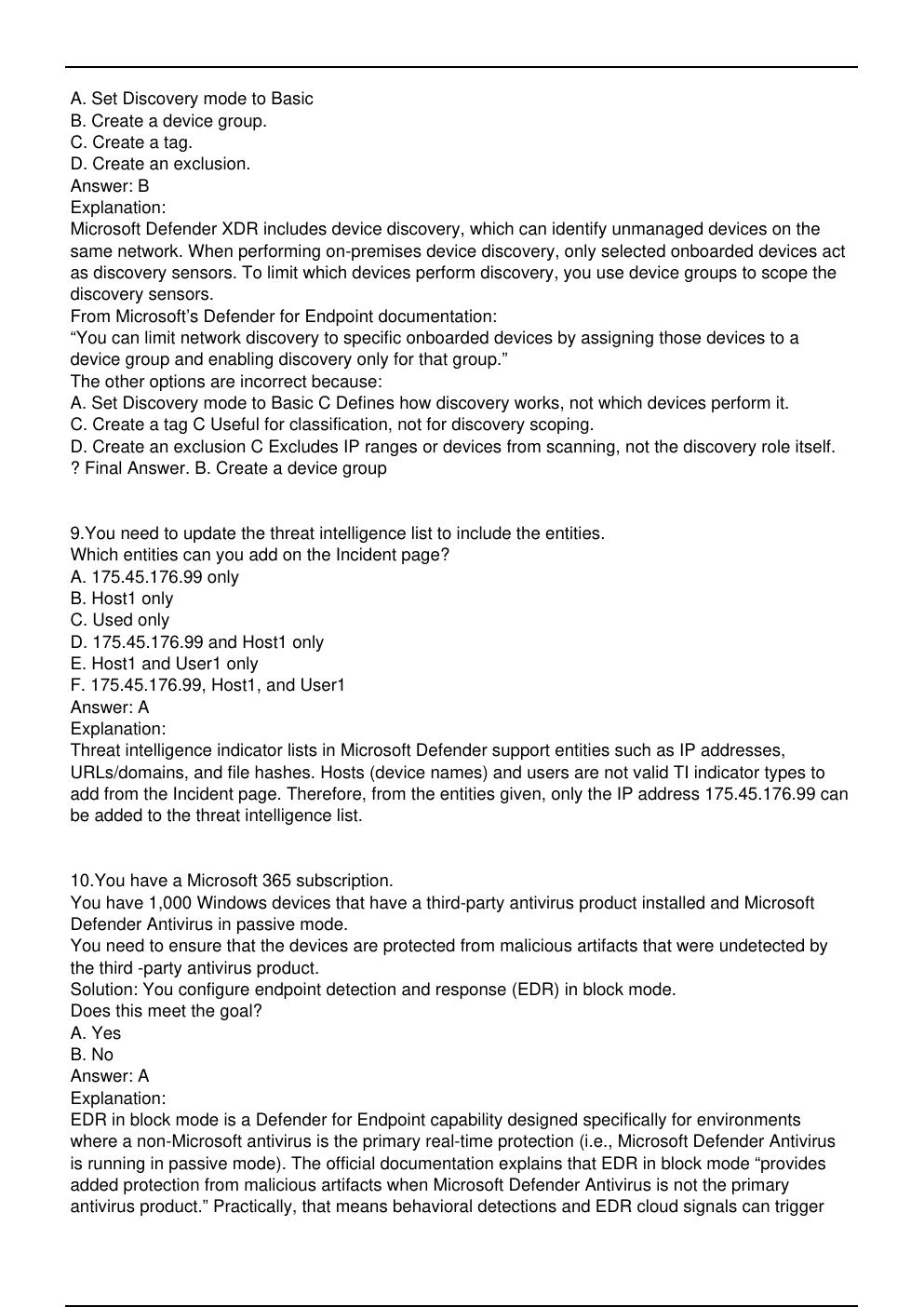
1.You have a Microsoft 365 E5 subscription.
You have 1,000 Windows devices that have a third-party antivirus product installed and Microsoft
Defender Antivirus in passive mode.
All Windows devices are on boarded to Microsoft Defender for Endpoint.
You need to ensure that the devices are protected from malicious artifacts that were undetected by
the third-party antivirus product.
Solution: You enable Live Response.
Does this meet the goal?
A. Yes
B. No
Answer: B
Explanation:
Live Response in Microsoft Defender for Endpoint is a powerful investigative and remediation
capability that lets responders interactively run commands on an endpoint, collect files, and perform
remediation steps (collect investigation packages, pull files, run scripts, or take forensic artifacts).
However, Live Response is an on-demand tool invoked during or after an investigation; it does not by
itself provide continuous detection coverage or automatic blocking of artifacts that a third-party AV
missed. The requirement is to ensure devices are protected from malicious artifacts that were
undetected by the third-party antivirus. To meet that objective you need capabilities that detect and
block artifacts automatically (for example, EDR in block mode which actively blocks/remediates postbreach artifacts even when Defender AV is passive). Live Response helps respond to an identified
artifact but does not create the detection and automatic blocking coverage that prevents or remediate
undetected malicious artifacts at scale. Therefore enabling Live Response alone does not meet the
stated protection goal.
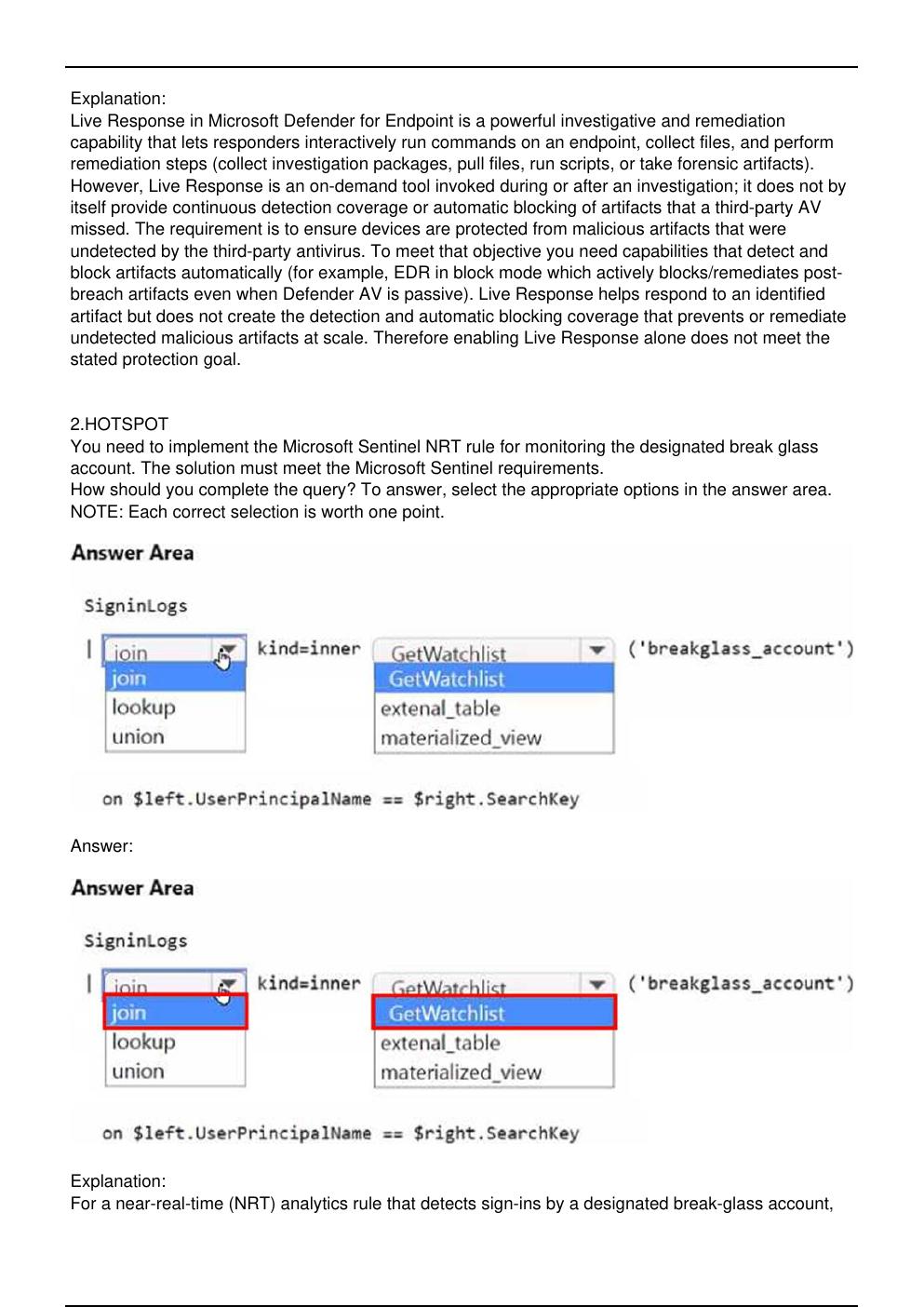
2.HOTSPOT
You need to implement the Microsoft Sentinel NRT rule for monitoring the designated break glass
account. The solution must meet the Microsoft Sentinel requirements.
How should you complete the query? To answer, select the appropriate options in the answer area.
NOTE: Each correct selection is worth one point.
Answer:
Explanation:
For a near-real-time (NRT) analytics rule that detects sign-ins by a designated break-glass account,
the most direct and performant pattern is to filter SigninLogs by joining to a Microsoft Sentinel
watchlist that contains the protected account(s). Sentinel exposes watchlists to KQL through the
helper function _GetWatchlist(''), which returns a table with standard columns
(including SearchKey) plus any custom columns you imported. Using join kind=inner ensures the
result set includes only those SigninLogs rows whose UserPrincipalName matches an entry in the
watchlist?ideal for alerting on a high-value account without post-filtering.
The completed query is:
SigninLogs | join kind=inner (_GetWatchlist('breakglass_account')) on $left.UserPrincipalName ==
$right.SearchKey
This approach satisfies the requirement to implement an NRT rule for the break-glass account
because:
NRT rules support KQL with joins and watchlists and are optimized for rapid evaluation over fresh
data.
Using a watchlist lets SecOps adjust monitored accounts without editing the rule?minimizing
administrative effort and aligning with least-privilege operations (no extra permissions beyond
watchlist management).
The inner join pattern reduces noise by returning only matched events, which are then turned into
alerts/incidents by the NRT rule.
Thus, select join and GetWatchlist, and join UserPrincipalName to the watchlist’s SearchKey.
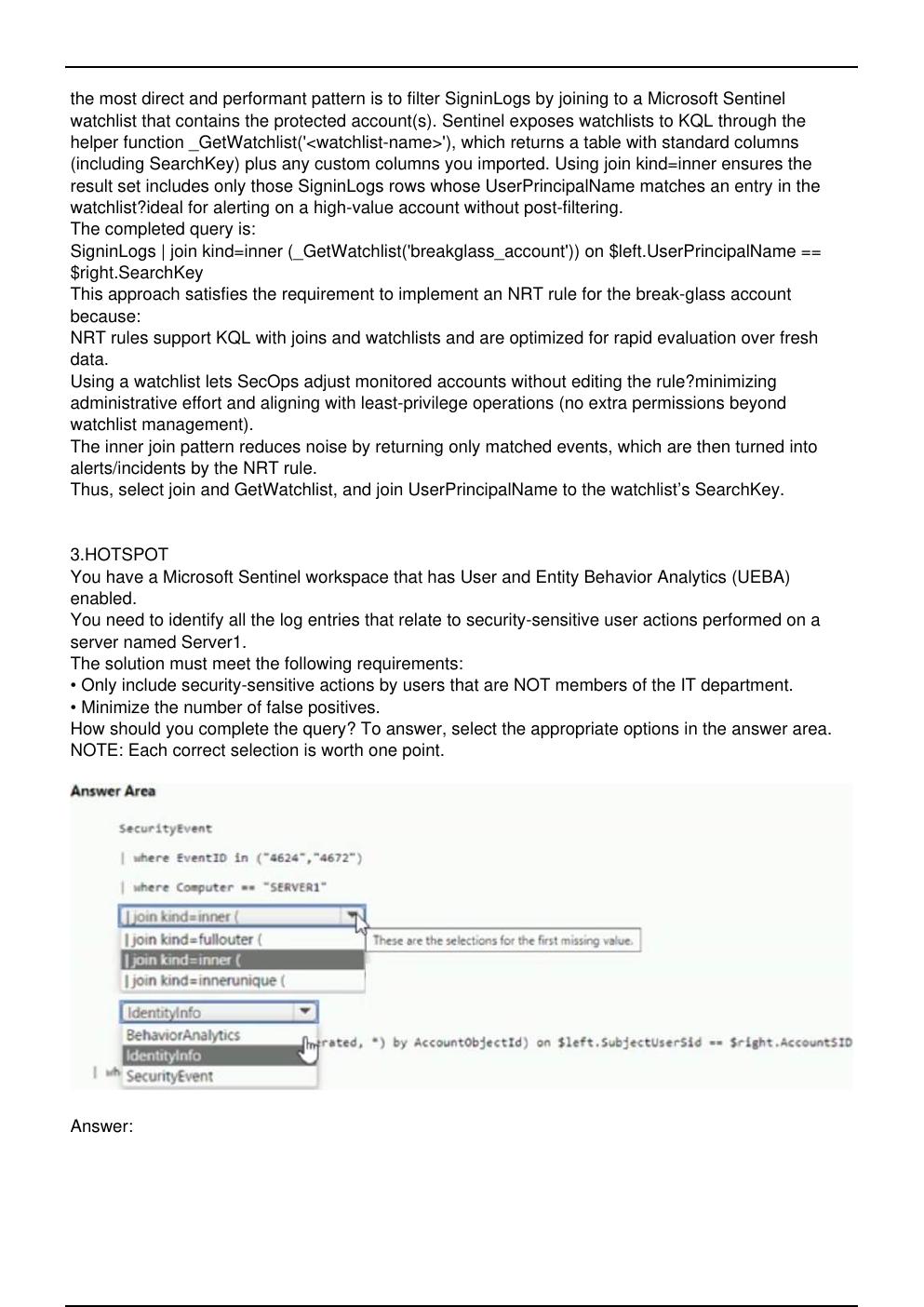
3.HOTSPOT
You have a Microsoft Sentinel workspace that has User and Entity Behavior Analytics (UEBA)
enabled.
You need to identify all the log entries that relate to security-sensitive user actions performed on a
server named Server1.
The solution must meet the following requirements:
• Only include security-sensitive actions by users that are NOT members of the IT department.
• Minimize the number of false positives.
How should you complete the query? To answer, select the appropriate options in the answer area.
NOTE: Each correct selection is worth one point.
Answer:
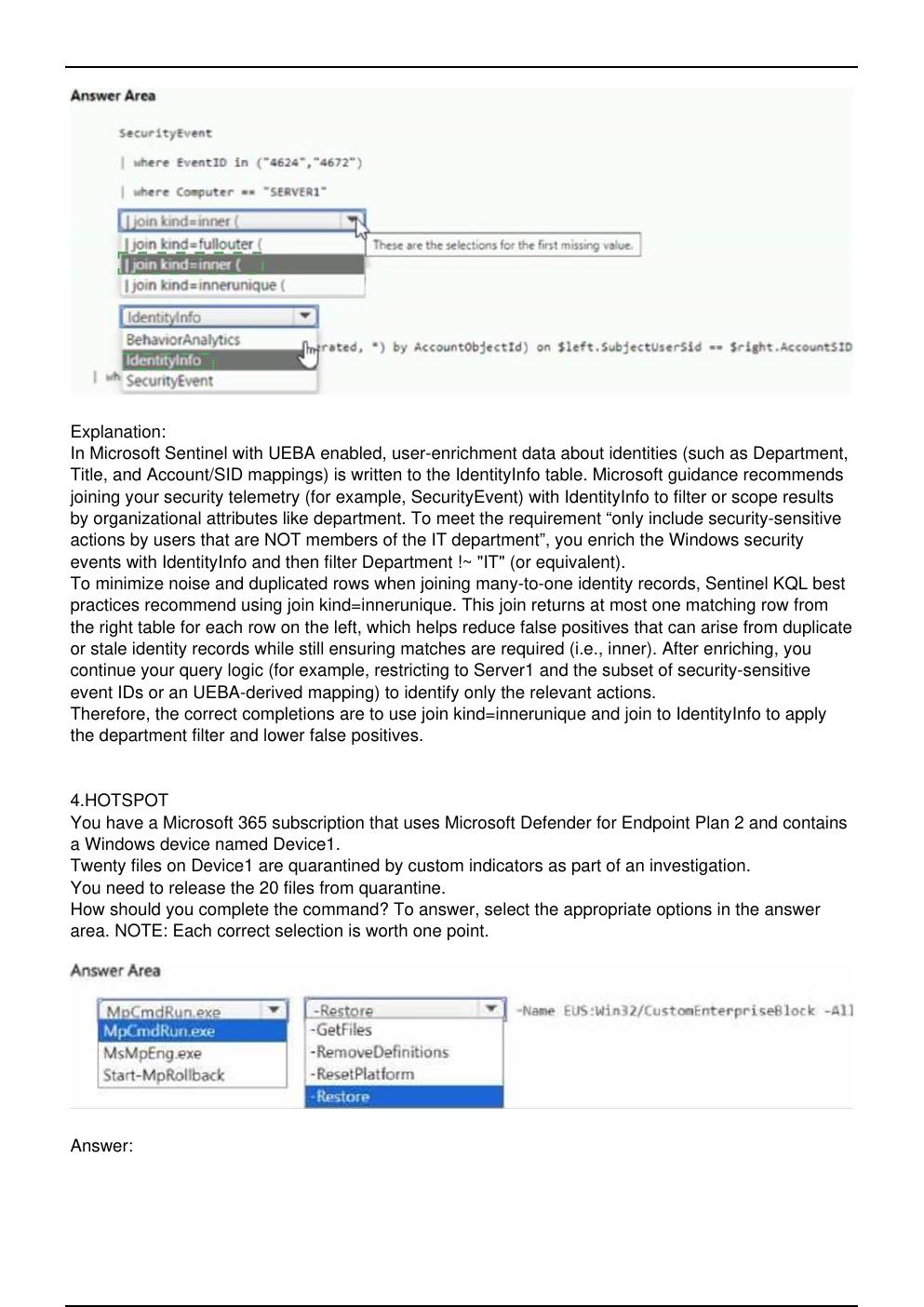
Explanation:
In Microsoft Sentinel with UEBA enabled, user-enrichment data about identities (such as Department,
Title, and Account/SID mappings) is written to the IdentityInfo table. Microsoft guidance recommends
joining your security telemetry (for example, SecurityEvent) with IdentityInfo to filter or scope results
by organizational attributes like department. To meet the requirement “only include security-sensitive
actions by users that are NOT members of the IT department”, you enrich the Windows security
events with IdentityInfo and then filter Department !~ "IT" (or equivalent).
To minimize noise and duplicated rows when joining many-to-one identity records, Sentinel KQL best
practices recommend using join kind=innerunique. This join returns at most one matching row from
the right table for each row on the left, which helps reduce false positives that can arise from duplicate
or stale identity records while still ensuring matches are required (i.e., inner). After enriching, you
continue your query logic (for example, restricting to Server1 and the subset of security-sensitive
event IDs or an UEBA-derived mapping) to identify only the relevant actions.
Therefore, the correct completions are to use join kind=innerunique and join to IdentityInfo to apply
the department filter and lower false positives.
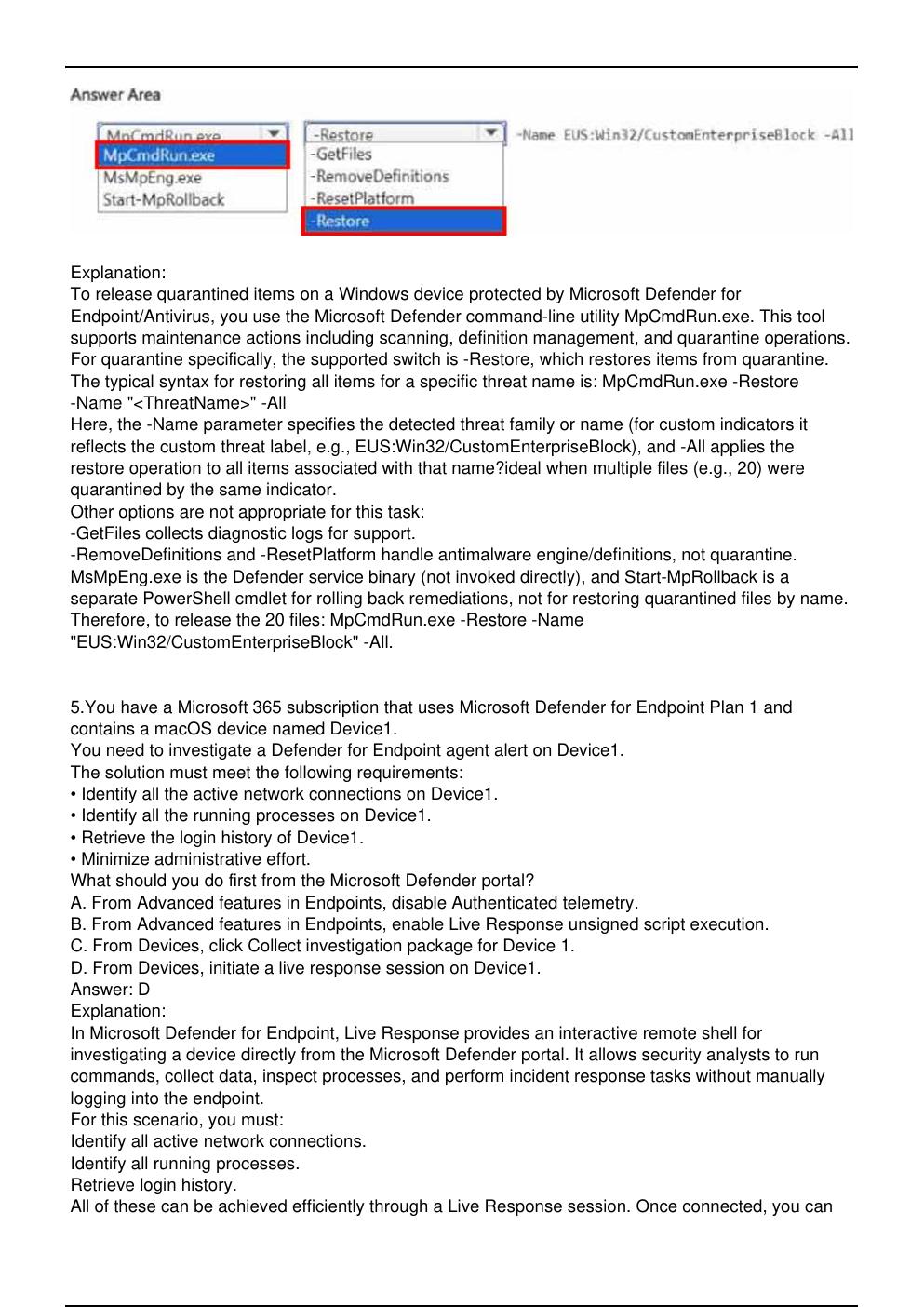
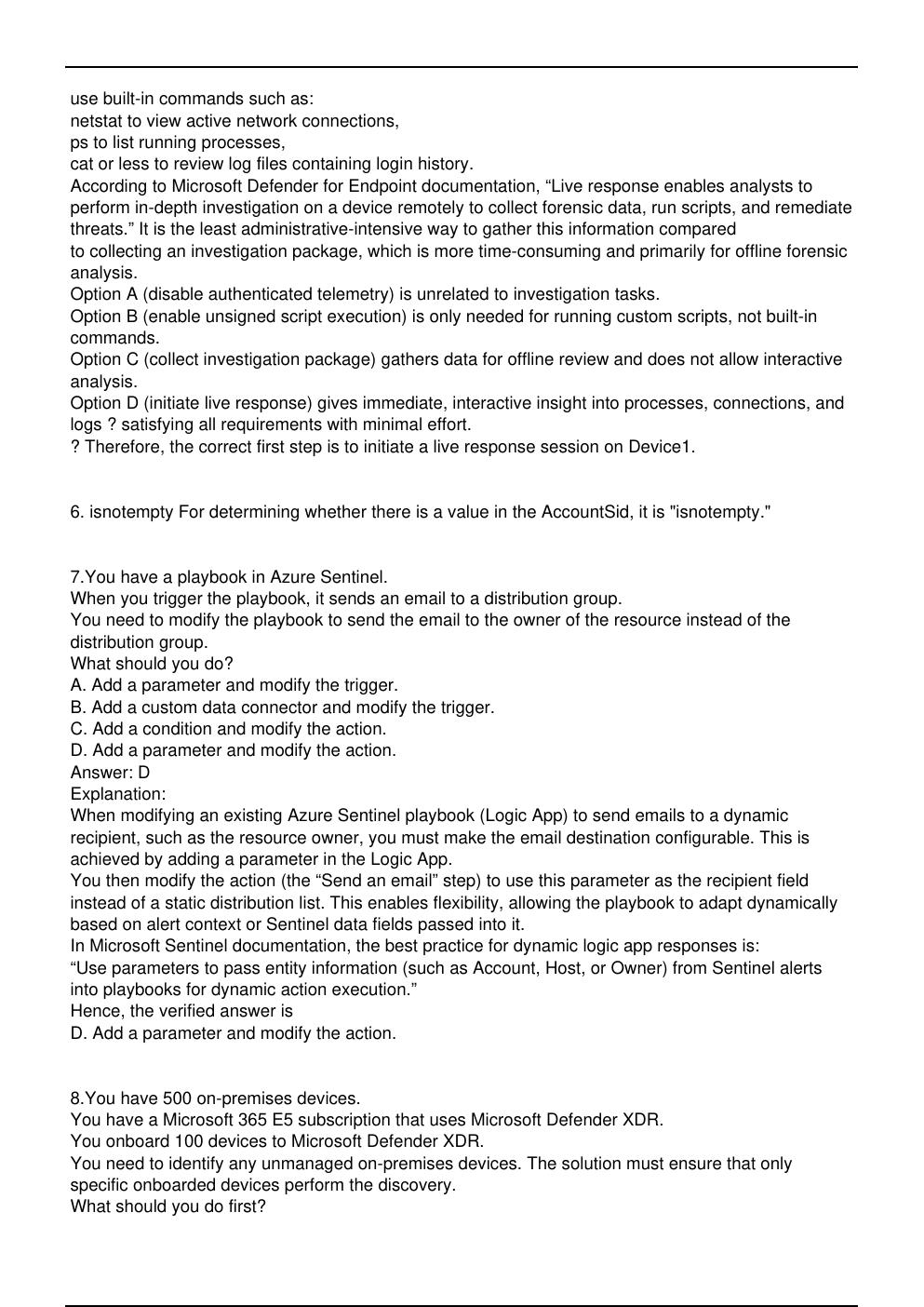
4.HOTSPOT
You have a Microsoft 365 subscription that uses Microsoft Defender for Endpoint Plan 2 and contains
a Windows device named Device1.
Twenty files on Device1 are quarantined by custom indicators as part of an investigation.
You need to release the 20 files from quarantine.
How should you complete the command? To answer, select the appropriate options in the answer
area. NOTE: Each correct selection is worth one point.
Answer:
[Show More]






![Preview of eBook [PDF] Advanced Technologies for Rechargeable Batteries Metal Ion, Hybrid, and Metal-](https://browseimages.nyc3.digitaloceanspaces.com/paper-images/2024/Aug/31/4CeOA98s2024-08-31-08-3766d2ac249f11f.png)