AD0-E911
Exam Practice Questions
This AD0-E911 exam PDF provides detailed practice questions, answers, and
explanations. These Adobe AD0-E911 exam practice questions are designed for
IT professionals, system administ
...
AD0-E911
Exam Practice Questions
This AD0-E911 exam PDF provides detailed practice questions, answers, and
explanations. These Adobe AD0-E911 exam practice questions are designed for
IT professionals, system administrators, and students preparing for Adobe
Workfront certification.
Key Features
Exam-Oriented Questions: Realistic practice questions that mirror the format
and difficulty of actual certification exams.
Wide Coverage: Includes cloud computing, networking, security, AI, and
enterprise IT management exams.
Study-Friendly Format: Organized sections by exam type, enabling focused
preparation.
Important Note:
This material is for personal study purposes only. Please do not
redistribute or use for commercial purposes without permission.
Share some AD0-E911 exam online questions below.
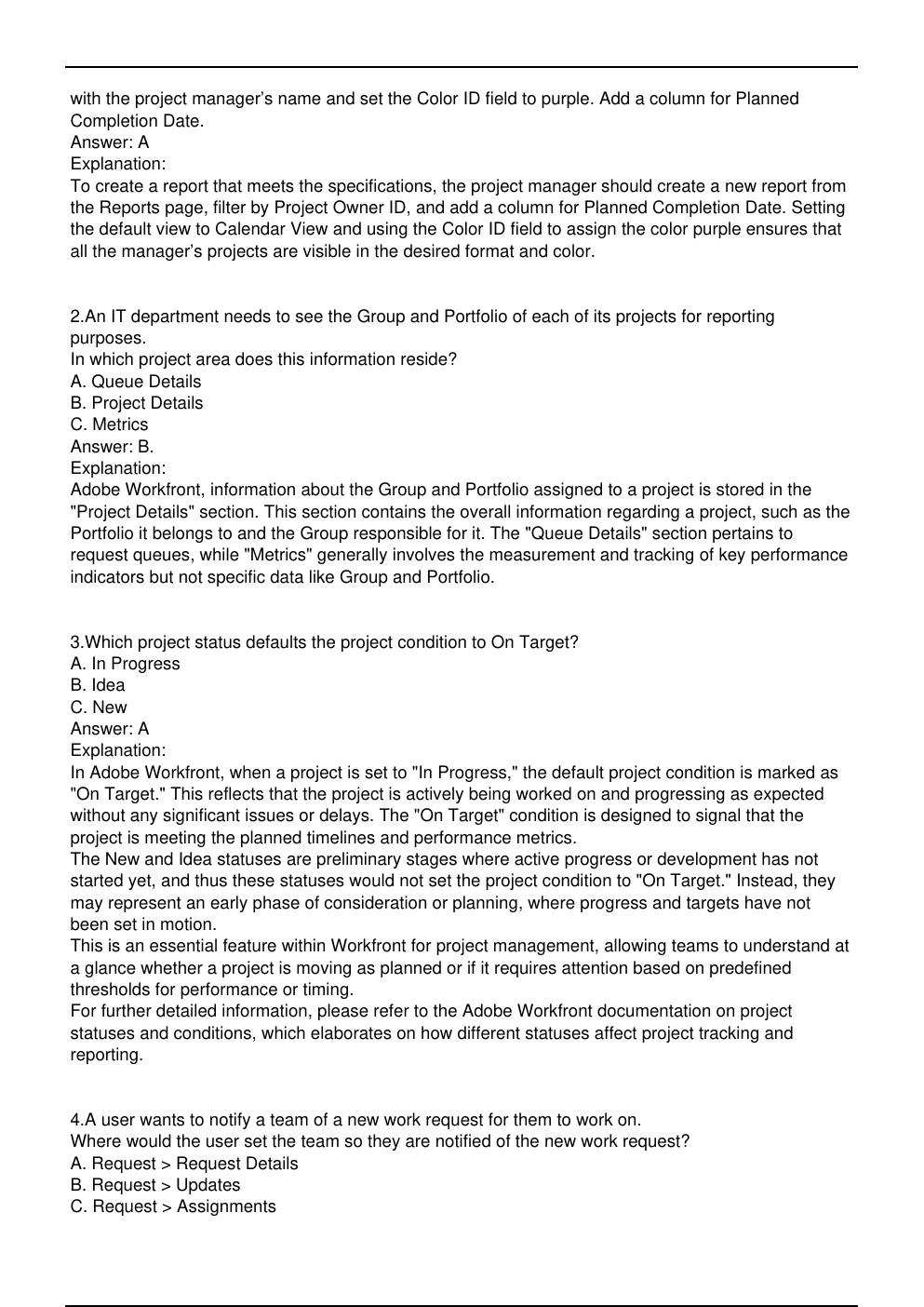
1.A project manager has been asked to create a report showing the planned completion date for all
the project manager's projects. The report must show results in a calendar view and all entries should
be purple.
What steps should the project manager take to create this view?
A. Visit the Reports page and create a new report. In the filter, update the project Owner ID field with
the project manager’s name and set the Color ID field to purple. Add a column for Planned
Completion Date and set the default view to “Calendar View.”
B. Visit the Calendars page and create a new calendar. In the filter, update the date field to Planned
Dates and update the Project Owner ID field with the project manager’s name. Set the color to
purple.
C. Visit the Reports page and create a new calendar. In the filter, update the Project Owner ID field
with the project manager’s name and set the Color ID field to purple. Add a column for Planned
Completion Date.
Answer: A
Explanation:
To create a report that meets the specifications, the project manager should create a new report from
the Reports page, filter by Project Owner ID, and add a column for Planned Completion Date. Setting
the default view to Calendar View and using the Color ID field to assign the color purple ensures that
all the manager’s projects are visible in the desired format and color.
2.An IT department needs to see the Group and Portfolio of each of its projects for reporting
purposes.
In which project area does this information reside?
A. Queue Details
B. Project Details
C. Metrics
Answer: B.
Explanation:
Adobe Workfront, information about the Group and Portfolio assigned to a project is stored in the
"Project Details" section. This section contains the overall information regarding a project, such as the
Portfolio it belongs to and the Group responsible for it. The "Queue Details" section pertains to
request queues, while "Metrics" generally involves the measurement and tracking of key performance
indicators but not specific data like Group and Portfolio.
3.Which project status defaults the project condition to On Target?
A. In Progress
B. Idea
C. New
Answer: A
Explanation:
In Adobe Workfront, when a project is set to "In Progress," the default project condition is marked as
"On Target." This reflects that the project is actively being worked on and progressing as expected
without any significant issues or delays. The "On Target" condition is designed to signal that the
project is meeting the planned timelines and performance metrics.
The New and Idea statuses are preliminary stages where active progress or development has not
started yet, and thus these statuses would not set the project condition to "On Target." Instead, they
may represent an early phase of consideration or planning, where progress and targets have not
been set in motion.
This is an essential feature within Workfront for project management, allowing teams to understand at
a glance whether a project is moving as planned or if it requires attention based on predefined
thresholds for performance or timing.
For further detailed information, please refer to the Adobe Workfront documentation on project
statuses and conditions, which elaborates on how different statuses affect project tracking and
reporting.
4.A user wants to notify a team of a new work request for them to work on.
Where would the user set the team so they are notified of the new work request?
A. Request > Request Details
B. Request > Updates
C.
[Show More]